
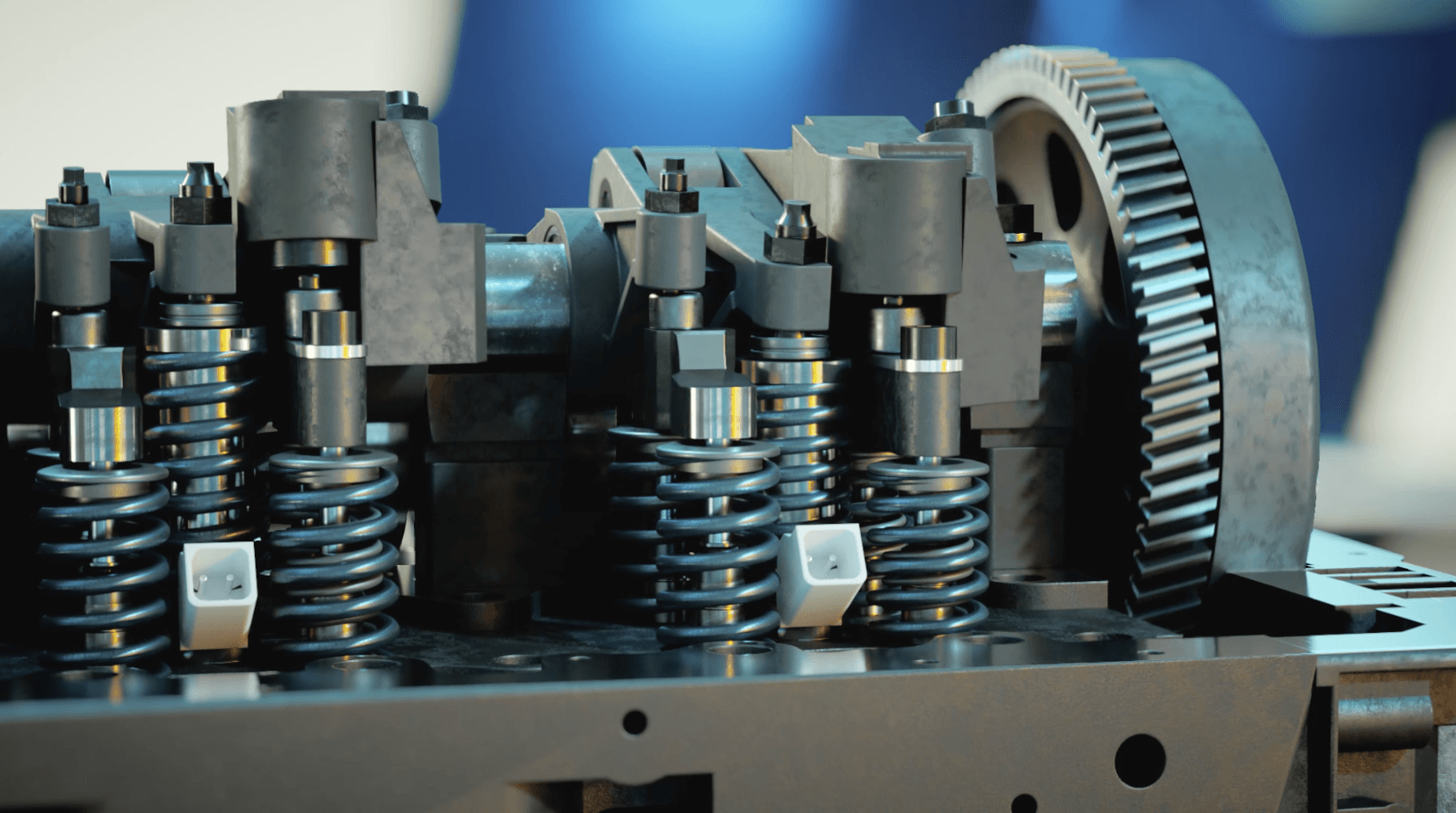
Studios handle complex technical and industrial animation by treating it as an engineering project first and a creative one second. Every gear, valve and fluid path has to move the way it does in the real world, and the result still has to be clear enough for a buyer, trainee or investor to understand in seconds.
That balance between accuracy and clarity is what makes this work hard. Below, we walk through how a professional studio takes a complex machine or process from raw CAD files to a finished animation, and what you can do to make the process smoother.
What Counts as Technical and Industrial Animation?
Technical and industrial animation explains how something works: a machine, a product, a process or a system. Its job is understanding, not entertainment, and its audience often includes engineers who will spot any mistake.
Industry | Typical use |
|---|---|
Manufacturing and machinery | Production lines, assembly processes, machine operation |
Medical devices | How a device works inside the body or in surgery |
Energy and oil & gas | Turbines, drilling, pipelines, plant processes |
Automotive and aerospace | Engines, drivetrains, safety systems |
Construction and engineering | Building methods, infrastructure, structural systems |
Training and safety | Maintenance procedures, safety protocols, onboarding |
These animations are used in sales presentations, trade shows, investor pitches, patent explanations, training programs and product launches.
Step 1: Discovery and Technical Briefing
Every project starts by learning the product from the people who built it. The studio meets with your engineers or subject matter experts (SMEs) to understand how the system works, which parts matter most and what the audience needs to take away.
This phase answers questions like:
- Who is watching: engineers, buyers, operators or the general public?
- What is the one process or benefit the animation must make clear?
- Which details are essential, and which can be simplified or hidden?
- What is confidential and must never appear on screen?
Step 2: Turning CAD Data into Animation-Ready Models
Most industrial projects start from CAD files (STEP, IGES, SolidWorks, Inventor, CATIA). These files are built for manufacturing, not animation. They can contain thousands of parts, internal threads, bolts and hidden components that slow software down and add nothing visually.
The studio prepares them in a few steps:
- Import and conversion: CAD surfaces are converted into polygon meshes artists can work with.
- Cleanup: broken surfaces, overlapping parts and unnecessary details are fixed or removed.
- Simplification and retopology: heavy parts are rebuilt with cleaner geometry so they render and animate efficiently.
- Grouping and hierarchy: parts are organized by how they move, so a rotor, shaft and housing can be animated separately.
When no CAD exists, the studio models from technical drawings, photos or physical references, which takes longer and needs closer review.
Step 3: Making Complexity Easy to Understand
Showing everything at once confuses viewers. The studio’s real skill is deciding what to show, in what order, and how to reveal what’s normally hidden inside a machine.
Each scene focuses on one idea. Approving this plan as a storyboard or animatic keeps changes cheap before full production starts. This is planned in the script and storyboard, using visual techniques such as:
- Cutaways: slicing through a housing to reveal the parts working inside
- Exploded views: separating components to show how an assembly fits together
- X-ray and transparency: fading outer parts so internal flow stays visible
- Color coding: marking hot vs cold, pressure levels or different fluids
- Slow motion and step-by-step sequences: breaking fast processes into readable stages
Step 4: Animating Motion Accurately
In technical animation, motion has to be correct, not just believable. Gear ratios, piston strokes, conveyor speeds and rotation directions must match the real product, because the audience often knows it well.
Studios achieve this with:
- Mechanical rigging: linking parts so that turning one gear drives the next at the right ratio, or a crank moves a piston correctly
- Constraints and expressions: math-driven controls that keep motion consistent across every shot
- Simulations: physics tools for fluids, gases, particles, heat, smoke and material flow
- Engineering data: speeds, pressures or timings supplied by your team to drive the animation
Step 5: Accuracy Reviews and Technical Sign-Off
Technical animation needs two kinds of approval: creative (does it look good and tell the story?) and technical (is every detail correct?). Studios build both into the schedule.
A typical review flow checks accuracy at each milestone: the storyboard, the model, a motion preview (often a simple grayscale playblast) and the final render. Catching a wrong rotation in a quick preview costs minutes; catching it after final rendering can cost days.
The smoothest projects have one technical reviewer on the client side, usually an engineer or product manager, who signs off on accuracy and consolidates notes from the wider team.
Step 6: Lighting, Rendering and Delivery
Once motion is approved, the studio adds materials, lighting and camera polish. Industrial work usually favors clean, realistic surfaces such as brushed metal, plastic and glass, lit so that every important part stays readable.
Finishing touches turn a render into a communication tool:
- On-screen labels, callouts and data overlays
- Voice-over or text that explains each stage
- Music and sound design matched to the brand’s tone
The same project often needs several outputs: a full version for sales meetings, a silent loop for trade show screens, short vertical cuts for social media, stills for brochures, and sometimes interactive or AR/VR versions for training. Planning these formats early lets the studio set up scenes to export them efficiently.
Common Challenges and How Studios Solve Them
Challenge | How studios handle it |
|---|---|
Confidential or patent-pending designs | NDAs, secure file transfer, restricted access, and simplified or disguised geometry for sensitive parts |
Huge assemblies with thousands of parts | Removing hidden parts, simplifying geometry and splitting scenes so files stay workable |
Specs that change mid-project | Building modular scenes so updated parts can be swapped in without redoing whole shots |
Processes no camera can capture | Stylized but accurate visuals for heat, airflow, chemistry or electricity |
Mixed audiences | Layered storytelling: a clear main message, with technical detail available in callouts or separate cuts |
Missing or incomplete data | Early lists of open questions and SME check-ins before modeling the unknown parts |
What to Prepare Before Starting
The more you share upfront, the faster and more accurate the project will be:
- CAD files in a neutral format (STEP or IGES) or native files, plus a list of parts that can be removed
- Technical drawings, photos or videos of the real product or process
- Key specs: speeds, ratios, pressures, sequence timings
- A clear audience and goal for the animation
- Brand guidelines: colors, fonts, logo usage
- One technical reviewer and one creative decision-maker
- A list of required formats and lengths
- NDA and confidentiality requirements
Need to Explain a Complex Product?
Pixune creates technical and industrial animations that make complex machines and processes clear, accurate and engaging. Explore our technical animation services and industrial animation services, or contact us to discuss your project.
FAQs
They overlap heavily. Technical animation explains how any product or system works, while industrial animation focuses on manufacturing, machinery, plants and heavy-industry processes.
No, but they help a lot. Without CAD, the studio models from drawings, photos and references, which adds time and review rounds.
Professional studios sign NDAs, limit file access to the project team, use secure transfers and can simplify sensitive parts so they never appear in detail on screen.
Yes. If scenes are built modularly from the start, new parts or versions can be swapped in without rebuilding the whole animation.
