Mobile game UI design plays a major role in player experience, retention, monetization, and gameplay clarity. In modern mobile games, the user interface is far more than just buttons and menus. It acts as the communication layer between the player and the game itself.
A well-designed mobile game UI helps players navigate gameplay systems, understand mechanics quickly, access features easily, and stay immersed without frustration. Whether designing competitive shooter HUDs, casual puzzle interfaces, or complex RPG menus, successful UI systems must balance readability, aesthetics, touch interaction, and performance.
In this guide, we’ll explore some of the best mobile game UI design examples, the latest mobile game UI trends in 2026, and the core principles behind successful game interface design.
What Is Mobile Game UI Design?
Mobile game UI design refers to the creation of visual interface systems players use to interact with a game on mobile devices. This includes menus, HUDs, icons, inventories, health bars, touch controls, shops, notifications, progression systems, and onboarding screens.
A successful mobile game UI combines both strong visual design and functional UX principles to create smooth and intuitive gameplay experiences. Unlike PC or console games, mobile UI must be specifically designed for:
- touch interaction
- smaller screens
- one-handed usability
- accessibility
- fast readability
Why Mobile Game UI Design Matters
Game UI design has a direct impact on how players experience a mobile game. A confusing or cluttered interface can frustrate users quickly, while a clean and intuitive UI can significantly improve retention and engagement.
In competitive mobile markets, UI quality often becomes one of the biggest differences between successful games and forgettable ones. Strong mobile game UI design helps:
- improve onboarding
- reduce player confusion
- increase gameplay readability
- support monetization systems
- improve accessibility
- strengthen visual identity
Best Mobile Game UI Design Examples
1. Clash Royale
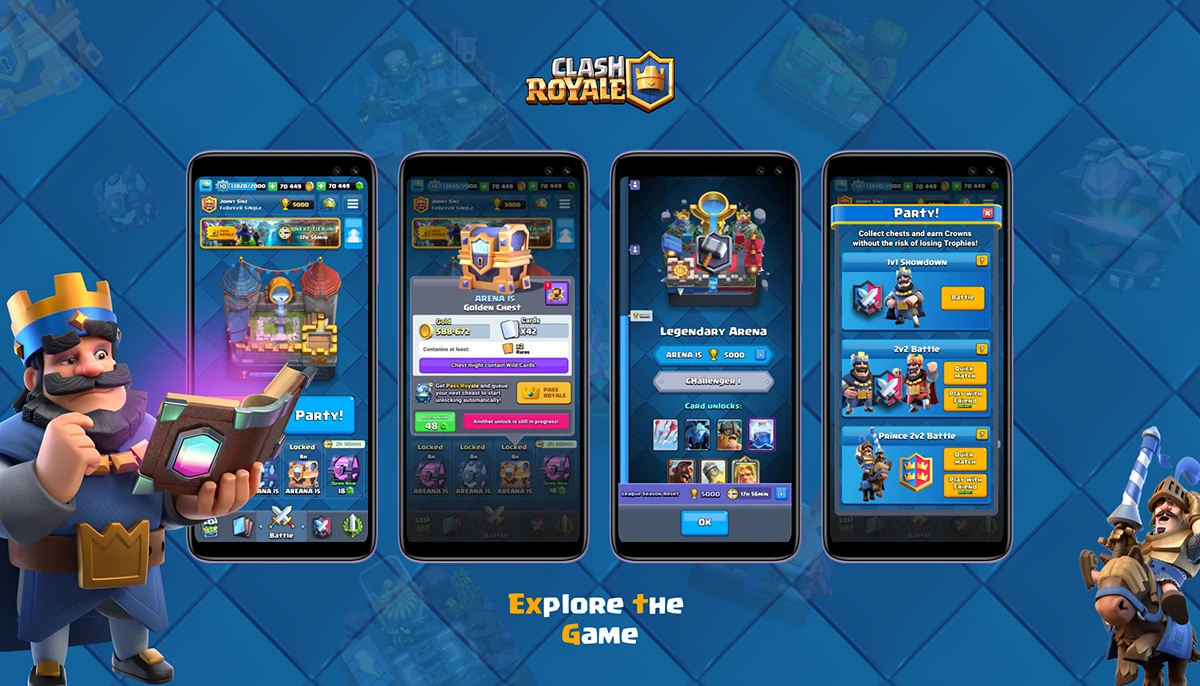
Clash Royale is one of the best examples of clean and highly readable mobile game UI design. Supercell uses strong visual hierarchy, bold iconography, and simplified layouts that allow players to process information extremely quickly during real-time gameplay.
The game’s interface carefully balances gameplay clarity with monetization systems, progression menus, and social features without overwhelming the player. Large touch-friendly buttons and color-coded feedback make interactions feel smooth and intuitive.
The UI also maintains visual consistency across menus, battle screens, and progression systems, which strengthens the overall player experience.
2. Genshin Impact
Genshin Impact demonstrates how complex RPG systems can be adapted successfully for mobile devices. Despite having layered inventories, combat mechanics, quests, and progression systems, the UI remains visually organized and accessible.
The game uses elegant iconography, transparent menu layering, and strong typography to maintain readability even on smaller screens. Its interface design also preserves the premium visual quality expected from a console-scale RPG experience.
One of the strongest aspects of Genshin Impact’s UI is how it minimizes distractions during exploration while still giving players quick access to important systems.

3. PUBG Mobile
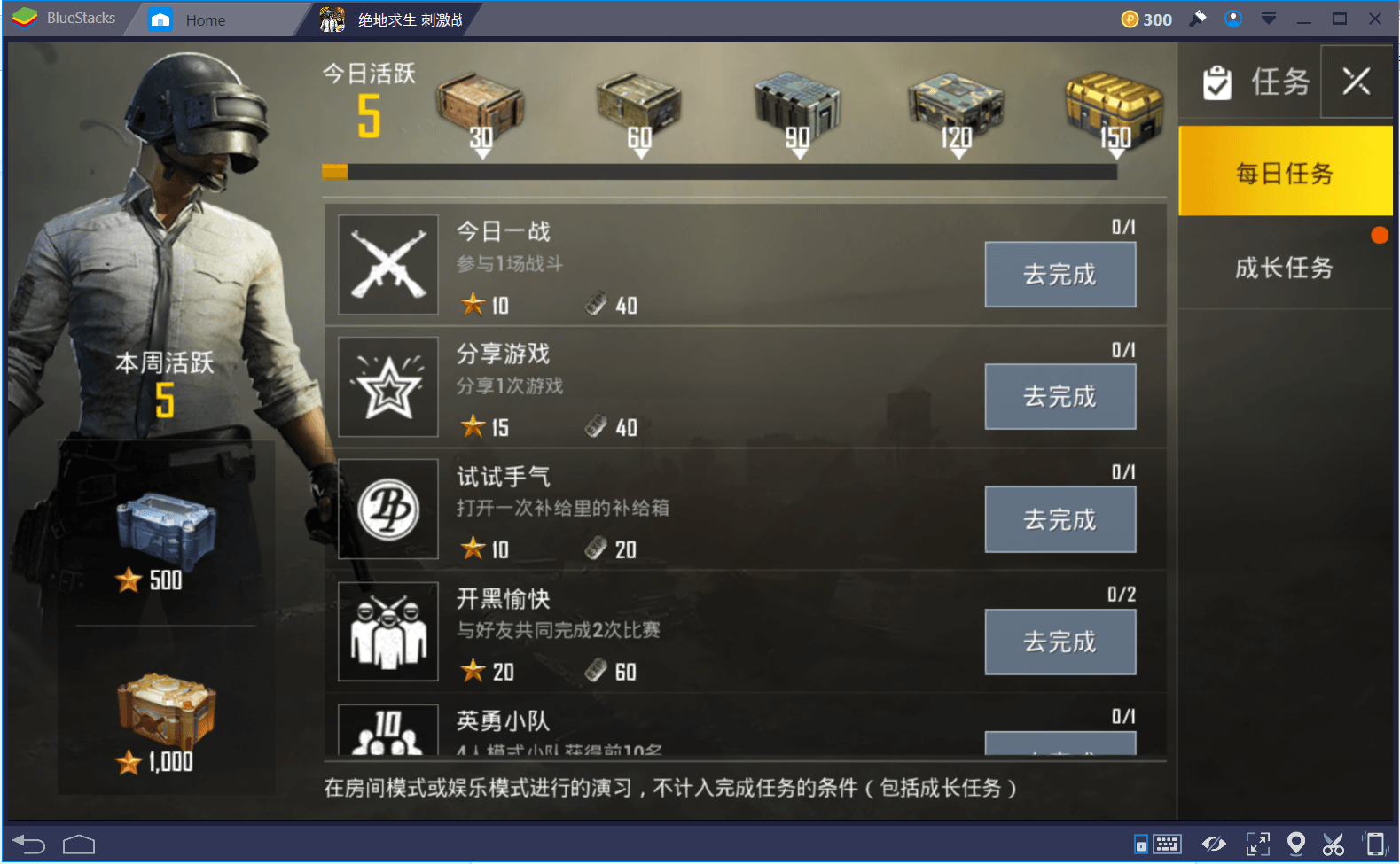
PUBG Mobile focuses heavily on customization and competitive readability. Since battle royale games require rapid reactions and constant information processing, the UI must deliver large amounts of data without feeling chaotic.
The game allows players to customize HUD placement, button sizes, transparency, and controls, making the experience adaptable to different playstyles and devices.
This flexibility is one of the reasons PUBG Mobile became one of the most successful competitive mobile games. The interface prioritizes:
- visibility
- fast interaction
- map awareness
- combat readability
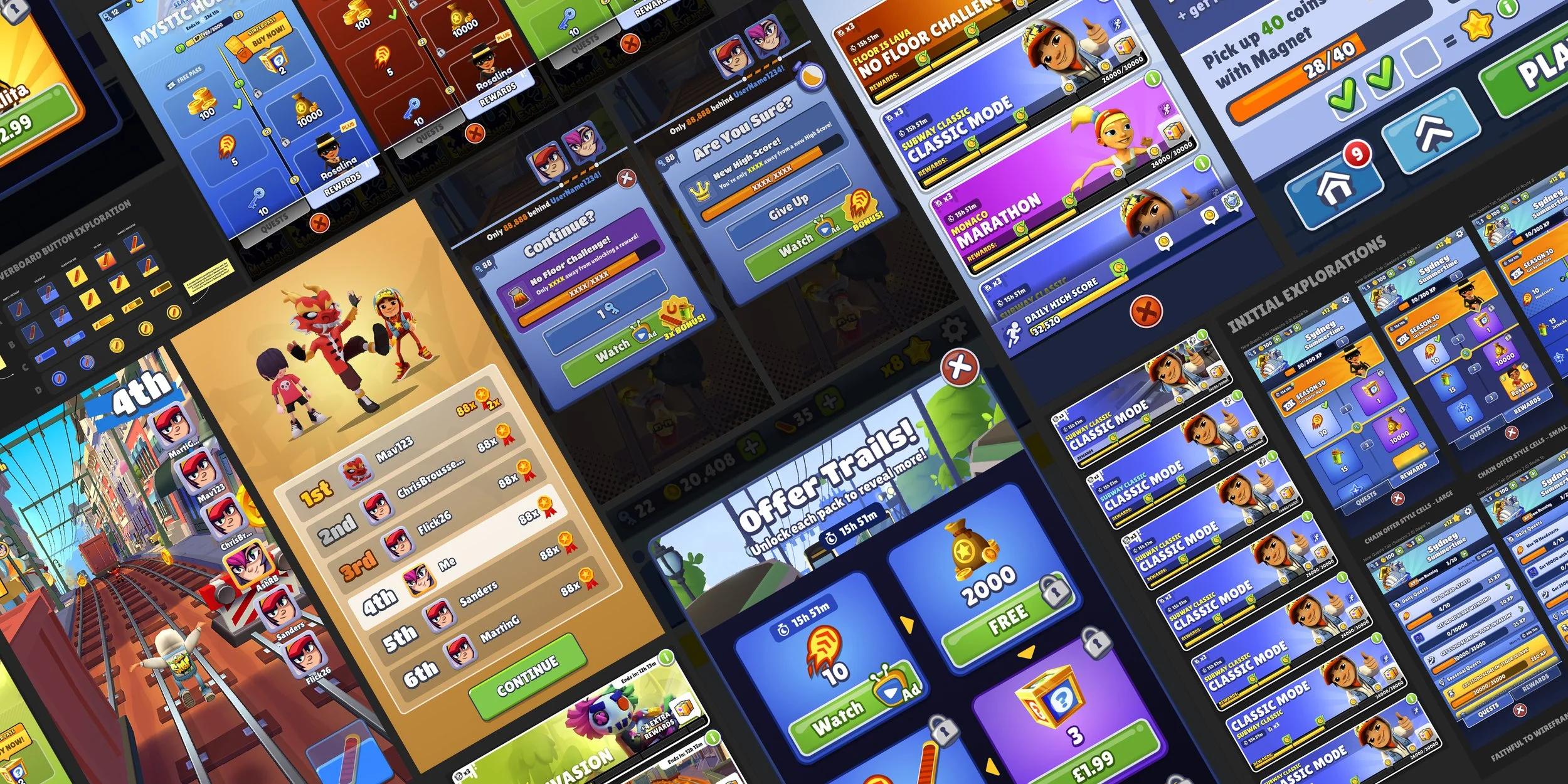
4. Subway Surfers
Subway Surfers uses an extremely simple and accessible UI system that perfectly matches its fast-paced casual gameplay. Important gameplay information is presented clearly without overcrowding the screen.
Because the gameplay itself is already fast and visually active, the UI avoids unnecessary complexity and allows players to focus entirely on movement and obstacle avoidance. The interface relies on:
- large readable icons
- minimal text
- simple progression systems
- bright visual feedback
5. Brawl Stars
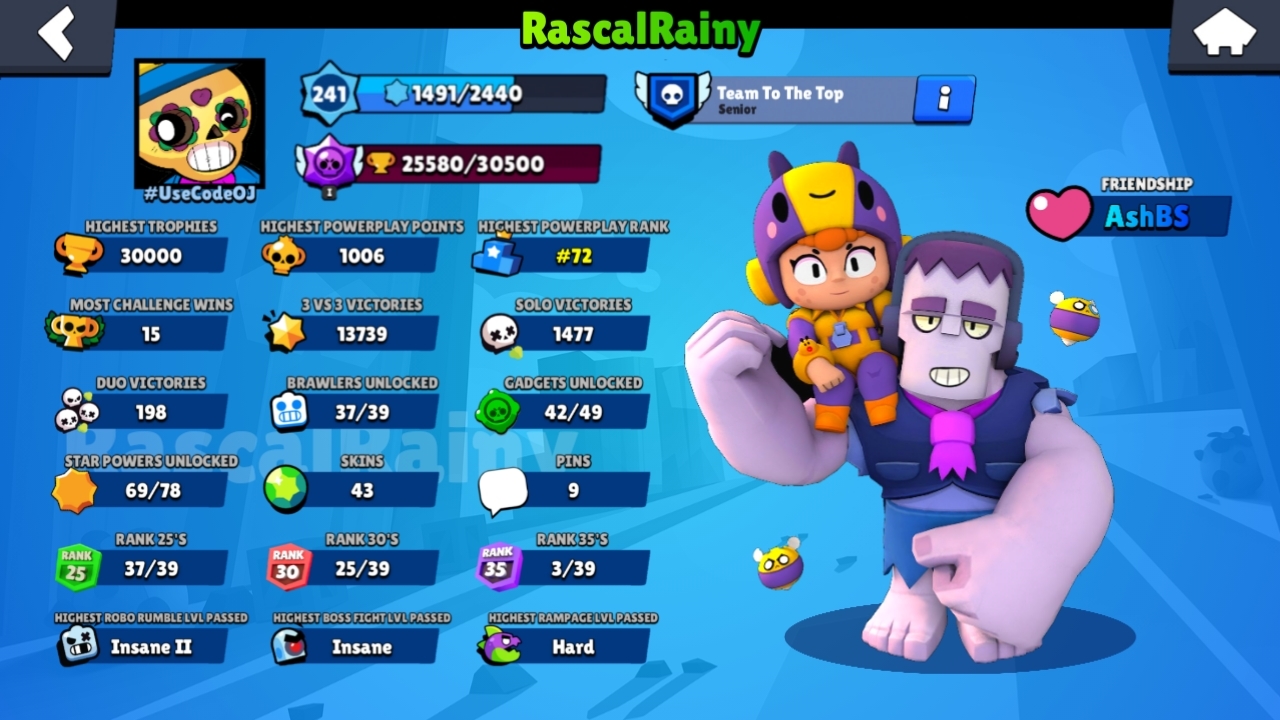
Brawl Stars combines colorful stylized visuals with highly readable competitive gameplay UI. The game uses strong contrast, oversized icons, and simplified layouts to ensure players can understand combat situations instantly.
Visual feedback is one of the game’s strongest UI features. Ability cooldowns, damage indicators, hit effects, and objective markers are all designed to communicate information rapidly during intense matches.
Its cartoon-inspired visual language also helps make menus and gameplay systems feel approachable and energetic.
6. Candy Crush Saga
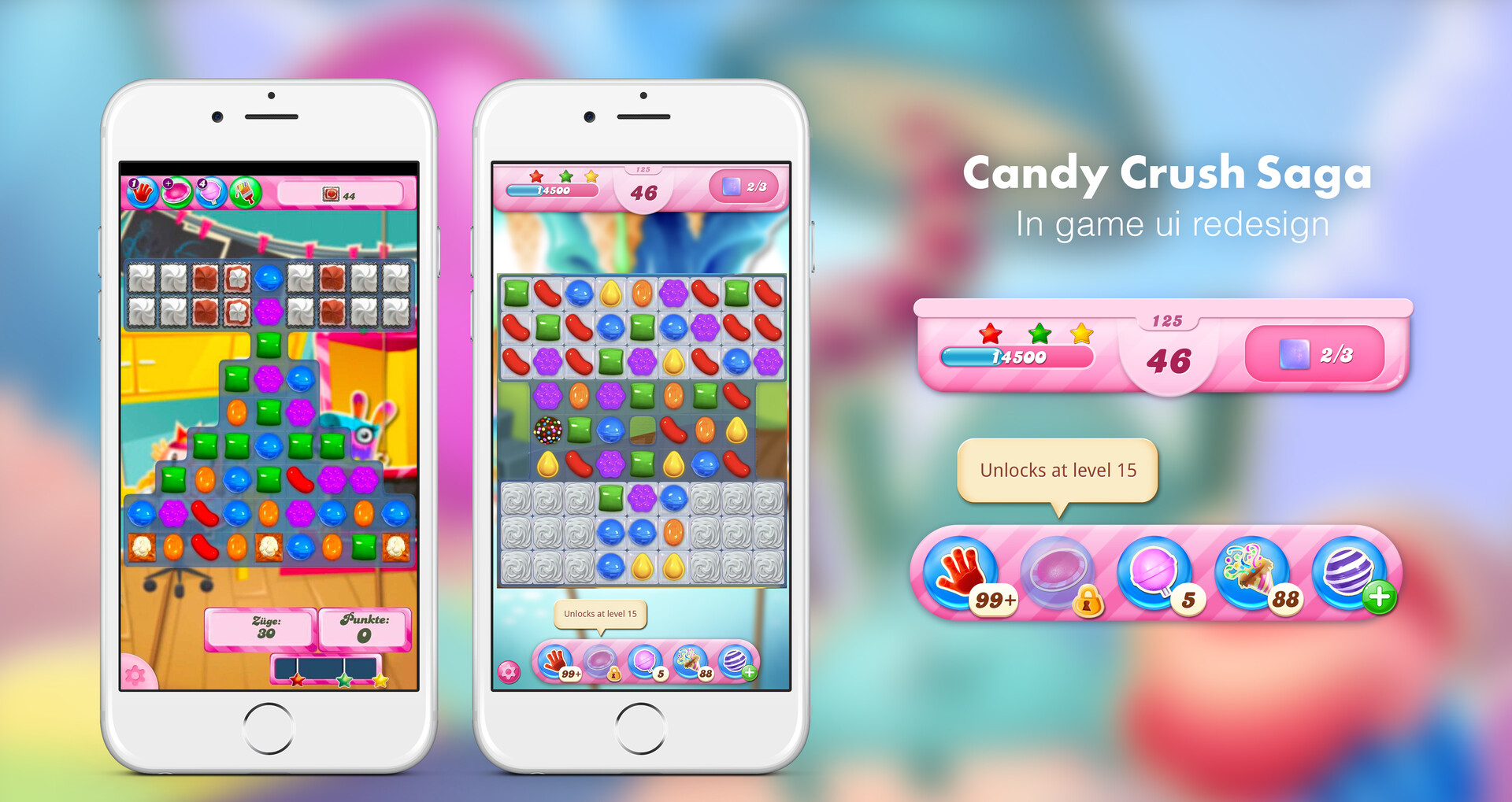
Candy Crush Saga is a strong example of UI design built around accessibility and reward psychology. The interface uses bright colors, smooth animations, and constant visual feedback to create satisfying interactions.
The game carefully integrates progression systems, monetization elements, and reward loops into the UI without making the experience feel overly complicated.
This simplicity helped Candy Crush appeal to a massive global audience. Its interface design is optimized for:
- quick sessions
- casual audiences
- low cognitive load
- intuitive interactions
7. Call of Duty Mobile
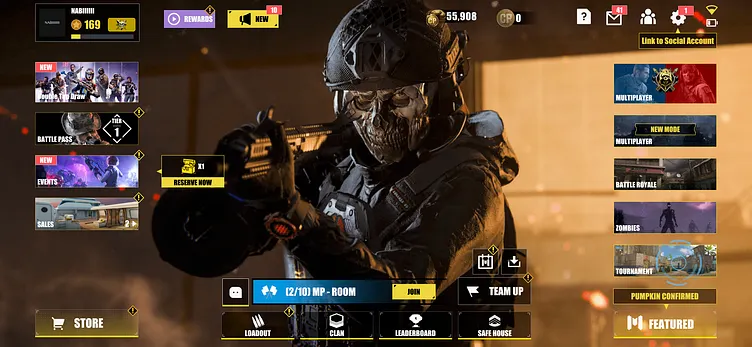
Call of Duty Mobile demonstrates how console-style FPS interfaces can be adapted successfully for touch devices. The game handles dense gameplay information while still maintaining clarity during fast combat situations.
The customizable HUD system allows players to reposition controls and optimize the interface for different devices and hand sizes. This flexibility is critical in competitive shooter games where responsiveness directly affects gameplay performance.
The UI also uses strong visual hierarchy to prioritize essential information like ammo, minimap data, health, and abilities.
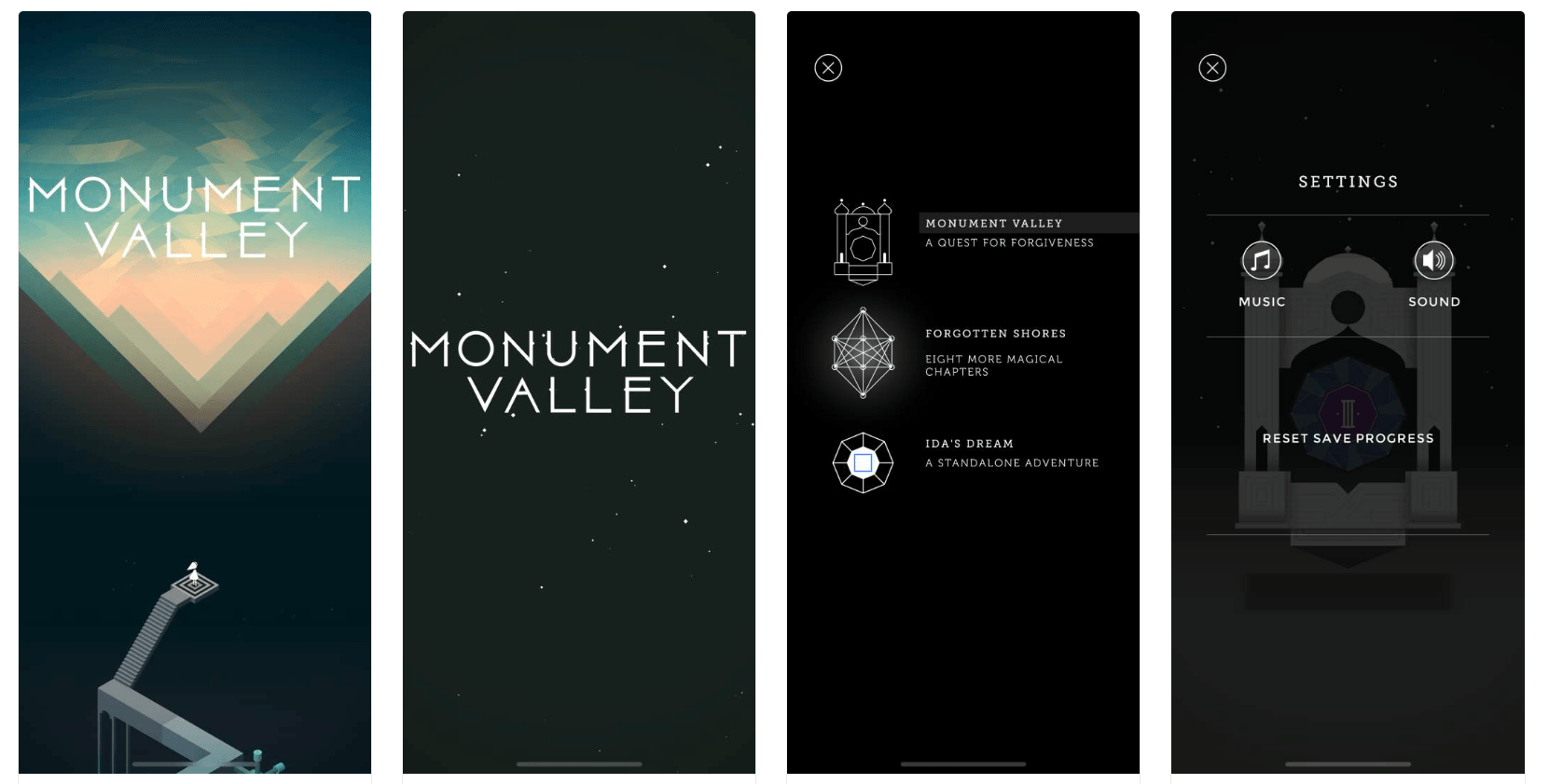
8. Monument Valley
Monument Valley uses minimalism extremely effectively. The game removes nearly all unnecessary interface elements to create an immersive and artistic player experience.
Menus, transitions, and interactions feel integrated directly into the game’s visual storytelling. Rather than overwhelming players with HUD elements, the UI quietly supports gameplay without distracting from the environment and puzzles.
This approach demonstrates how less UI can sometimes create stronger immersion when the gameplay allows it.
What Makes a Great Mobile Game UI?
Successful mobile game UI design balances aesthetics with usability. A visually impressive interface still fails if players struggle to navigate menus or understand gameplay information.
The best interfaces often feel invisible because players can interact naturally without consciously thinking about the UI itself. Great game UI design services usually prioritize:
- readability
- touch ergonomics
- fast navigation
- visual hierarchy
- accessibility
- consistency
Core Principles of Mobile Game UI Design
Visual hierarchy is one of the most important principles in the UI design pipeline. Important gameplay information should immediately stand out while secondary information remains less visually dominant.
Touch-friendly layouts are equally critical. Buttons must be large enough for comfortable interaction, especially during fast gameplay situations.
Consistency across menus, icons, typography, and animations helps players learn the interface quickly and reduces confusion. Feedback systems like animations, sound effects, and visual responses also improve interaction clarity and make the game feel more responsive.
Modern mobile UI design also places increasing emphasis on accessibility features such as scalable text, colorblind support, and simplified interaction systems.
Mobile Game UI Design Trends in 2026
Modern mobile UI design trends focus heavily on minimalism, motion, personalization, and adaptive layouts.
One major trend in 2026 is the use of cleaner HUD systems that reduce visual clutter and improve immersion. Animated interfaces and micro-interactions are also becoming more common because they help menus feel more responsive and polished.
Many modern games are also moving toward interfaces that blend more naturally into the game world instead of feeling separate from gameplay. Other major trends include:
- glassmorphism UI styles
- adaptive layouts for foldable devices
- AI-personalized interfaces
- dynamic HUD systems
- diegetic UI design
- gesture-based interactions
UI vs UX in Mobile Games
UI and UX are closely connected but represent different aspects of game design, and this is why we should know the differences between UI and UX.
UI (User Interface) focuses on the visual elements players interact with, including buttons, menus, HUDs, icons, and animations.
UX (User Experience) focuses on how the overall interaction feels. A visually beautiful UI can still create poor UX if menus are confusing or gameplay systems are difficult to navigate.
Strong mobile games combine attractive interfaces with intuitive interaction design to create smooth player experiences.
Common Mobile Game UI Mistakes
One of the most common mistakes in mobile game UI design is overcrowding the screen with too much information. Small displays require careful prioritization of gameplay elements.
Other common problems by UI/UX artists include:
- tiny buttons
- poor readability
- inconsistent icon styles
- weak visual hierarchy
- aggressive monetization popups
- confusing navigation systems
Mobile Game UI for Different Genres
Different game genres require different interface priorities.
RPGs usually need layered inventory systems, quest tracking, and progression menus. FPS games prioritize fast interaction, customizable controls, and competitive readability. Casual games UI designs focus on simplicity and accessibility, while strategy games often require more information density and resource management systems.
A successful UI design must adapt to the gameplay needs of its specific genre rather than following a universal formula.
How UI Design Affects Monetization
UI design has a major influence on monetization systems in mobile games. Shops, battle passes, rewards, progression systems, and limited-time events are all heavily dependent on interface design.
Well-designed monetization systems feel integrated naturally into the player experience rather than intrusive or frustrating. Strong UI design can improve:
- conversion rates
- player retention
- reward satisfaction
- event participation
Conclusion
Mobile game UI design is one of the most important parts of the player experience. A successful interface does more than simply look attractive, it guides players, improves usability, supports gameplay systems, strengthens monetization, and helps create emotional engagement.
From minimalist puzzle games to competitive shooters and large-scale RPGs, the best mobile game UIs balance visual clarity, responsiveness, accessibility, and immersion. As mobile hardware and player expectations continue evolving, UI systems will become even more adaptive, intelligent, and deeply integrated into gameplay experiences.