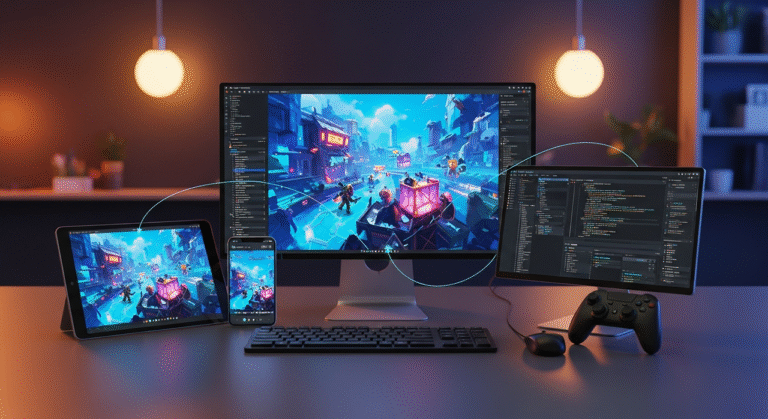
Game UI design is the bridge between the player and the game. It helps players understand information, navigate menus, track progress, and make decisions without confusion.
A strong game interface is not only visually appealing; it must also be clear, responsive, and easy to use. From health bars and inventories to minimaps and quest logs, every UI element affects the overall player experience.
In this guide, we’ll explore the basics of game UI design, the difference between UI and UX, and the key principles behind effective game interfaces.
Need Game Art Services?
Visit our Game Art Service page to see how we can help bring your ideas to life!
What Is Game UI Design?
Game UI design is the process of creating the visual elements that allow players to interact with a game. These elements include menus, health bars, inventory systems, minimaps, quest logs, dialogue windows, buttons, and other interface components that help players navigate and understand the game.
The primary goal of game UI design is to present information clearly and efficiently while supporting gameplay and maintaining immersion. A well-designed interface helps players focus on the game rather than struggle with confusing menus or unclear information. Whether it’s a mobile puzzle game, a competitive shooter, or an open-world RPG, effective UI/UX design services play a crucial role in shaping the overall player experience.
Game UI vs Game UX
Game UI and Game UX are closely related, but they serve different purposes. Understanding the difference between UI and UX is essential for creating enjoyable and intuitive player experiences.
What Is Game UI?
Game UI (User Interface) refers to the visual elements that players interact with during gameplay. These include menus, buttons, health bars, minimaps, inventory screens, quest logs, icons, and other interface components. UI focuses on how the game looks and how information is presented to the player.
What Is Game UX?
Game UX (User Experience) focuses on how players feel when interacting with the game. It involves usability, accessibility, navigation, feedback, and overall player satisfaction. UX ensures that actions feel intuitive, information is easy to find, and players can achieve their goals without frustration.
How UI and UX Work Together
A game can have beautiful UI elements but still provide a poor user experience if players struggle to understand menus or navigate systems. Likewise, a game may be functional but feel outdated if its interface lacks visual appeal. Successful games combine strong UI design with thoughtful UX design to create interfaces that are both attractive and easy to use.
In simple terms, UI is how the game interface looks, while UX is how it feels to use it. Together, they help create a seamless and engaging experience for players.
Core Elements of Game UI Design
A game interface consists of multiple components that help players understand information, navigate systems, and interact with the game world. While the exact elements vary depending on the game genre, most games rely on a combination of UI components to create a smooth and intuitive experience.
Heads-Up Display (HUD)
The Heads-Up Display, or HUD, provides players with essential information during gameplay. Common HUD elements include health bars, stamina meters, ammunition counters, score displays, and objective trackers. A good HUD communicates important information without distracting players from the action.
Menus
Menus allow players to access different game systems, including settings, inventory management, character customization, and progression features. Well-designed menus should be easy to navigate, visually organized, and consistent with the game’s overall art style.
Inventory Systems
Inventory interfaces help players manage items, equipment, resources, and collectibles. The best inventory systems make it easy to find, sort, and compare items while minimizing unnecessary clicks or confusion.
Minimap and Navigation Systems
Navigation tools help players understand their location and objectives within the game world. Depending on the game, this may include minimaps, world maps, compass systems, waypoint markers, or quest indicators.
Dialogue and Quest Interfaces
Dialogue boxes, quest logs, and mission trackers communicate story information and gameplay objectives. These interfaces should present information clearly while allowing players to stay engaged with the narrative and gameplay.
Notifications and Feedback Systems
Games constantly provide feedback through notifications, pop-ups, achievement alerts, damage indicators, and reward screens. These elements inform players about important events, actions, and progress without interrupting the overall experience.
Icons and Visual Indicators
Icons are used throughout game interfaces to represent actions, abilities, resources, and items. Effective icon design allows players to recognize information instantly, reducing the need for excessive text and improving usability.
Progression and Status Systems
Many games include experience bars, skill trees, achievement systems, and progression trackers. These UI elements help players understand their growth, unlockables, and long-term goals, providing motivation to continue playing.
Principles of Good Game UI Design
A successful game UI does more than display information. It helps players interact with the game smoothly and efficiently. Good UI design reduces confusion, improves usability, and enhances the overall player experience. Regardless of the game’s genre or platform, certain design principles remain essential for creating effective interfaces.
Clarity
Players should be able to understand the interface at a glance. Important information must be easy to read, icons should be recognizable, and menus should be straightforward to navigate. A clear interface reduces frustration and allows players to focus on gameplay rather than figuring out how the UI works.
Consistency
Consistency helps players learn and navigate the interface more quickly. Similar actions should use the same visual shape language, colors, typography, and button styles throughout the game. Consistent UI design creates familiarity and reduces the learning curve.
Visual Hierarchy
Not all information is equally important. Visual hierarchy helps direct the player’s attention to the most critical elements first. Important information such as health, objectives, or warnings should stand out through size, color, placement, or contrast, while secondary information remains less prominent.
Accessibility
A good game UI should be usable by as many players as possible. Accessibility features may include scalable text, colorblind-friendly palettes, customizable controls, subtitles, and readable fonts. Designing with accessibility in mind improves the experience for a wider audience.
Simplicity
An interface should provide the information players need without overwhelming them. Too many buttons, notifications, or visual effects can create clutter and make navigation difficult. Simple, focused interfaces help players process information more efficiently.
Feedback and Responsiveness
Players should receive immediate feedback when interacting with the interface. Button animations, sound effects, visual highlights, and status messages confirm that actions have been registered. Responsive feedback makes the game feel more polished and intuitive.
Immersion
While functionality is important, the UI should also fit the game’s visual style and atmosphere. A fantasy RPG, sci-fi shooter, and casual mobile game all require different interface approaches. A well-designed UI supports the game’s world rather than feeling disconnected from it.
Flexibility
Players use different devices, screen sizes, and control methods. Effective game UI design adapts to various platforms while maintaining usability. Flexible interfaces also allow players to customize certain elements, creating a more comfortable and personalized experience.
Types of Game UI
Not all game interfaces are designed the same way. Different video game ideas use different UI approaches depending on their genre, gameplay mechanics, and desired level of immersion. Understanding the main types of game UI helps designers choose the most effective way to present information to players.
Diegetic UI
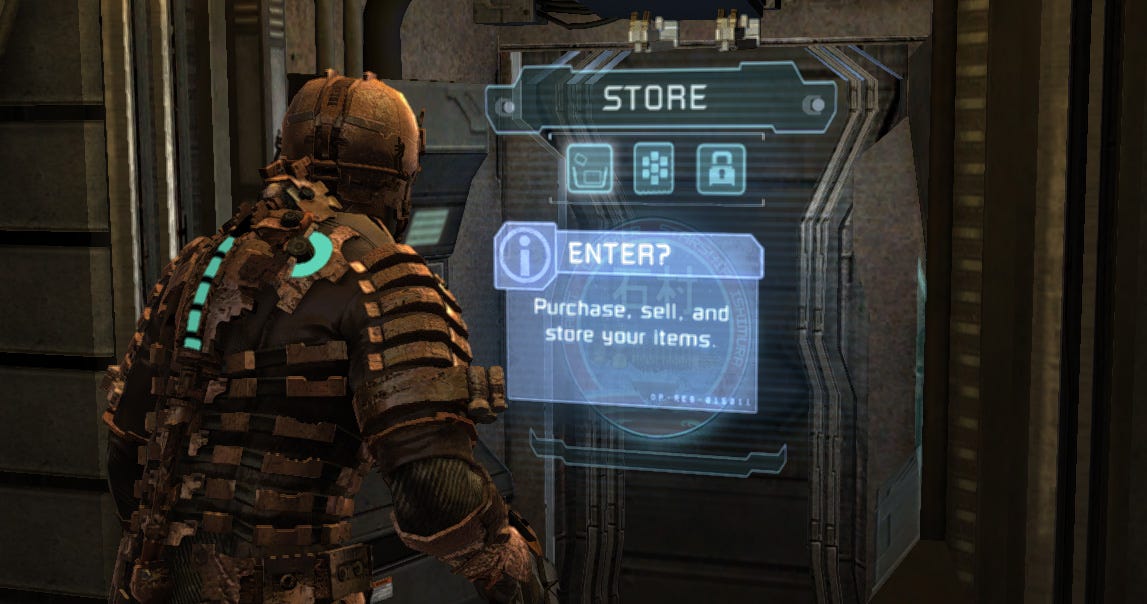
Diegetic UI exists within the game world and can be seen by both the player and the characters. Instead of displaying information through traditional overlays, the interface becomes part of the environment itself.
A famous example is Dead Space, where the character’s health bar is integrated into the suit on his back, and menus appear as holographic projections within the game world. This approach increases immersion because UI elements feel like a natural part of the game’s universe.
Non-Diegetic UI
Non-diegetic UI consists of interface elements that exist outside the game world and are visible only to the player. Health bars, minimaps, score counters, and traditional HUDs are common examples.
This is the most widely used type of game UI because it allows designers to communicate information clearly and efficiently. Competitive games, strategy games, and RPGs often rely heavily on non-diegetic interfaces to provide players with constant access to important information.

Meta UI
Meta UI includes interface elements that are presented to the player but do not physically exist within the game world. These elements often provide feedback about gameplay events, achievements, damage indicators, or mission updates.
For example, a flashing red screen when the player takes damage or a level-up notification appearing on screen are both examples of meta UI. These elements help communicate information without permanently occupying screen space.
Spatial UI
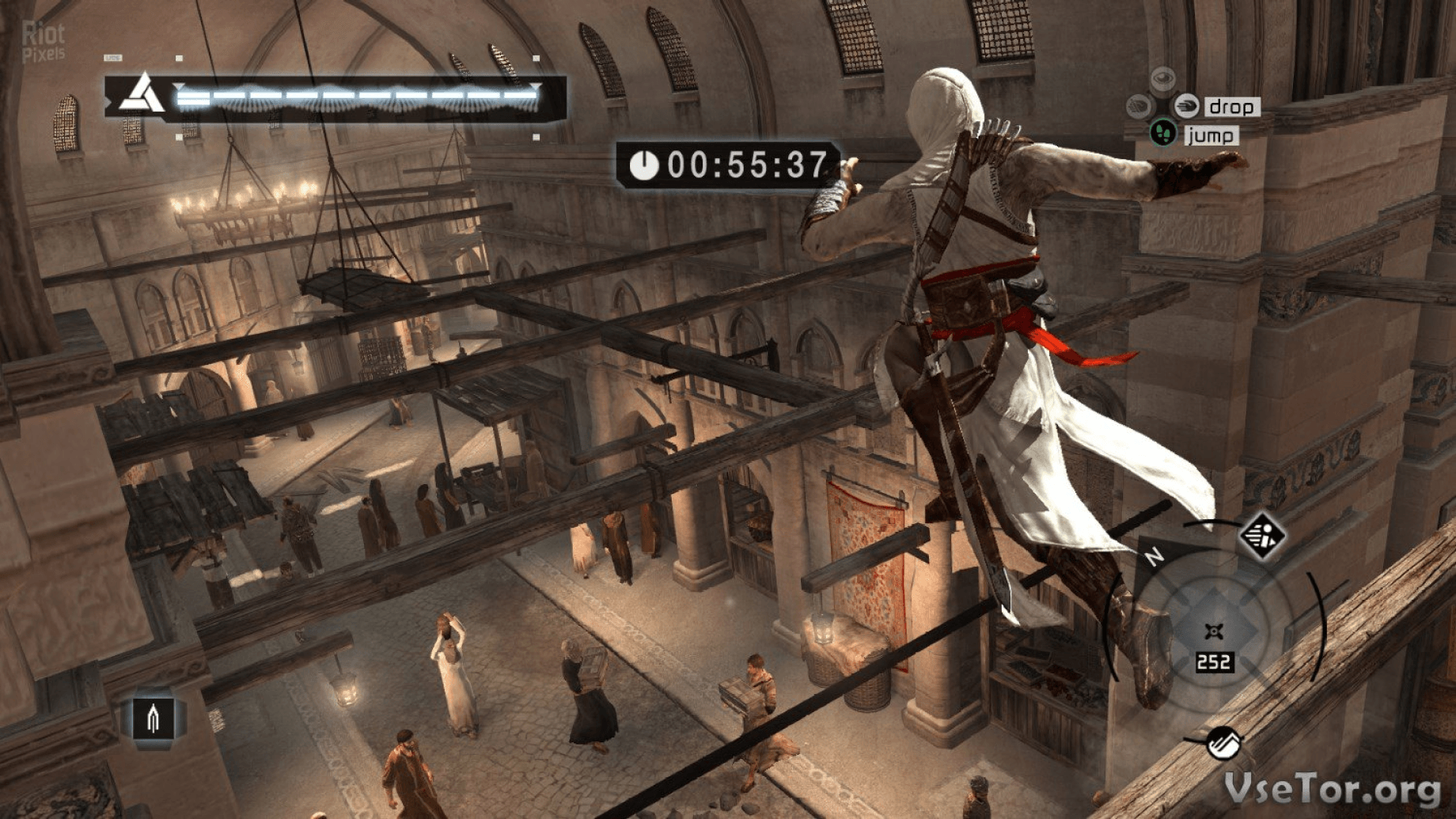
Spatial UI places interface elements within a three-dimensional space rather than attaching them directly to the screen. Players can move around these elements and interact with them as objects within the environment.
Spatial interfaces are commonly used in virtual reality (VR), augmented reality (AR), and some futuristic game designs. Because players interact with these interfaces more naturally, spatial UI can create highly immersive experiences.
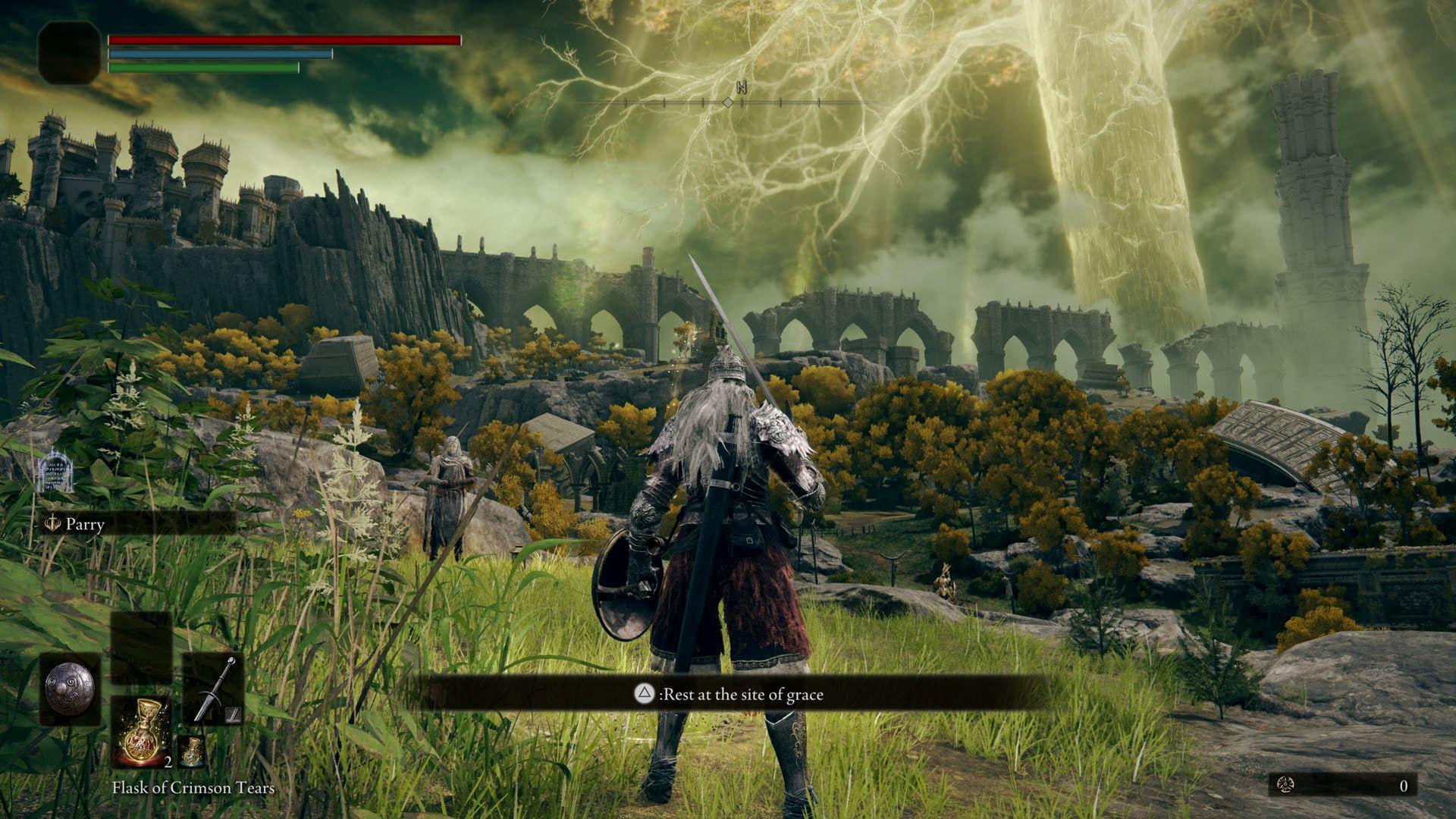
Minimalist UI
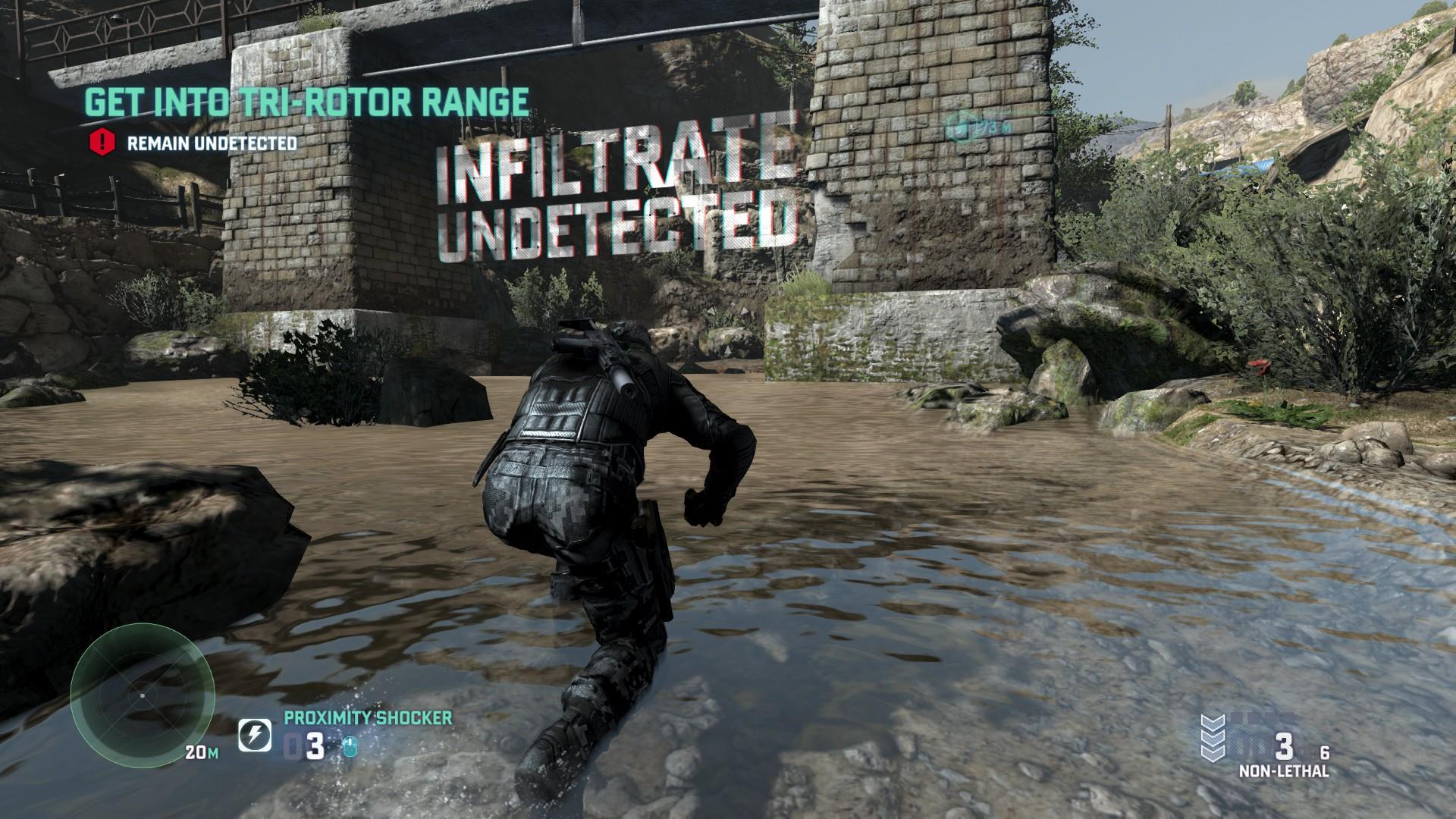
Minimalist UI focuses on displaying only the most essential information. Instead of filling the screen with icons, bars, and notifications, designers reduce visual clutter to keep players immersed in the game world.
Games such as Journey and Elden Ring use minimalist interface principles to encourage exploration and discovery while maintaining a clean visual presentation.
Adaptive UI
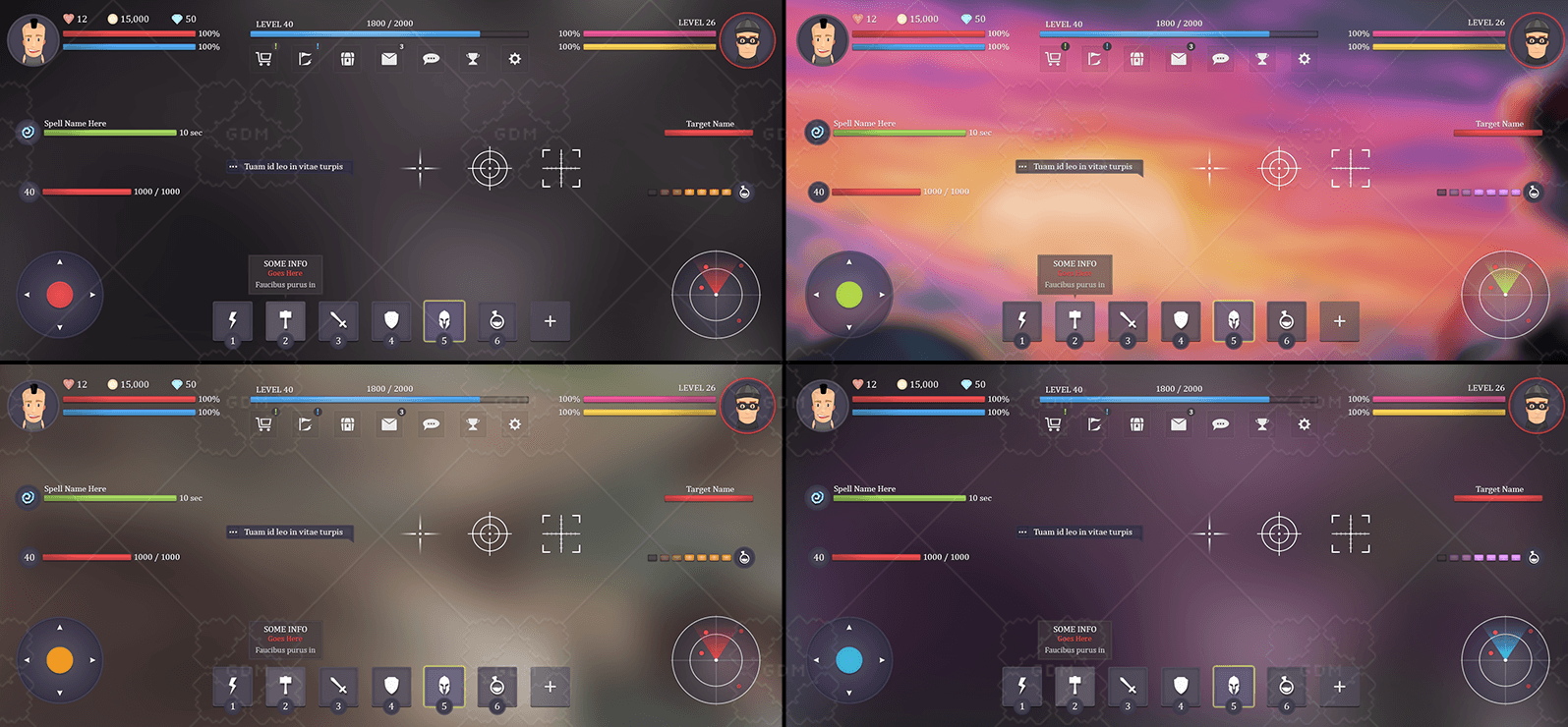
Adaptive UI changes dynamically based on the player’s situation, gameplay context, or device. Certain interface elements may appear only when needed and disappear when they are no longer relevant.
For example, interaction prompts may appear when the player approaches an object and then fade away afterward. This approach helps keep the screen clean while ensuring players still receive important information when necessary.
Mobile Game UI Design
Mobile game UI design presents unique challenges compared to PC and console games. Designers must work within limited screen space while ensuring that controls, menus, and information remain easy to access and understand. Since players interact directly through touchscreens, mobile interfaces must prioritize simplicity, readability, and ease of use.
Touch-Friendly Interfaces
Unlike PC and console games that rely on keyboards, controllers, or mice, mobile games depend entirely on touch input. Buttons and interactive elements must be large enough to tap comfortably without causing accidental touches. Proper spacing between UI elements helps improve usability and reduces player frustration.
Screen Space Optimization
Mobile devices have much smaller screens than desktop monitors or televisions. As a result, designers must carefully prioritize what information is displayed during gameplay. Essential information such as health, currency, objectives, and controls should be visible without overcrowding the screen. A clean and organized layout helps players focus on gameplay rather than navigating cluttered interfaces.
One-Handed Navigation
Many mobile players use their devices with one hand, especially during short gaming sessions. Designing interfaces that allow easy access to important controls with a single thumb can significantly improve the user experience. This is particularly important for casual, hyper-casual game UI designs, and social mobile games.
Readability and Visual Clarity
Mobile screens are viewed at different sizes and lighting conditions, making readability a critical factor. Fonts should be large enough to read comfortably, icons should be recognizable at a glance, and visual contrast should ensure that information remains clear even on smaller devices.
Mobile Accessibility Considerations
Accessibility plays an increasingly important role in mobile game design. Features such as scalable text, colorblind-friendly palettes, customizable controls, and clear visual feedback help make games accessible to a wider audience. Considering accessibility early in the design process can improve both player satisfaction and retention.
Designing for Different Screen Sizes
Mobile games are played on a wide variety of devices, from compact smartphones to large tablets. UI layouts must adapt to different screen resolutions and aspect ratios without losing functionality or visual consistency. Responsive design techniques help ensure a smooth experience across all supported devices.
Minimizing Player Distraction
Mobile players often play in short sessions and may be interrupted by notifications, calls, or environmental distractions. Effective mobile UI design minimizes unnecessary complexity and helps players quickly understand objectives, actions, and rewards. By reducing cognitive load, designers can create more engaging and enjoyable gameplay experiences.
Read More: Best Examples in Mobile Game UI Design
Game UI Design Process
Creating an effective game interface requires much more than designing attractive menus and icons. A successful game UI must balance visual appeal, usability, accessibility, and gameplay requirements. To achieve this, game art studios typically follow a structured UI design process that takes the interface from concept to implementation.
Research and Competitive Analysis
The process usually begins with research. Designers analyze similar games within the same genre to understand player expectations, industry standards, and successful interface solutions. This stage helps identify common design patterns, usability challenges, and opportunities to create a unique user experience.
Defining User Experience Goals
Before designing any screens, teams must understand how players will interact with the game. This involves mapping player journeys, identifying key actions, and determining what information players need at different stages of gameplay. Establishing clear UX goals ensures that every interface element serves a purpose.
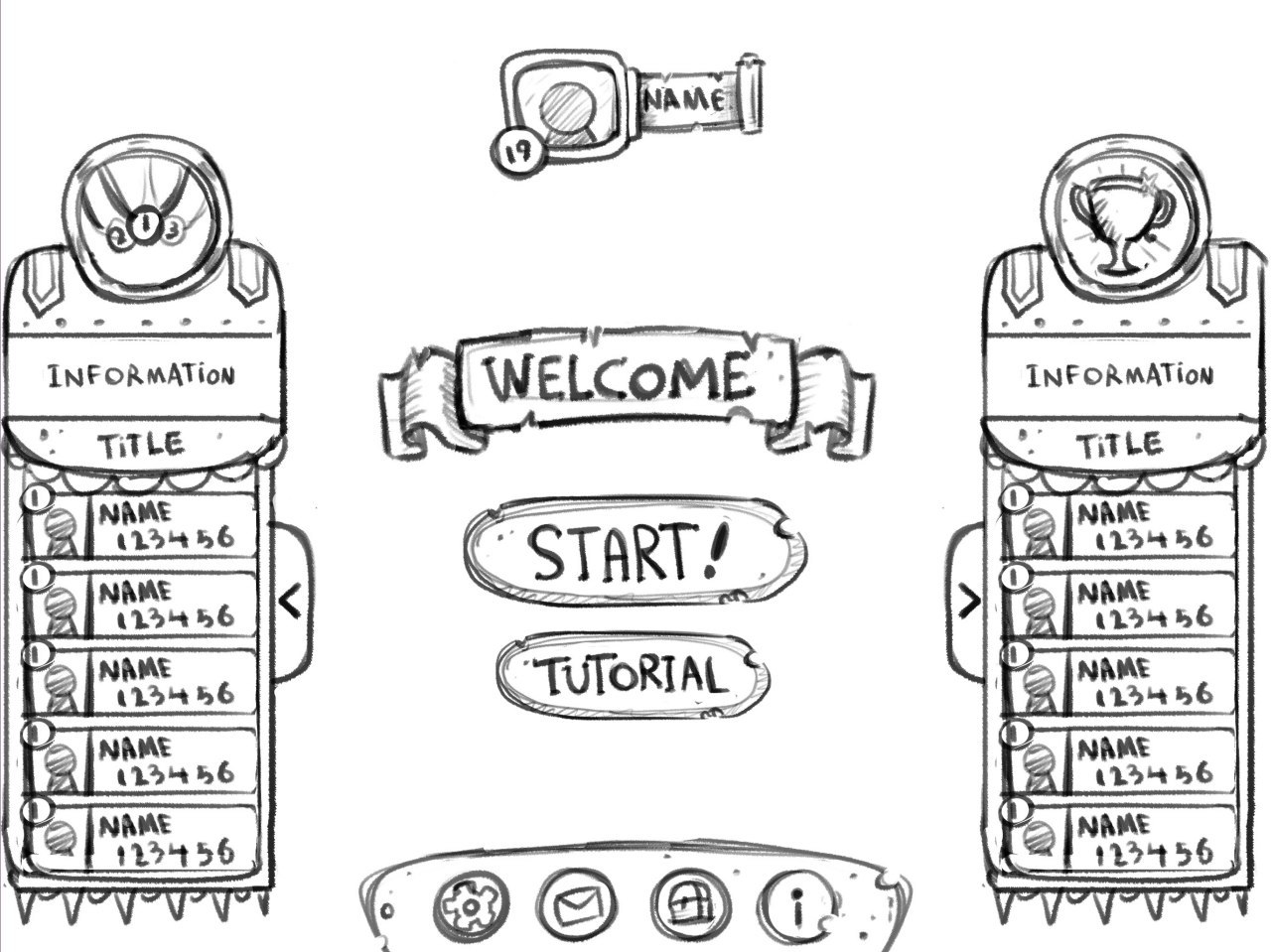
Wireframing
Wireframes are simple layouts that define the structure and placement of UI elements before visual design begins. They allow designers to focus on functionality, navigation, and information hierarchy without being distracted by colors, illustrations, or visual effects. Wireframing helps teams quickly test different layouts and identify potential usability issues early in development.
UI Art Design
Once the structure is approved, designers begin creating the visual style of the interface. This stage includes designing buttons, icons, menus, HUD elements, typography, and other interface assets. The UI should align with the game’s overall art direction and reinforce the atmosphere of the game world.

Interactive Prototyping
A prototype transforms static designs into interactive experiences. Designers simulate navigation, button interactions, transitions, and gameplay scenarios to evaluate how the interface functions in practice. Prototyping helps identify friction points before development resources are invested in final implementation.
User Testing
Testing with real players is one of the most important steps in the UI design process. Observing how players interact with menus, inventory systems, and gameplay interfaces helps reveal usability problems that may not be obvious to the development team. Feedback collected during game testing provides valuable insights for improvement.
Iteration and Refinement
Rarely does a game interface work perfectly on the first attempt. Based on user feedback and internal reviews, UI designers refine layouts, adjust visual hierarchy, improve navigation, and optimize interactions. Multiple rounds of iteration are often necessary to create an interface that feels intuitive and enjoyable.
Implementation and Integration
The final step is integrating the UI into the game engine. Designers and developers work together to ensure that the interface functions correctly across different devices, screen resolutions, and control schemes. Performance, responsiveness, and technical compatibility are carefully tested before release.
Best Game UI Design Examples
Dead Space
Dead Space is one of the best examples of diegetic UI. Instead of placing a traditional health bar on the screen, the game integrates health information directly into the character’s suit. This keeps the interface immersive and makes the player feel more connected to the game world.
Persona 5
Persona 5 is famous for its bold and stylish UI design. Menus, transitions, typography, and icons all match the game’s energetic visual identity. The interface does not feel separate from the game; it becomes part of the overall artistic experience.
The Witcher 3
The Witcher 3 uses a detailed UI system to manage quests, inventory, maps, dialogue, and character progression. Although the game contains a lot of information, the interface organizes it in a way that helps players navigate a complex RPG world more easily.
League of Legends
League of Legends has a highly functional competitive UI. Health bars, ability cooldowns, minimaps, item slots, and team information are placed carefully so players can make fast decisions during gameplay. Its UI is designed for clarity, speed, and competitive readability.
Fortnite
Fortnite combines colorful visuals with a clear and responsive interface. Its UI supports fast building, inventory management, health tracking, and social features while remaining accessible to a wide audience. This balance is one reason the game works well for both casual and competitive players.
Conclusion
Game UI design is far more than creating attractive menus and interface elements. It plays a crucial role in how players interact with a game, understand information, and experience gameplay. A well-designed UI helps players navigate systems effortlessly, make informed decisions, and stay immersed in the game world without unnecessary distractions.
Successful game interfaces combine visual design, usability, and player psychology. Whether it’s a minimalist HUD, a complex RPG inventory system, or a mobile game interface optimized for touch controls, every UI element should serve a clear purpose and enhance the overall user experience.
By following proven UI design principles, understanding the relationship between UI and UX, and learning from successful games, developers can create interfaces that are both functional and memorable. Ultimately, great game UI design helps transform a good game into a great player experience.