3D Layout is the critical juncture in animation pipeline where initial storyboards are transformed into a functional, digital scene. It establishes how the audience perceives the narrative by fixing the camera angles, staging, composition, and scene timing.
Since layout bridges the gap between the creative vision of storyboarding and the technical requirements of animation and lighting, it profoundly impacts the shot quality, production efficiency, and narrative effectiveness.
Every major animation studio, such as Pixar Animation Studios, DreamWorks Animation, and ILM (Industrial Light & Magic), depends on the 3D layout artist to establish the cinematic framework early, thereby preventing costly corrections later.
In this guide, we will clarify the core objective, elements, and tools of 3D layout so both novice and expert artists can grasp its practical significance in genuine production pipelines.

Need 3D Animation Services?
Visit our 3D Animation Service page to see how we can help bring your ideas to life!
What Is Layout in 3D Animation?
In 3D animation, layout serves as the master blueprint for every shot. Layout artists import storyboard references, position the camera in animation (Camera Layout), roughly place characters, define environments, and dictate the emotional rhythm of the scenes.
It functions both as a technical setup and a filmmaking step, analogous to live-action cinematography but executed entirely in the digital realm. The main objective is to ensure that every shot clearly conveys its intent before the primary animation process begins.
Decisions made during layout influence animatics, pacing, framing, continuity, and readability, making this phase vital for departmental alignment. Whether you are working on a small indie animation or a massive feature film, layout dictates the final visual experience for the audience.
What Are the Core Components of a 3D Layout?
With the layout function clarified, we can now examine the elements that define each shot:
Camera
The camera acts as the viewer’s eyes within the digital world. In layout, artists select specific lenses, shot sizes, and motion paths to enhance storytelling beats; for instance, close-ups for emotional depth, wide shots for scale, and tracking shots for action.
They also finalize the camera timing so animators know the exact moments for key performance actions. A well-executed layout camera guides the viewer’s focus and creates cinematic flow, reducing ambiguity for all subsequent departments.
Composition
Composition is the arrangement of shapes, characters, and background assets to create visually harmonious and purposeful frames. Compositors use techniques such as silhouette clarity, contrast placement, and depth cues to guide the viewer’s eye to the intended focal point.
In production, strong composition minimizes visual clutter and reduces the chance of miscommunication among departments. Compelling compositions are not just visually pleasing; they make complicated animation storytelling easy to grasp.
Staging
Staging determines the precise placement of characters and props to maximize clarity in storytelling. It answers questions like: “What element should the audience notice first?” and “How should the viewers understand the action?”
In animation studios, staging is used to clarify emotional beats, comedic timing, and character interactions. Clean staging keeps the viewer oriented and prepares animators for a smooth performance development.
Setting
Setting establishes the environment and the spatial relationships between elements. Layout artists build or place preliminary versions of environments, ensuring that character paths, object distances, and the overall world scale feel realistic and consistent.
This prevents problems such as characters traversing excessive distances, props incorrectly floating, or lighting teams misjudging dimensions.
Continuity
Continuity ensures that shots transition seamlessly from one to the next and that the visual logic is maintained without breakage. Layout artists meticulously track character positions, prop transformations, camera angles, and motion timing across all scenes.
Any continuity error found late in the pipeline is costly, so layout catches them early. Maintaining continuity safeguards the viewer’s immersion and stabilizes the entire production.
Clarity
Clarity ensures that every visual decision simplifies the comprehension of the story. This encompasses silhouette readability, pacing, blocking, contrast value, and the inherent shot intent.
If the audience must “work” to understand the action, clarity has failed. Layout simplifies the scene, emphasizing only the essential elements. When clarity is achieved, the project becomes easier for animators, lighters, and editors to execute successfully.
Which Tools and Techniques Do Layout Artists Use?
With the components detailed, we will now cover the essential tools used by layout artists:
3D Layout Software
Layout artists operate within professional 3D software such as Maya and Blender, Houdini, and Unreal Engine. These applications enable them to import storyboards, create cameras, roughly position characters (Blocking), test movement, and quickly preview shots.
UE5’s real-time rendering offers rapid feedback, making it highly favored for previsualization (Previs), layout, and virtual production pipelines. The choice of software usually depends on the studio’s existing pipeline and the project’s complexity.
Blocking
Grayscale shading, sometimes called a “flat pass” or “value-only preview,” removes textures and color distractions, allowing the team to focus purely on contrast, staging, and silhouette.
This is particularly useful in early approvals, where art directors want to confirm readability before committing more resources. Many studios incorporate grayscale passes into dailies during the layout review.
Scale Reference
Scale reference ensures that all characters and props have the correct relative size and distance. This might involve measurement grids, stand-in characters, height lines, or imported real-world proportions.
Scale errors affect animation, collision physics, and lighting realism, so layout locks down the scale early.
Virtual Reality for Layout
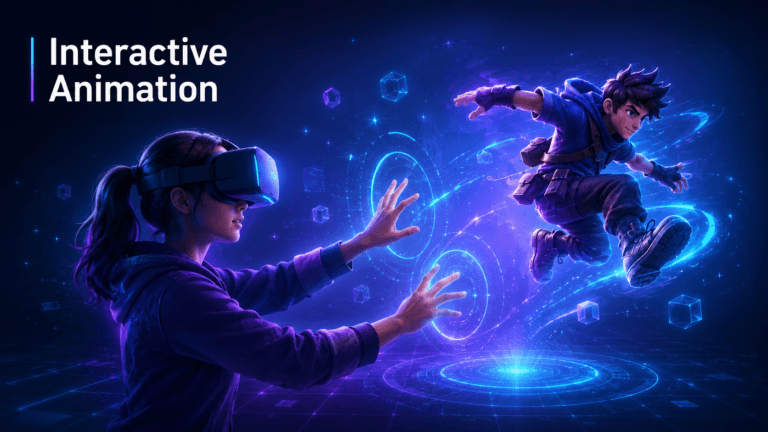
Virtual reality tools enable layout artists to step into scenes, intuitively position cameras, and accurately judge scale from a physical perspective. VR is especially valuable for action sequences, sprawling environments, or cinematics that demand precise camera motion.
VR art is increasingly used alongside real-time engines in virtual production workflows. VR speeds up decision-making and helps teams grasp spatial relationships more quickly.
Final Words
Layout is the foundation of 3D animation production. It defines the camera logic, storytelling clarity, scene composition, continuity, and technical accuracy before any high-fidelity work commences.
A robust layout minimizes revisions, enhances collaboration, and guarantees that every team, including animation, lighting, FX, and editing, operates from the same cinematic foundation.
Whether you are producing a short indie film or a complex AAA cutscene, mastering 3D layout is crucial for better storytelling and more streamlined production pipelines. As you delve deeper into animation workflows, layout will prove to be a discipline you will continuously return to.


![1405,02,10 SnpLE[Cover HD] 1](https://pixune.com/wp-content/uploads/2026/08/14050210-SnpLECover-HD-1-768x431.jpg)