Keyframe animation is the foundation of motion in 2D, 3D, and digital animation. It involves defining important frames, or keyframes, that mark significant points of motion. The computer fills in the frames between them, creating smooth animation. Understanding key poses and timing is crucial for believable motion.
In this article, we cover the essentials of keyframe animation, how to use key poses effectively, and practical tips for animators to improve timing, flow, and impact.

Need Animation Services?
Visit our Animation Service page to see how we can help bring your ideas to life!
What Is Keyframe Animation?
Keyframe animation is the process of setting specific frames to define motion in an animation. Each keyframe represents a significant pose or state of the character or object. The frame-by-frame animation software automatically interpolates between these keyframes to produce fluid motion.
Keyframes are used in all animation workflows, including:
Key Poses in Animation
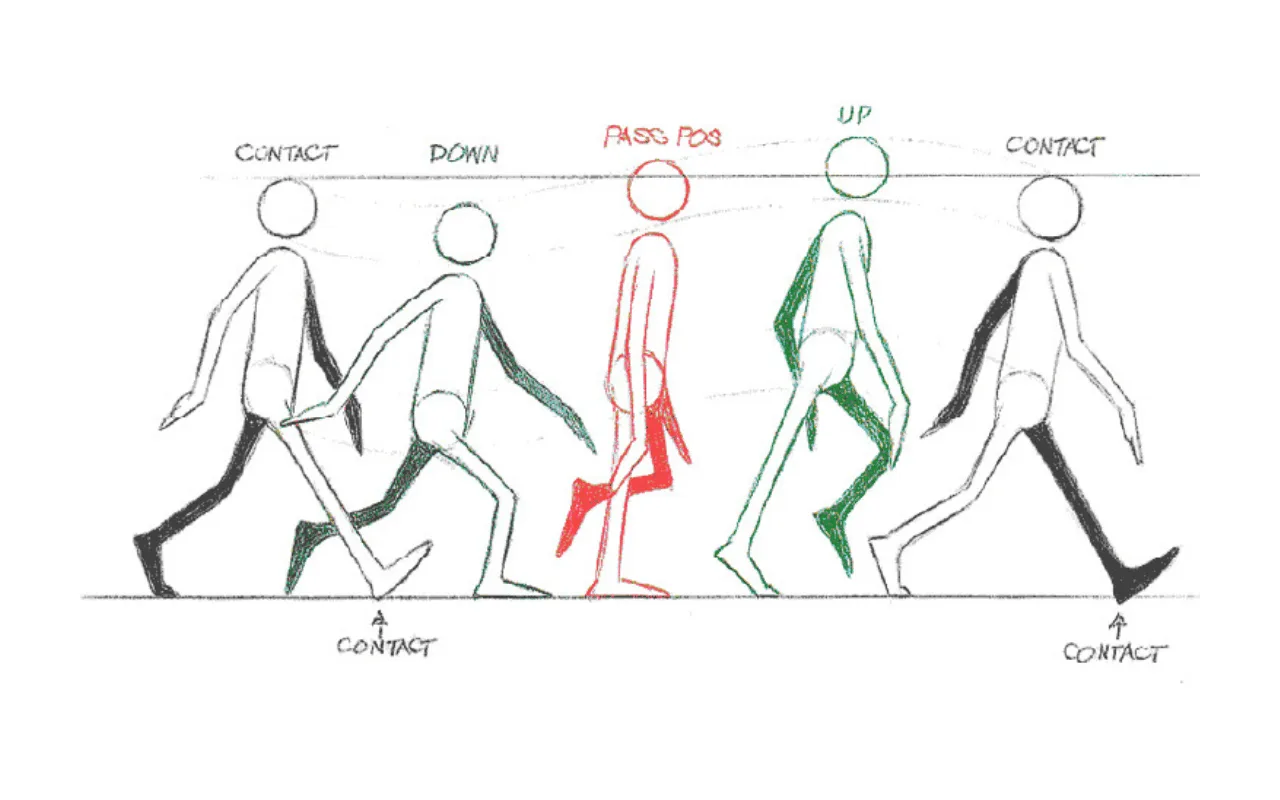
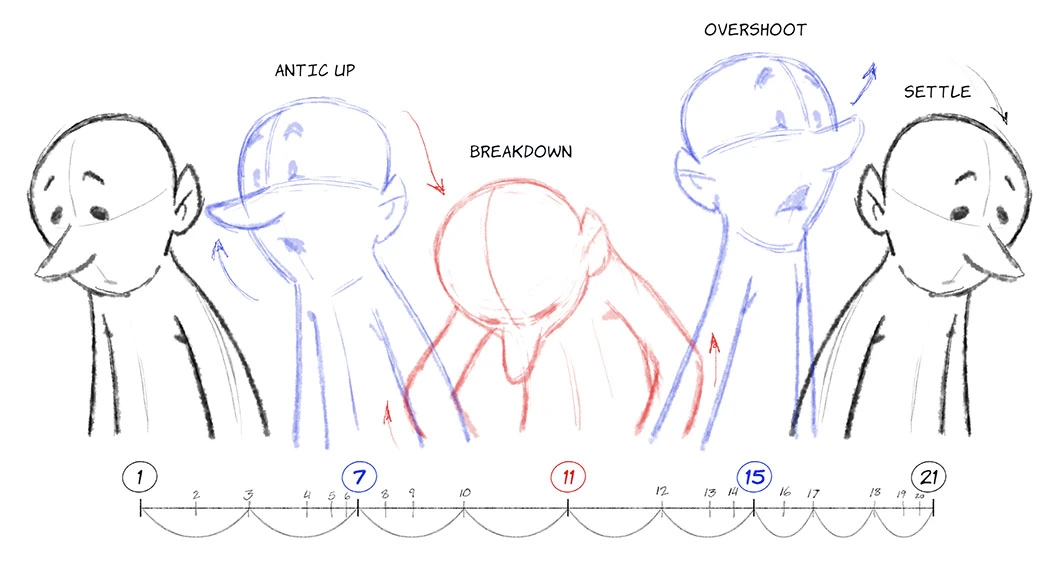
Key poses are the most important positions in a movement. Pose-to-pose frame defines the start, end, and critical moments of an action. Strong key poses improve clarity, weight, and impact.
Think of key poses as the visual anchors of an animation. Before adding details or in-between frames by in-betweeners, 2D animators establish these poses to map out the action and ensure the movement communicates the intended idea. Whether a character is jumping, running, lifting an object, or expressing an emotion, the key poses determine how clearly the audience understands the action.
Well-designed key poses also help maintain consistency throughout the animation process. By focusing on the major storytelling moments first, animators can identify potential issues with balance, staging, or timing before investing time in refining the motion. This approach makes revisions easier and results in stronger, more polished animations.
In character animation, key poses often include anticipation, the main action, and the final settling pose. For example, a character preparing to throw a ball may first lean back in anticipation, then extend forward during the throw, and finally follow through after releasing the ball. These key moments create a clear sequence that guides the viewer’s eye and makes the action feel natural and believable.
Principles for Effective Key Poses
- Exaggeration: Emphasize motion for clarity.
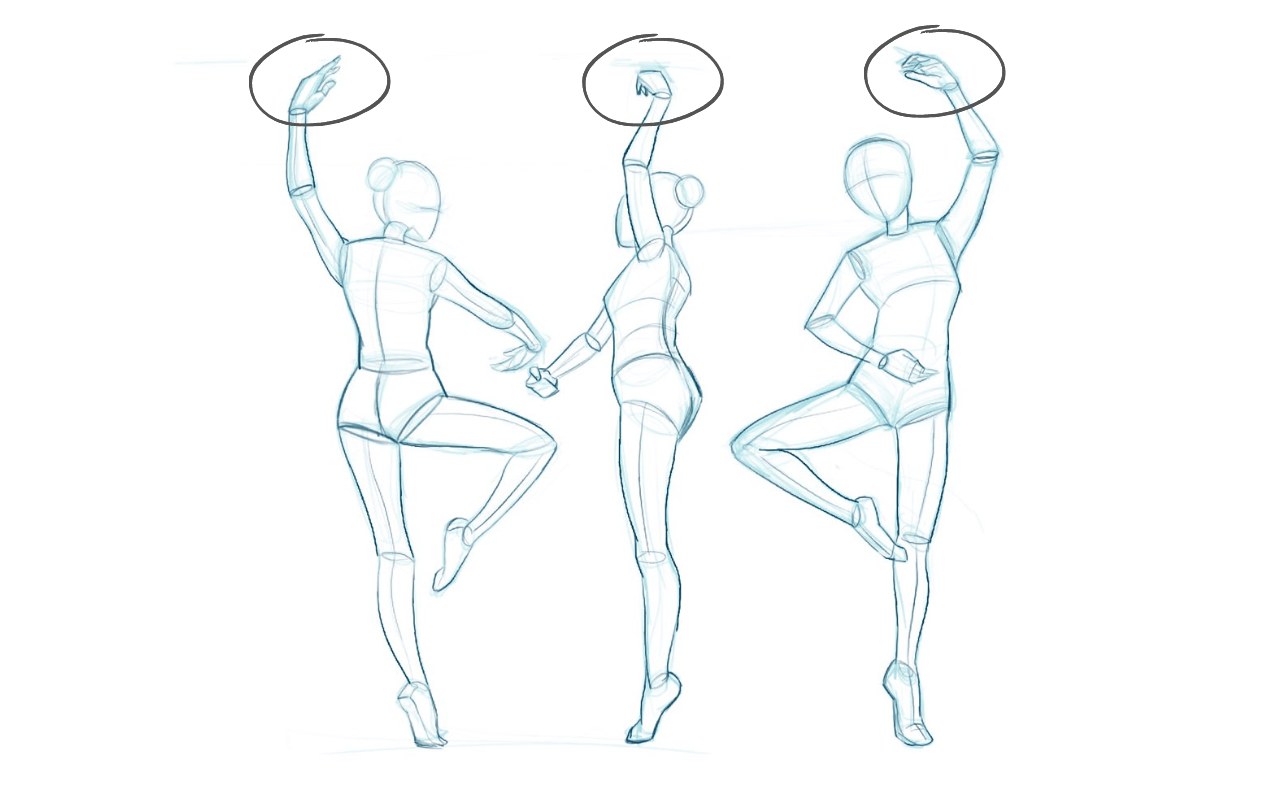
- Silhouette: Ensure the pose is readable from any angle.
- Balance: Check weight distribution for realism.
- Timing Awareness: Key poses should reflect acceleration, deceleration, and anticipation.
- Emotion & Intent: Poses should communicate mood or action intent.
Tips for Creating Smooth Keyframe Animation
Creating smooth keyframe animation requires more than simply placing poses on a timeline. Animators must carefully consider timing, spacing, motion paths, and character intent to make movements feel natural and engaging. Whether you’re working on a simple motion graphic or a complex character performance, these techniques can help improve the quality and realism of your animations.
1. Plan Your Keyframes First
Sketch or block out the major poses before animating. This creates a roadmap and prevents unnecessary corrections later. By identifying the most important moments of an action early on, you can focus on storytelling and movement rather than constantly adjusting the animation structure. Planning also helps maintain consistency throughout the sequence.
2. Focus on Timing
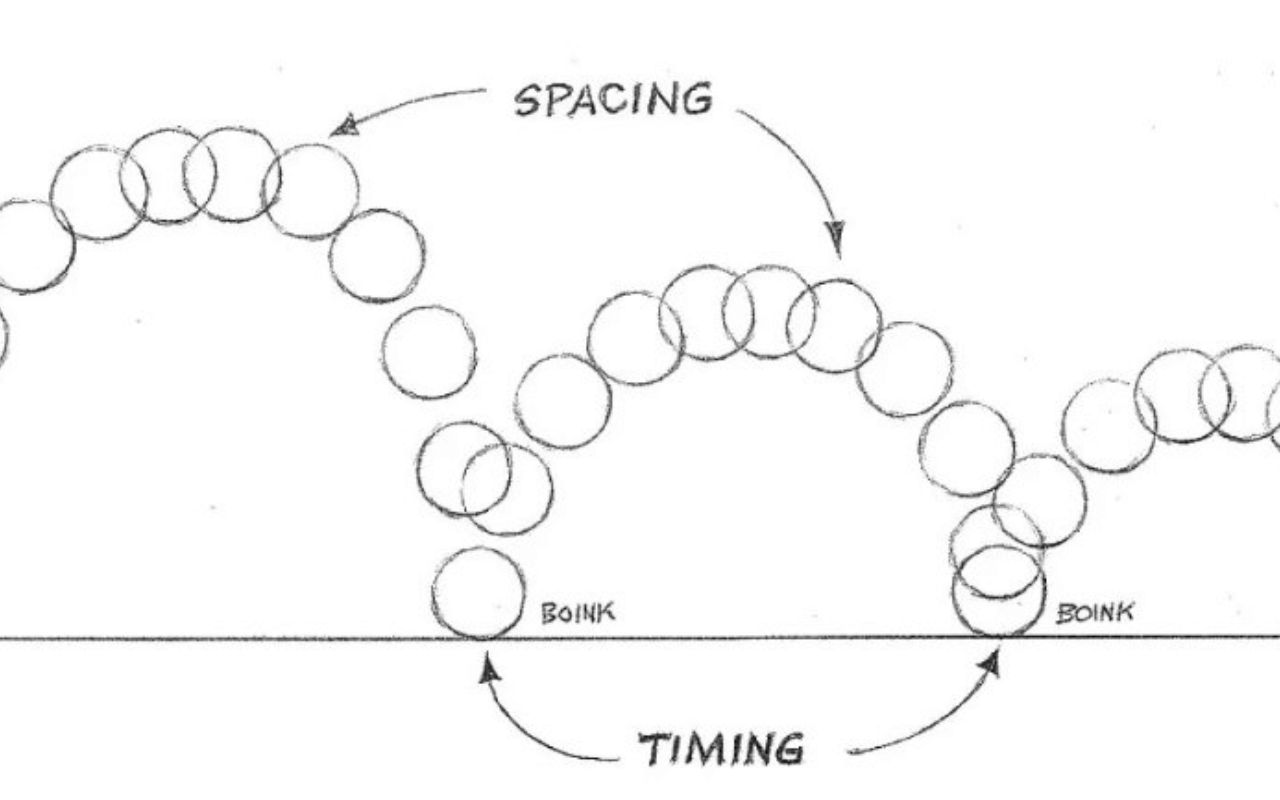
Adjust the spacing between keyframes to create faster or slower motion. Proper timing conveys weight, energy, and realism. For example, a heavy object typically moves more slowly and requires more time to start and stop, while a lightweight object can accelerate quickly. Experimenting with timing is one of the most effective ways to improve the feel of an animation.
3. Use In-Betweens Wisely
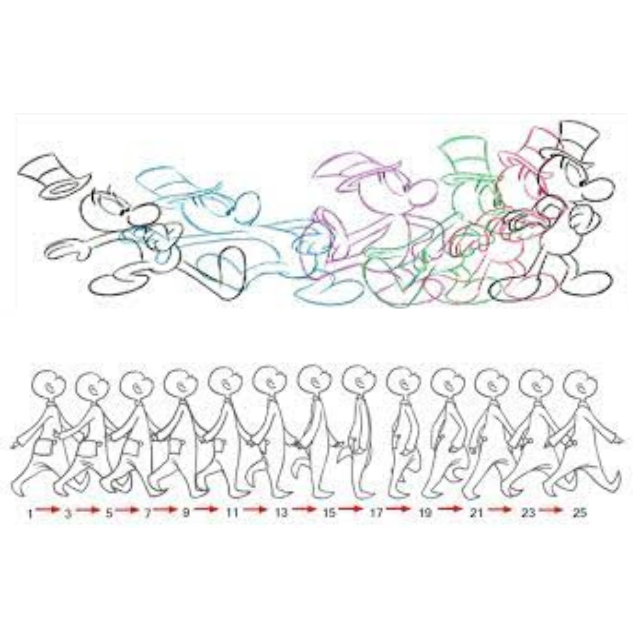
Interpolation fills the frames between key poses. Learn to adjust curves for smooth acceleration and deceleration, or for more stylized motion. While software can automatically generate in-between frames, manually refining them often produces more appealing results. Pay attention to spacing and transitions to avoid mechanical-looking movement.
4. Refine with Arcs
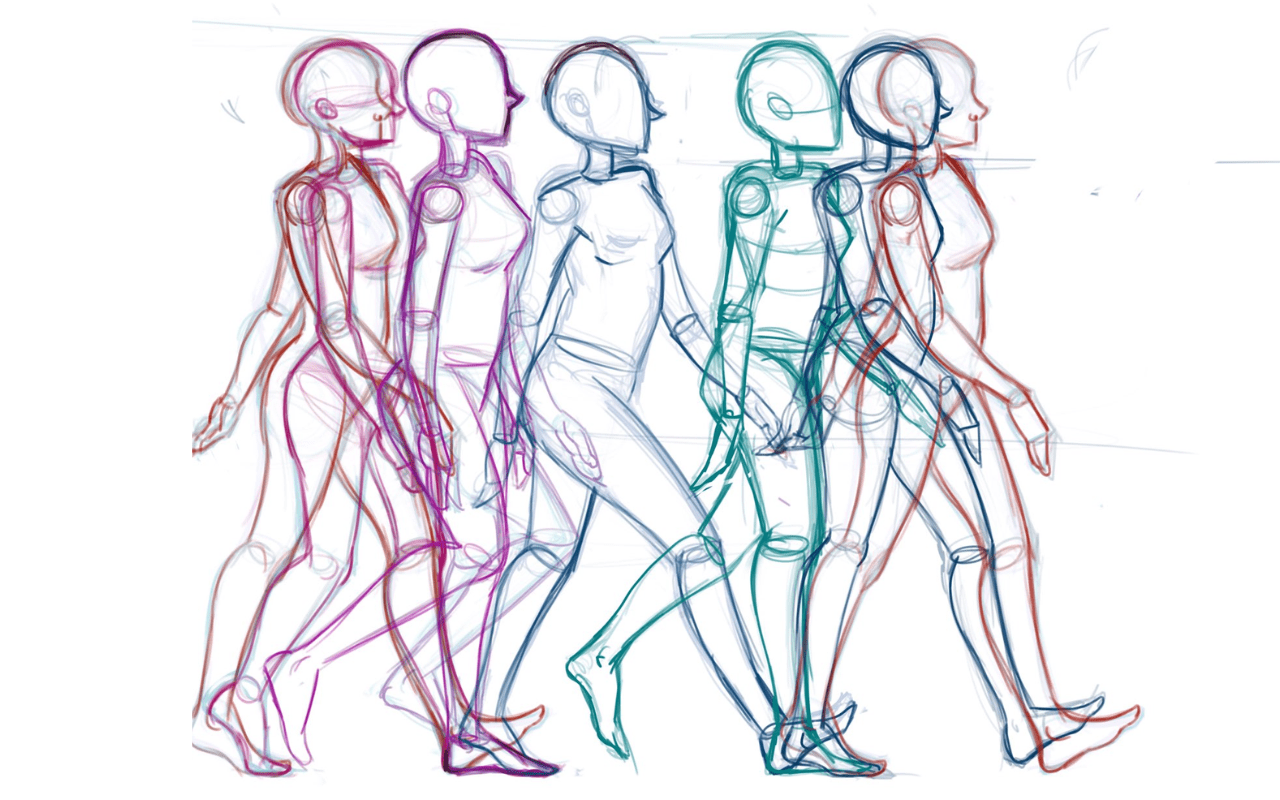
Natural movement follows arcs. Ensure key poses and in-betweens follow curved paths rather than straight lines to create organic motion. Human limbs, animal movements, and many physical objects naturally travel in curved trajectories. Reviewing motion paths can help identify and correct unnatural movements.
5. Layer Motion
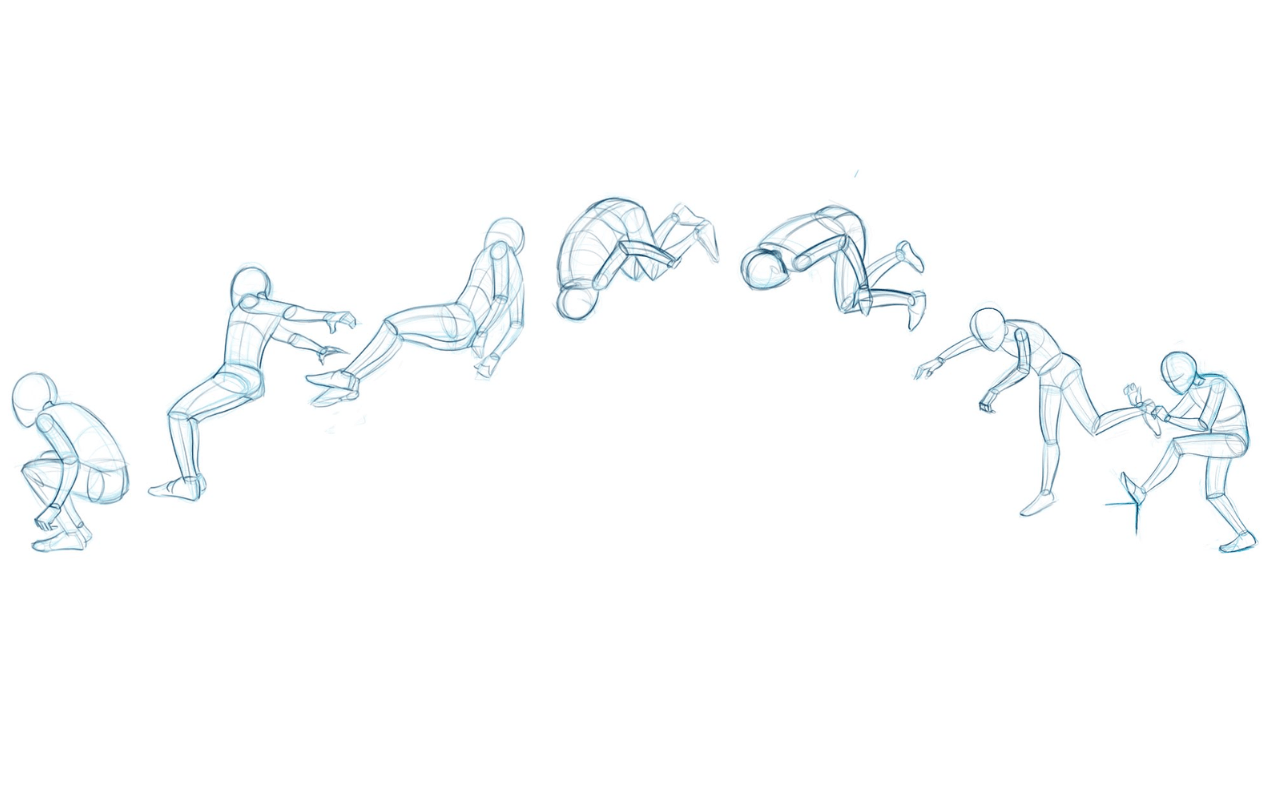
Break down animation into separate components, such as body, arms, and facial movements. This helps manage complex motion and maintain clarity. Animating in layers allows you to focus on one aspect of the performance at a time while ensuring all elements work together harmoniously. It also makes revisions easier during production.
6. Reference Real Life
Study real-world movement to understand timing, weight, and anticipation. Observing humans, animals, or objects adds realism to your animation. Recording reference videos or analyzing footage frame by frame animation can reveal subtle details that are difficult to invent from memory. Even stylized animation benefits from a foundation in real-world motion.
7. Check Silhouettes
A clear silhouette makes the pose readable and instantly understandable. Avoid poses that are ambiguous or confusing. If viewers can recognize the action from the character’s outline alone, the pose is usually strong and effective. Clear silhouettes improve communication and make animations more visually appealing.
8. Animate in Stages
Start with broad, primary motion, then add secondary motion, follow-through, and overlapping action. This builds richness without losing focus on the key poses. Working in stages helps maintain control over the animation and prevents unnecessary complexity during the early phases of production.
9. Use Ease In / Ease Out
Adjust interpolation curves to avoid stiff or robotic motion. Ease in and ease out adds natural acceleration and deceleration to actions. Most movements in the real world do not start or stop instantly, so easing helps create smoother and more believable transitions between poses.
10. Review and Iterate
Play back your animation regularly. Small adjustments in keyframe placement can dramatically improve flow and believability. Viewing the animation at different speeds, seeking feedback from others, and making incremental refinements are all valuable practices. Professional animators often spend significant time polishing keyframes to achieve the best possible result.
Software for Keyframe Animation
Popular tools include:
- 2D Animation tools: Adobe Animate, Toon Boom Harmony, Spine
- 3D Animation software: Maya, Blender, Cinema 4D
- Motion Graphics: After Effects, Moho
Conclusion
Mastering keyframe animation is essential for creating smooth, dynamic, and expressive motion. Strong key poses, proper timing, and careful in-between management create believable and engaging animation.
Practice regularly, analyze real-world movement, and focus on clarity and emotion in every keyframe. By mastering these animation principles, animators can bring characters, objects, and stories to life with professional polish.



![1405,02,10 SnpLE[Cover HD] 1](https://pixune.com/wp-content/uploads/2026/08/14050210-SnpLECover-HD-1-768x431.jpg)