Frame by frame animation is one of the oldest and most fundamental techniques in animation. From early hand drawn cartoons to modern digital productions, animators have relied on this method to create smooth and expressive motion. Today, powerful software tools allow artists to produce frame by frame animation more efficiently while still maintaining full creative control.
Whether you are an independent animator, a game artist, or part of an animation studio, choosing the right frame by frame animation software can greatly influence your workflow and the quality of your work.
In this guide, we explore what frame by frame animation is, how it works, and some of the best software tools used by professionals and beginners.
What Is Frame by Frame Animation?
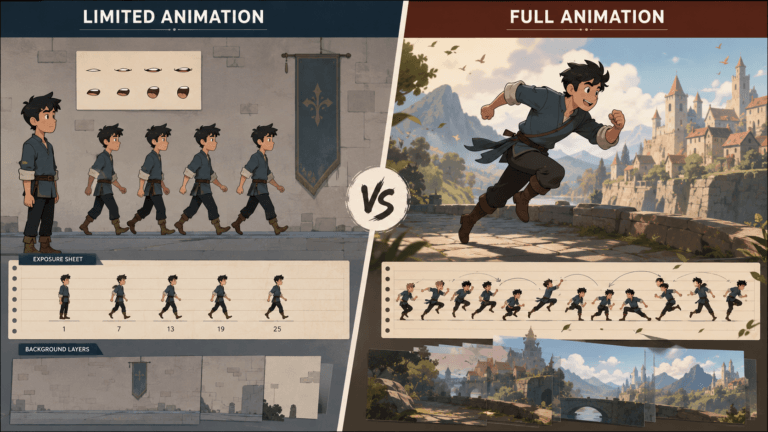
Frame by frame animation is a technique where each individual frame of motion is created separately. When these frames are played quickly in sequence, they create the illusion of movement.
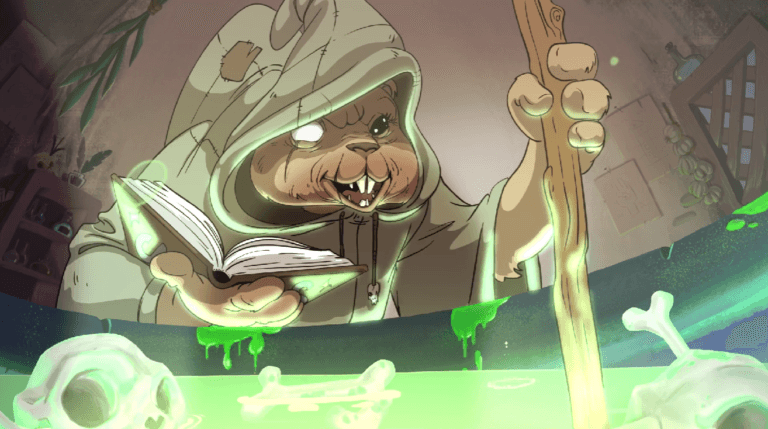
This technique was widely used in traditional animation, where artists would draw every frame on paper. Modern 2D digital animation software allows artists to draw frames directly on a computer or tablet.
For example, a one second animation typically requires 24 frames per second, meaning an animator may need to create 24 separate drawings for a single second of motion.
Frame by frame animation is commonly used in:
- Traditional cartoon animation
- Anime art styles
- 2D game animations
- Animated shorts
- Hand drawn visual effects
Why Frame by Frame Animation Is Still Important
Despite the rise of rig based and 3D animation, frame by frame animation remains widely used because of the level of artistic control it provides.
Complete Creative Freedom
Animators can design every frame exactly as they want, allowing for expressive movement and stylized animation.
Unique Artistic Style
Frame by frame animation gives artists the ability to create very distinct visual styles that are difficult to achieve with automated animation tools.
Ideal for Character Animation
Many character driven animations rely on frame by frame techniques to capture subtle facial expressions and dynamic motion.
Best Frame by Frame Animation Software
Many tools support frame by frame animation, but some are specifically designed for this workflow. Below are some of the most popular software options used by animators.
1. Toon Boom Harmony
Toon Boom Harmony is one of the most widely used animation programs in the professional animation industry. Many major studios use it to produce television shows and feature films.
Key features include:
- Advanced frame by frame drawing tools
- Professional animation timeline
- Rig based and traditional animation support
- Advanced compositing tools
Harmony is often used in productions such as animated television series and streaming platform shows.
2. TVPaint Animation
TVPaint is a powerful digital animation software designed specifically for traditional animators. It focuses heavily on frame by frame workflows.
Key features include:
- High quality brush engine
- Traditional animation workflow
- Powerful timeline tools
- Support for hand drawn animation styles
Many independent animators and studios prefer TVPaint for its natural drawing experience.
3. Krita
Krita is a free and open source digital painting program that also includes strong frame by frame animation features.
Key features include:
- Onion skinning tools
- Timeline and frame management
- Powerful brush engine
- Free and open source license
Krita is a popular choice for beginners and artists who want to experiment with animation without purchasing expensive software.
4. Adobe Animate
Adobe Animate is widely used for web animations, cartoons, and interactive content. It supports both vector animation and frame by frame workflows.
Key features include:
- Frame by frame drawing tools
- Vector based animation system
- Interactive animation support
- Integration with other Adobe tools
Adobe Animate is often used for web animation and digital cartoons.
5. OpenToonz
OpenToonz is a professional animation software that originated from tools used by Studio Ghibli.
Key features include:
- Frame by frame animation tools
- Powerful compositing features
- Customizable workflow
- Free and open source license
The software is widely used by independent creators and small studios.
Key Features to Look for in Frame by Frame Animation Software
When choosing frame by frame animation software, several features can significantly improve your workflow.
Onion Skinning
Onion skinning allows animators to see previous and next frames while drawing the current frame. This helps maintain smooth motion.
Timeline Control
A strong timeline interface allows artists to easily organize frames, adjust timing, and manage animation sequences.
Brush Customization
Animation often requires different drawing styles. Software with customizable brushes helps artists achieve the look they want.
Layer Management
Layers allow animators to separate characters, backgrounds, and effects, making complex scenes easier to manage.
How to Choose the Right Animation Software
The best software depends on your experience level and project type.
For Beginners
Free tools such as Krita and OpenToonz are excellent starting points.
For Professional Studios
Software like Toon Boom Harmony and TVPaint offers powerful features used in production pipelines.
For Web and Interactive Content
Adobe Animate is often used for interactive animation and web content.
If you are interested in learning more about animation styles, you can explore our guide on character art styles.
Frame by Frame Animation in Modern Production
Even with the rise of 3D animation services and rig based tools, frame by frame animation continues to play an important role in modern media.
Many studios combine frame by frame animation tools with other techniques and 3D animation tools to create unique visual styles.
For example:
- Video game cutscenes
- Indie animated films
- Anime-style productions
- Stylized animated commercials
This hybrid approach allows artists to combine the flexibility of modern tools with the expressive power of traditional animation.
Conclusion
Frame by frame animation remains one of the most powerful techniques in animation. By creating each frame individually, artists can achieve expressive motion, stylized visuals, and precise control over their animations. Modern frame by frame animation software makes this process faster and more efficient while preserving the artistic freedom that animators value. Whether you are just starting your animation journey or working in a professional studio pipeline, choosing the right software can help bring your ideas to life.


![1405,02,10 SnpLE[Cover HD] 1](https://pixune.com/wp-content/uploads/2026/08/14050210-SnpLECover-HD-1-768x431.jpg)