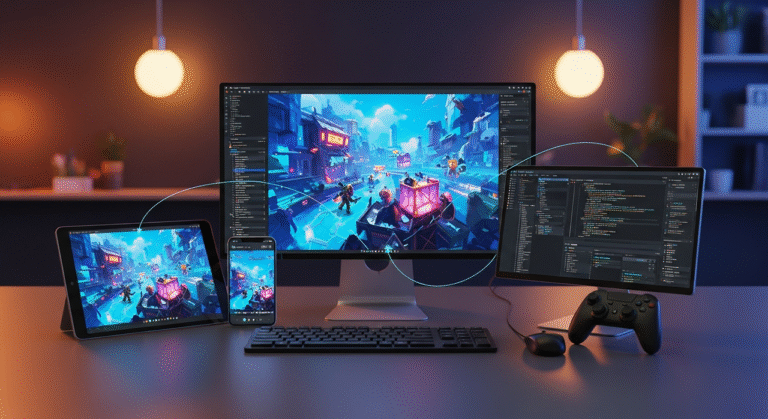
Choosing a 3D game engine in 2026 is not just about which software can produce the best-looking screenshot. A good engine needs to support the entire production pipeline: importing assets, building materials, lighting scenes, animating characters, creating VFX, optimizing performance, preparing builds, and keeping the project stable as it grows.
This is where engine choice starts to matter.
Unreal Engine can handle heavier graphics and gives artists powerful tools for lighting, cinematics, animation, and real-time VFX. Unity is more flexible and often better suited for mobile, VR, stylized 3D, and cross-platform projects. Godot is becoming a stronger option for smaller 3D games, especially for teams that want open-source control. O3DE is more relevant for technical teams that need deep customization. CryEngine can still produce strong visuals, but its ecosystem is smaller than Unreal or Unity.
The real question is not “What is the most powerful 3D game engine?”
The better question is:
Which 3D engine gives your team the best chance to build, optimize, and ship the game you are actually making?
1. Unreal Engine
Unreal Engine is the strongest choice in 2026 for teams that want high-end 3D graphics, cinematic presentation, advanced lighting, large environments, and complex real-time VFX.
Its biggest advantage is that many of the tools needed for modern 3D production are already built into the engine. Nanite helps teams work with extremely dense geometry. Lumen gives dynamic global illumination and reflections. World Partition supports large open-world level streaming. Sequencer gives teams timeline-based cinematic tools. Control Rig helps with animation work inside the engine. Niagara gives technical artists a powerful system for real-time effects.
This makes Unreal especially useful for games where visual quality is part of the product. If your game needs realistic environments, detailed characters, cinematic cutscenes, heavy combat effects, complex lighting, large-scale worlds, or technical animation, Unreal gives you a strong technical foundation.
Niagara is one of Unreal’s biggest advantages for VFX-heavy games. It allows artists to create explosions, smoke, sparks, fire, muzzle flashes, magic spells, energy trails, destruction debris, and environmental particles with node-based control. For game genres like action games, shooters, fantasy games, and RPGs, this can save a lot of production time because VFX artists can iterate without needing a programmer for every small adjustment.
Unreal is also strong for cinematic production. Sequencer, Control Rig, real-time lighting, camera tools, and high-quality rendering make it easier to produce cutscenes, game trailers, and polished in-engine moments.
Examples of 3D games made with Unreal Engine include:
- Fortnite
- Black Myth: Wukong
- Senua’s Saga: Hellblade II
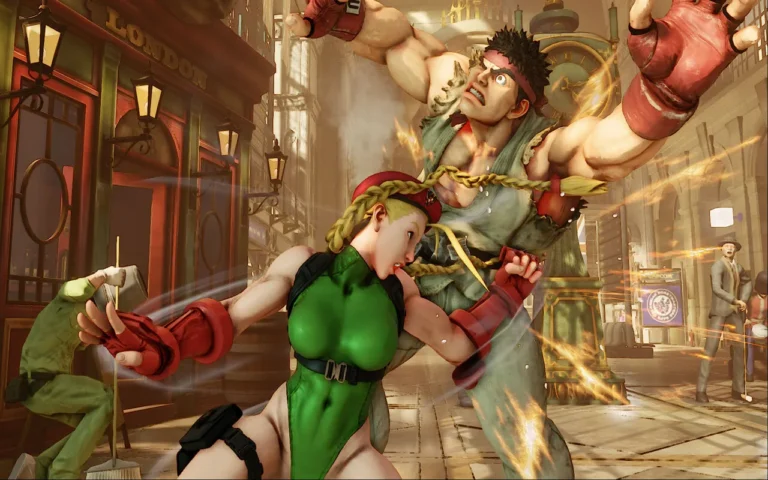
- Tekken 8
- Gears 5
- PUBG
- The Matrix Awakens
- Borderlands 4
The downside is that Unreal is heavy. Shader compilation, project size, source control, build times, hardware demands, and asset optimization can slow a team down. The engine can handle more graphics, but those graphics still need to be managed properly.
Unreal is best for:
- AAA and AA 3D games
- Realistic environments
- Cinematic action games
- Open-world projects
- Shooters
- Horror games
- Fighting games
- Racing games
- VFX-heavy combat games
- High-end PC and console titles
2. Unity
Unity is one of the most practical 3D engines in 2026 because it can adapt to many different types of projects.
It is not usually the first choice for cutting-edge realism, but that is not Unity’s main strength. Unity is useful because it works well across mobile 3D, stylized games, VR/AR, indie projects, simulations, educational apps, casual games, and cross-platform production.
A major technical decision in Unity is the render pipeline. URP is usually the better choice for mobile, VR, stylized visuals, and broad platform support. HDRP is designed for higher-end visuals, with more advanced lighting, materials, cameras, and post-processing, but it is more demanding and less suitable for low-end hardware.
This decision should be made early. Switching render pipelines later can affect materials, shaders, lighting, post-processing, and custom tools.
Unity also has Visual Effect Graph for node-based, GPU-driven effects. It can be useful for particle systems visuals, magic attacks, sci-fi effects, stylized explosions, environmental particles, and large particle simulations. However, compared to Unreal’s Niagara, Unity’s VFX workflow usually feels less central to the overall engine pipeline, especially for cinematic or VFX-heavy action games.
Unity’s strongest advantage is flexibility. Developers can prototype quickly with C#, use a large Asset Store ecosystem, deploy to many platforms, and find developers more easily than with smaller engines. This makes it a very practical choice for studios that need speed and broad platform support.
Examples of 3D games made with Unity include:
- Genshin Impact
- Subnautica
- Escape from Tarkov
- Pokémon GO
- Cities: Skylines
- The Forest
- Outer Wilds
- Hearthstone
The weakness is technical debt. Unity gives teams many choices, but too many choices can become a problem. Plugins, packages, render pipeline changes, custom tools, and inconsistent code architecture can make a project difficult to maintain if the team does not manage the pipeline carefully. There’s been a comparison between Unreal and Unity from the beginning of their creation, which we discussed in another blog that can read here.
Unity is best for:
- Mobile 3D game
- Stylized 3D games
- VR and AR animation projects
- Cross-platform indie games
- Simulation and training projects
- Educational 3D apps
- Casual and midcore games
- Teams that need fast prototyping
3. Godot
Godot is becoming more relevant for 3D, but it should be judged realistically.
It is not a direct replacement for Unreal in high-end rendering, and it does not have Unity’s commercial ecosystem. Its strength is that it is lightweight, open-source, clean, and easier to control for smaller teams.
Godot 4.x improved the engine’s 3D capabilities significantly. It is now more usable for stylized 3D games, prototypes, small third-person projects, experimental games, and indie game productions. The editor is fast, the scene system is clean, and the open-source model removes concerns about royalties or sudden pricing changes.
Godot is especially appealing for developers who want a lighter game engine without unnecessary production weight. If the game does not need advanced cinematic tools, huge marketplaces, or AAA-grade rendering, Godot can be easier to manage than larger engines.
The limitation is the 3D ecosystem. Godot still has fewer experienced 3D developers, fewer commercial plugins, fewer outsourcing partners, fewer advanced VFX tools, and fewer large-scale 3D case studies than Unity or Unreal.
Godot is best for:
- Small 3D indie games
- Stylized 3D projects
- Prototypes
- Experimental games
- Open-source projects
- Solo developers
- Teams that want lightweight tools
4. O3DE
O3DE, or Open 3D Engine, is not a typical game studio recommendation. It is more relevant for teams that need deep technical ownership over a 3D engine.
Its value is control. O3DE is open-source and designed for real-time 3D applications, games, simulations, robotics, and enterprise visualization. That makes it useful for teams that need to customize the engine deeply or build specialized technical systems.
For normal game production, O3DE may be too engineering-heavy. A creative team or a game art studio that mainly wants to build gameplay, levels, characters, animation, and content will usually move faster in Unreal or Unity.
O3DE makes sense when the engine itself is part of the project’s technical strategy.
O3DE is best for:
- Simulation
- Robotics-related 3D applications
- Enterprise visualization
- Research projects
- Open-source 3D development
- Technical teams with engine programmers
- Projects that need deep customization
5. CryEngine
CryEngine still has a strong visual legacy. It has powered games known for realistic outdoor environments, lighting, and first-person immersion.
Examples of 3D games made with CryEngine include:
- Crysis
- Hunt: Showdown
- Kingdom Come: Deliverance
- Ryse: Son of Rome
- Sniper: Ghost Warrior 3
CryEngine can still produce strong real-time visuals, especially for grounded 3D worlds and first-person games. The issue is not rendering quality. The issue is ecosystem risk.
Compared with Unreal and Unity, CryEngine has a smaller developer community, fewer modern tutorials, fewer available specialists, fewer marketplace resources, and less momentum among new studios. This affects hiring, outsourcing, troubleshooting, and long-term support.
CryEngine can still work if your team already knows it well. But if a studio is choosing a 3D engine from scratch in 2026, Unreal is usually the safer high-end 3D choice.
CryEngine is best for:
- Teams with existing CryEngine experience
- Realistic first-person games
- Specific high-end 3D use cases
- Studios with an established CryEngine pipeline
What Matters in a 3D Game Engine?
A 3D engine should be judged by the problems it solves during production, not only by its feature list.
Rendering technique is important, but a real 3D project also depends on animation tools, physics, particles, shaders, level design, asset management, platform support, profiling, source control, and game optimization. A game can look great in a demo scene and still become difficult to finish if the team cannot manage performance, memory, build size, or asset complexity.
The most important areas to consider are:
1. Rendering and lighting
A strong 3D engine needs reliable shadows, reflections, global illumination, post-processing, shader control, and material workflows.
Unreal is especially strong here because of systems like Nanite, Lumen, Virtual Shadow Maps, and its physically based material workflow. Unity can also produce strong visuals, but the result depends heavily on whether the project uses URP or HDRP. URP is usually better for scalable performance and platform reach, while HDRP is designed for higher-end visuals.
2. VFX tools
Real-time VFX are a major part of modern 3D games. Explosions, smoke, sparks, fire, weapon trails, magic attacks, impact effects, weather, and environmental particles all affect the game’s feel.
Unreal’s Niagara is one of the strongest VFX systems available inside a game engine. Unity’s Visual Effect Graph is also powerful, especially for GPU-driven particle effects, but it usually needs more VFX pipeline planning depending on the platform and rendering software and pipeline.
Animation and characters
For character-heavy games, the engine needs good support for state machines, blend spaces, retargeting, inverse kinematics, ragdolls, animation events, and cinematic animation.
Unreal has a strong animation toolset with Control Rig, Sequencer, Animation Blueprints, IK systems, and retargeting workflows. Unity is also capable, especially with Mecanim, Timeline, Cinemachine, and third-party animation tools, but Unreal often feels more complete for cinematic character work inside the engine.
3. World-building
Large 3D games need level streaming, terrain tools, foliage systems, environment dressing, LODs, occlusion, and collaboration workflows.
Unreal’s World Partition is a major advantage for large worlds because it divides the map into streamable grid cells. Unity can also support large worlds, but it often requires more custom tools or third-party systems depending on project scale.
4. Optimization
Good graphics do not matter if the game cannot run on the target hardware.
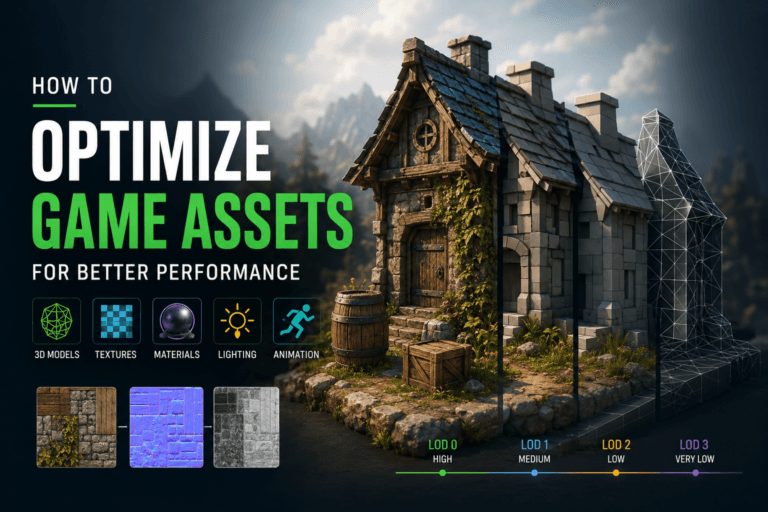
A production-ready 3D engine needs profiling tools, memory analysis, shader optimization, LOD workflows, batching, occlusion tools, platform settings, and ways to detect performance problems early.
Making Your Own Engine
Making your own 3D game engine can sound attractive because it gives full control over the technology. You can design the renderer, memory systems, asset creation pipeline, physics integration, streaming, tools, and optimization around one specific game.
But in production, a custom engine is rarely just “an engine.” It becomes a second product.
A modern 3D engine needs: A renderer, An editor, Asset import tools, Shader system, Material workflow, Animation tools, Physics integration, Audio support, Input handling, UI tools, Scene management, Build systems, Debugging tools, Profiling tools, Platform support, and Documentation
Even if the first version is simple, production will keep asking for more tools. Better animation debugging. Better collision editing. Better GPU profiling. Better build automation. Better crash reporting. Better asset validation.
This can be worth it if the studio has a long-term technology strategy. For example, a custom engine may make sense for a studio building several games with the same tech, or for a game with unusual requirements such as a custom voxel system, advanced simulation, large-scale networking, procedural worlds, or a very specific renderer.
But for most teams trying to ship one commercial 3D game, making an engine from scratch is usually not worth the cost.
Final Thoughts
The best 3D game engine in 2026 depends on the technical problems your game creates.
A simple way to think about it:
Choose Unreal Engine if your game needs high-end graphics, cinematic tools, strong VFX, realistic lighting, large environments, or AAA-style production.
Choose Unity if your game needs flexibility, mobile support, stylized visuals, VR/AR support, fast prototyping, or broad platform coverage.
Choose Godot if your project is smaller, open-source-friendly, stylized, experimental, or does not need a heavy commercial engine.
Choose O3DE if your team needs deep technical ownership, open-source 3D control, simulation features, or enterprise-level customization.
Choose CryEngine if your team already has CryEngine experience and a specific reason to use it.
Make your own engine only if the technology itself is a long-term strategic asset.
For most teams, the safest decision is not the most powerful engine on paper. It is the engine that matches the game’s scope, platform, art direction, technical needs, and team experience.