
Hard surface modeling is one of the most important disciplines in 3D art, especially in game development, film production, and product visualization. It focuses on creating non-organic objects such as vehicles, machinery, weapons, and architectural structures.
Unlike organic modeling, which deals with characters and natural forms, hard surface modeling emphasizes precision, clean geometry, and mechanical accuracy.

Need 3D Animation Services?
Visit our 3D Animation Service page to see how we can help bring your ideas to life!
What Is Hard Surface Modeling?
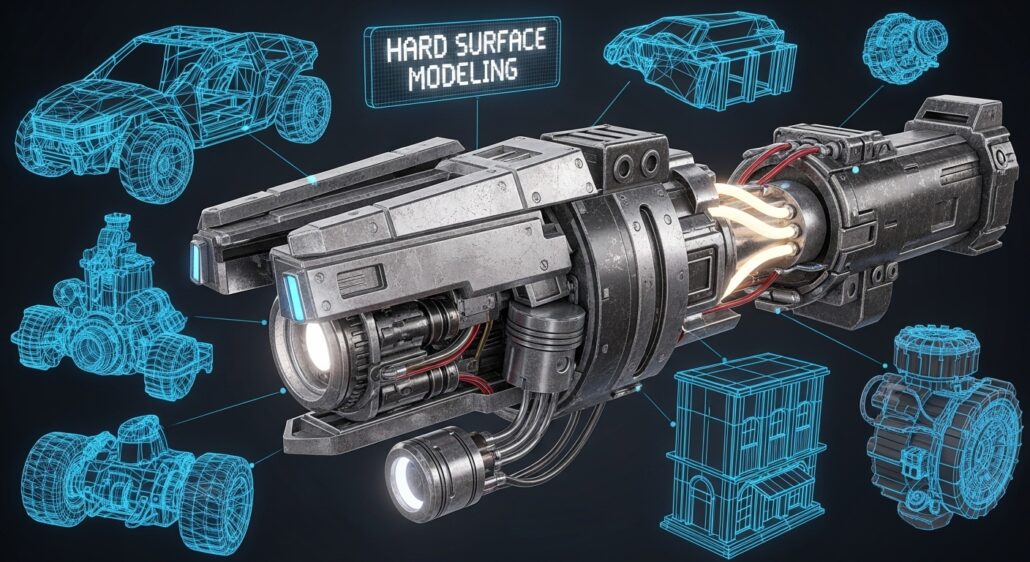
Hard surface modeling is the process of creating 3D objects with hard, man-made surfaces such as metal, plastic, glass, or machinery components. It involves constructing clean geometry that represents real-world manufactured objects.
This technique is widely used in industries where accuracy and structure are important. From sci-fi weapons to industrial equipment, hard surface modeling services are essential for producing believable and functional designs in digital environments.
Why Hard Surface Modeling Is Important?
Hard surface modeling plays a critical role in modern 3D production pipelines. It allows 3D modelers to create structured, detailed, and realistic assets that fit seamlessly into games and films.
Precision and Realism
Hard surface models rely on accurate proportions and clean topology. This ensures that mechanical objects behave correctly when rendered or animated, especially in engineering-heavy designs. There are many benefits of 3D modeling in engineering.
Foundation for Game Assets
This modeling technique is used across gaming, automotive visualization, architectural animation services, and product animation. Any object that requires structured geometry benefits from hard surface workflows.
Versatility in Industries
In AAA game development, most environment props, weapons, and vehicles are built using hard surface modeling techniques. It ensures consistency and performance optimization in real-time engines.
Hard Surface Modeling Techniques
Here we will cover seven modeling techniques. However, note that 3D modeling techniques are limitless, and you should apply each of them to your modeling to find out how they can help you.
Box Modeling
Box modeling starts with a simple cube or primitive shape and gradually refines it into a detailed object. It is one of the most common and beginner-friendly methods.
This technique is ideal for blockout stages where overall proportions and structure are defined before adding fine details.
NURBS Modeling
NURBS (Non-Uniform Rational B-Splines) is a mathematical modeling method used to create smooth and precise surfaces. Unlike polygonal modeling, NURBS relies on curves rather than vertices and edges.
This technique is commonly used in industrial design, automotive modeling, and product visualization because it produces extremely accurate and clean surfaces. Designers can control curvature with high precision, making it ideal for manufacturing-level modeling. However, NURBS is less flexible for game-ready assets and is often converted into polygonal geometry later in the pipeline.
Polygonal Modeling
Polygonal modeling is the most widely used method in hard surface workflows. It involves creating 3D objects using vertices, edges, and faces to define shape and structure.
This technique offers full control over topology, making it ideal for both organic and mechanical assets. In hard surface modeling, polygonal workflows are used to create precise shapes, maintain clean edge flow, and ensure compatibility with game engines like unity or unreal and rendering techniques. It supports both low-poly and high-poly production workflows depending on project requirements.
Kitbashing
Kitbashing involves assembling pre-made parts or modular assets to build complex models quickly. This technique is widely used in concept art, environment design, and rapid prototyping.
It helps speed up production while maintaining visual complexity.
Subdivision Modeling
Subdivision modeling smooths polygonal meshes by splitting them into smaller faces, creating rounded or beveled edges.
It’s perfect for both stylized and realistic assets like sci-fi armor, vehicles, or props. Clean topology is essential to prevent artifacts during subdivision.
Trim Sheets
Trim sheets are texture-based optimization techniques used to efficiently detail multiple surfaces using a single texture set. Instead of creating unique textures for every asset, artists reuse patterned strips of detail across different models.
This technique is heavily used in game art services, especially for environments and hard surface assets. Trim sheets help reduce memory usage, improve performance, and maintain visual consistency across large scenes. They are commonly combined with UV mapping strategies to maximize efficiency.
Edge Loops
Edge loops are a fundamental concept in polygonal modeling that define the flow of geometry across a surface. They are continuous lines of connected edges that help control shape deformation and surface smoothness.
In hard surface modeling, edge loops are essential for creating clean bevels, sharp corners, and controlled shading transitions. Proper edge loop placement ensures that models behave correctly during subdivision and maintain a professional, production-ready appearance. They are especially important when assets need to be animated or deformed.
Boolean Modeling
Boolean operations allow artists to combine or subtract shapes to create complex mechanical forms. This is especially useful for sci-fi assets, panels, and industrial designs.
However, boolean modeling requires cleanup afterward to ensure clean topology and proper edge flow.
CSG (Constructive Solid Geometry)
Constructive Solid Geometry (CSG) is a modeling technique where complex shapes are created by combining or subtracting simple primitives like cubes, cylinders, and spheres.
This method is widely used in CAD software and early-stage 3D blockouts. Artists can quickly create mechanical shapes by performing boolean operations such as union, difference, and intersection. While CSG is powerful for rapid design, it often requires cleanup to produce clean topology suitable for games or animation pipelines.
Hard Surface Modeling Workflow
A proper 3D modeling workflow is essential for efficient production and high-quality results.
Blockout Phase
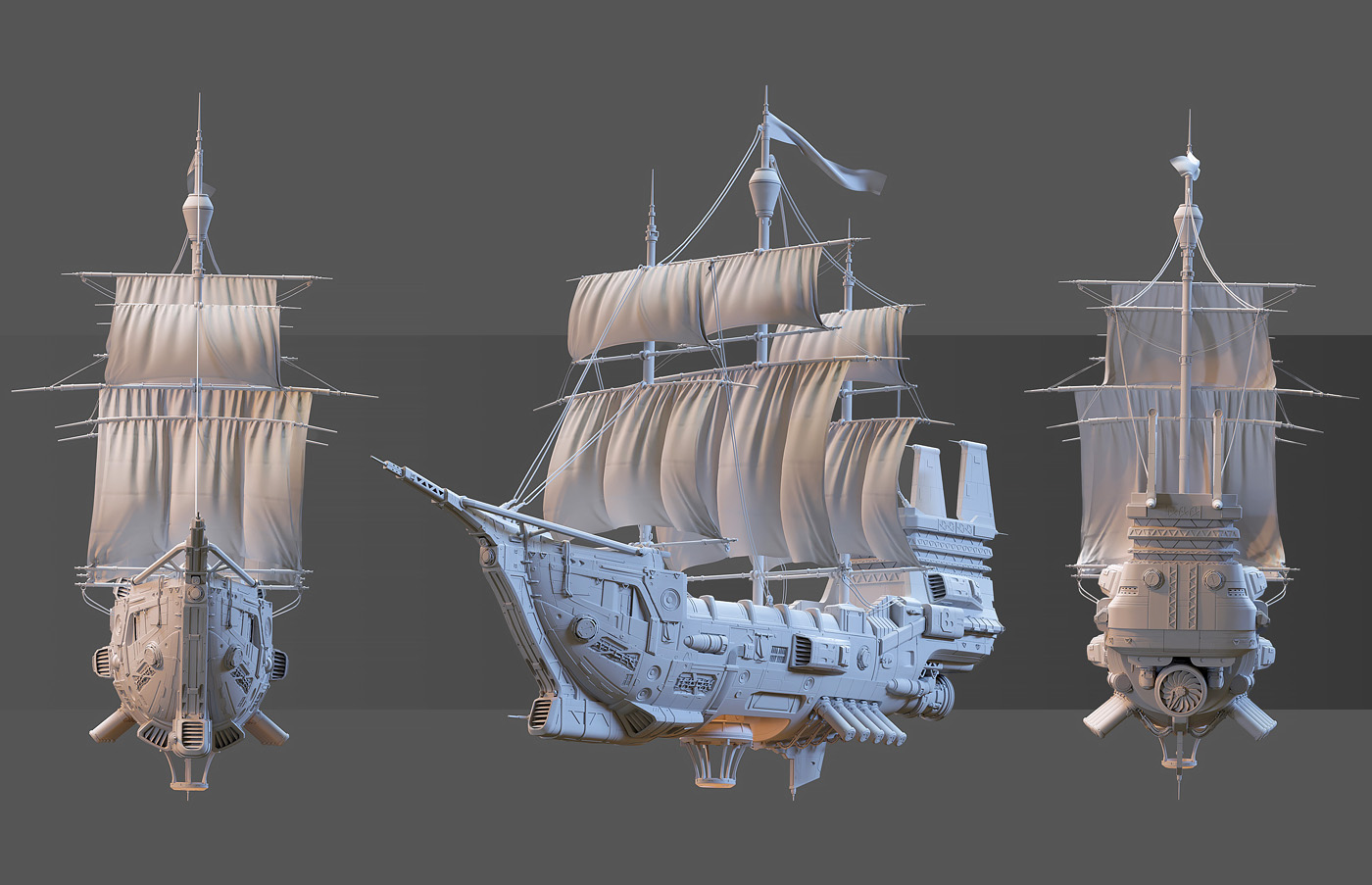
The first step is creating a rough version of the model to define proportions and structure. This stage focuses on shape and silhouette rather than detail.
High-Poly Detailing
Once the blockout is approved, artists add fine details such as bevels, panel lines, screws, and mechanical components. This stage defines the final visual quality.
Retopology
Retopology ensures the model has clean geometry suitable for animation or real-time use. It is essential for performance optimization in games.
UV Mapping and Baking
UV mapping prepares the model for texturing, while baking transfers high-poly details into low-poly models using normal and ambient occlusion maps.
Texturing and Shading
The final stage involves applying materials, textures, and shaders to achieve realism or stylized results depending on the project direction.
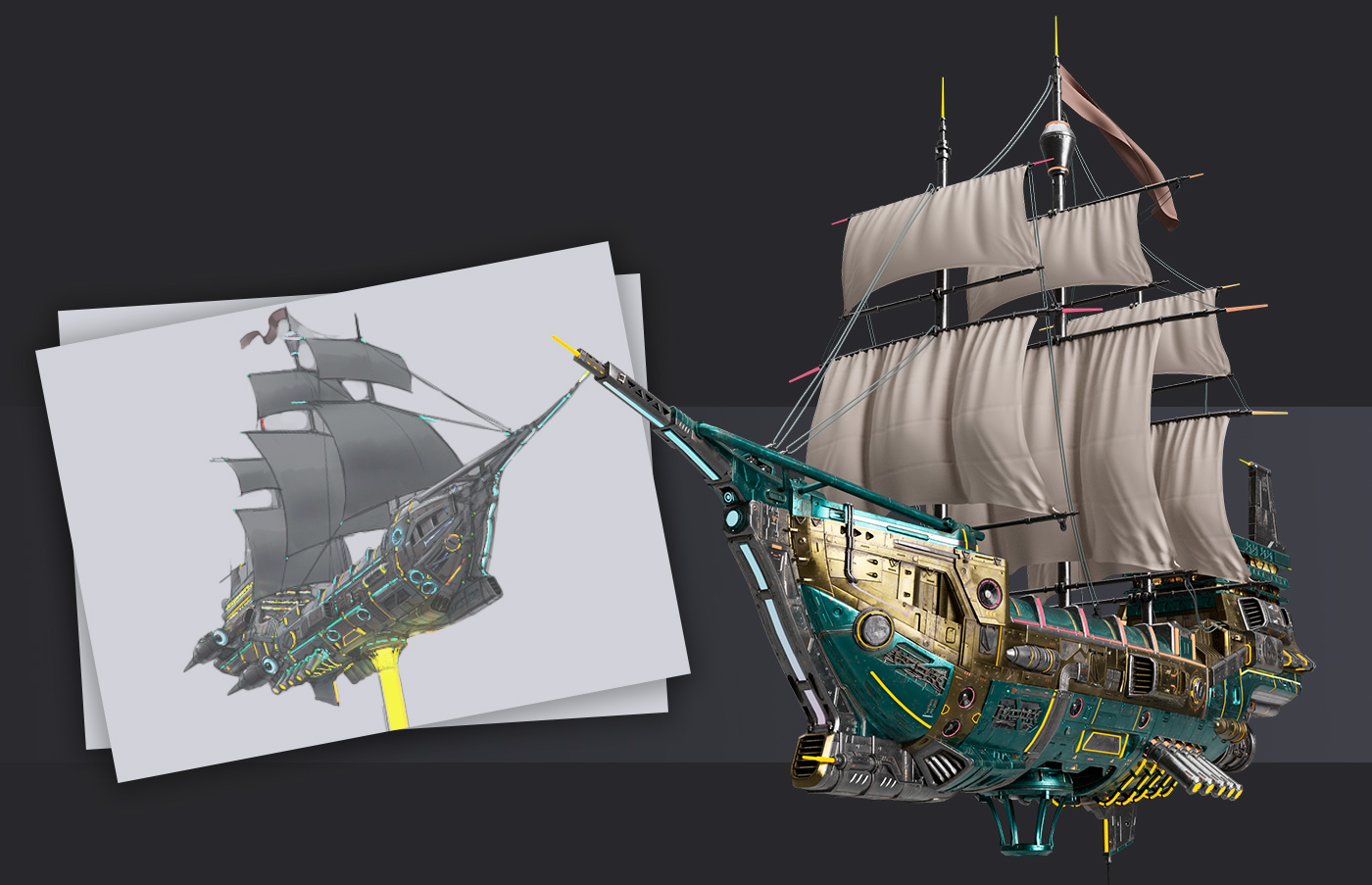
Hard Surface Modeling Tips
Good hard surface modeling requires both technical skill and artistic understanding.
Maintain Clean Topology
Clean edge flow ensures better shading and easier optimization. Avoid unnecessary geometry that does not contribute to the final shape.
Use Reference Images
Real-world references are essential for understanding mechanical structures and proportions. They help maintain accuracy and realism.
Work with Modularity
Designing assets in modular parts allows reuse and faster production. This is especially useful for game environments and large scenes.
Focus on Silhouette First
A strong silhouette ensures readability of the model even without textures or lighting. This is critical for game assets and cinematic models.
Applications of Hard Surface Modeling
Hard surface modeling is ubiquitous in digital production:
- In video games, it shapes weapons, vehicles, and interactive environments.
- In films, it brings to life spaceships, robots, and futuristic cities.
- Product designers use it to create realistic renderings of phones, watches, and cars.
- Architects employ it for buildings and interior designs.
- Industries like VR/AR and 3D printing also rely on precise hard surface models.
3D modeling services, tough surface modeling is used in many industries, including vehicle design, product design, architecture, jewelry, industrial design, prop design, virtual worlds, engineering, medicine, and robotics.
Its ability to create precise forms is heavily utilized in many industries, including game art and 3D animation services, as well as medical and engineering applications. It is used to add modifications to an imported model, create more complicated shapes, and draft or make a fillet between faces.
With the ongoing advancements in 3D modeling software and techniques, hard surface modeling will continue to gain prominence as industries strive to digitize and visualize products and concepts with greater accuracy.
What Are the Free Resources to Learn Hard Surface Modeling
Mastering hard surface modeling doesn’t demand costly courses.
- You can use free resources like Blender’s official tutorials, YouTube channels such as ChamferZone and CG Geek, and communities on ArtStation and Polycount to gain access to free learning opportunities.
- Moreover, forums offer free models and critique threads, helping beginners improve rapidly with feedback.
- Open-source tools like Blender provide comprehensive toolsets for polygonal and subdivision modeling at no cost.
- Try platforms such as Gnomon or FXPHD if you’re looking for affordable mini-trainings.
With regular practice and participation in online challenges, anyone can develop a solid foundation in hard surface modeling.
Final Words
Hard surface modeling is a core skill for any 3D artist working in games, film, or product visualization. It combines technical precision with artistic design to create believable mechanical and structured objects.
Understanding hard surface modeling techniques, workflows, and best practices helps artists build efficient pipelines and produce high-quality assets suitable for professional production.
FAQs
Why avoid committing too early in the modeling process?
Stay flexible in shape and form early on, allowing room for exploration and avoiding premature mistakes.
Do I need add-ons for hard surface modeling?
No, while add-ons can speed things up, mastering topology and core tools is most essential.
What industry uses hard surface modeling?
Widely used in game dev, film, product design, mechanical modeling, and architectural visualization.
Do artists work with separate parts or one mesh?
Yes. Modelers often break objects into parts (subtools) to manage complexity and detail.
Should I bake high-res detail onto a low-poly model?
Absolutely. Create a low-poly mesh and bake high-res details (normals, textures) for efficiency.
How tidy should topology be?
Use clean, organized topology: avoid unnecessary edges, n-gons, and odd triangulation. Every vertex should serve a purpose.
What’s the best practice for edge loops and poly flow?
Be conservative with edge loops; manually adjust edges to ensure a clean, four-sided mesh and avoid artifacts.
How do I begin modeling complex hard-surface scenes?
Start by blocking out shapes using basic geometry to establish scale, composition, and functionality early.
How important is reference for hard-surface modeling?
Critical. Study how designs work in real life, ideally using blueprints or technical reference to guide realism.