VFX, is not just one department doing magic at the end of production. In a real film pipeline, VFX is a large, interconnected system made of many departments, each with very different responsibilities, tools, and technical requirements.
Some parts of the VFX pipeline happen around the physical shoot. planning, on the set supervision, camera data collection, plate shooting, tracking markers, lighting references, HDRIs, lens information, and most importantly, planning on how to shoot to make the footage usable later. Other parts happen digitally: building assets, animating characters, simulating fire or destruction, rendering images, and finally compositing everything into the final shot.
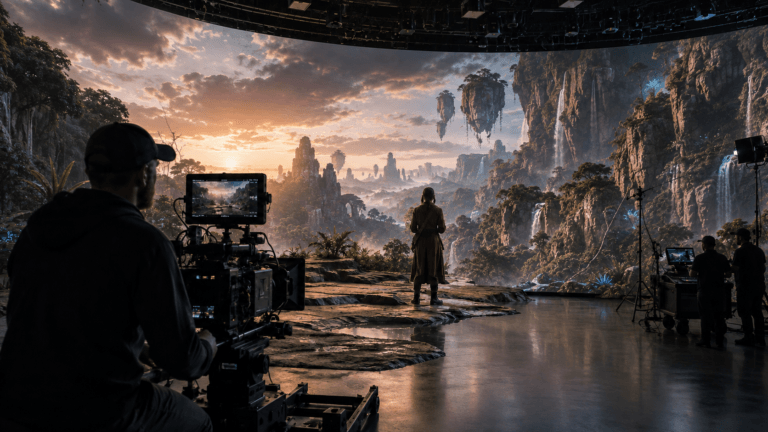
So, when we talk about the VFX pipeline in movies, we are really talking about two connected worlds. The physical side gives us the plates, references, camera data, and real-world foundation. The digital side takes that material and builds the final illusion on top of it.
In this article, we will focus mostly on the post-production VFX workflow. mainly when it comes to movies, rather than Animation VFX, the process that takes a shot from Previs or Match-move all the way to final compositing. But while going through the departments, we’ll also look at something even more important, how these stages depend on each other. Because in professional VFX companies, the pipeline is not just a list of steps. It is a dependency system.
I. Previs and Match-move
Before any digital creature, explosion, vehicle, or environment can be added to a movie shot, the production needs to know one basic thing matters. What is the shot supposed to be?
This is where Previs and Match-move come in. At the beginning of the VFX pipeline, we usually deal with two different types of shots. full CG shots, where everything is created digitally or live-action plate, where CG needs to be added on top of filmed footage, The path of the shot depends heavily on this distinction.
I.I. Previs, Planning the Shot Before Production
Previsualization, usually called Previs, is basically a rough 3D version of the shot before the final work begins. It works like a moving storyboard. Instead of polished models, final textures, and high-quality lighting, artists use simple assets, basic animation, and temporary cameras to help the director and production team understand the shot. Previs helps answer questions like:
- How does the camera move?
- Where are the characters positioned?
- How long does the action take?
- What needs to be filmed physically?
- What will be created digitally later?
For complex movie sequences, Previs is extremely important because it allows the team to make creative decisions before expensive production work begins. If a shot involves a collapsing building, a flying creature, or a complicated action scene, it is much safer to test the idea in Previs than to discover problems later during final production.
In full CG shots, Previs often becomes the starting point for Layout. Since there is no live-action camera to track, the virtual camera and scene blocking from Previs can move directly into the 3D production pipeline if the needed assets are ready of course.
In some productions, Previs may also evolve into Tech-vis. Tech-vis is more technical. It helps the production team understand practical shooting requirements, such as camera placement, lens choices, motion-control setups, set measurements, and physical limitations. So Previs is not just a rough animation. It is the first major bridge between creative intent and production reality.
I.II. Match-move
When the shot is based on live-action footage, the pipeline usually begins with Match-move. A 3D object cannot simply be placed on top of a moving video. If the camera movement is not recreated accurately, the CG element will slide, float, or feel disconnected from the plate. This is one of the quickest ways to break the illusion. Match-move solves this problem by recreating the real camera inside 3D software.
Match-move artists analyze the footage and track points across the frame. These points are used to calculate how the real camera moved during the shot. The result is a virtual camera that matches the movement of the physical camera used on set. This process can involve:
- Camera tracking
- Lens distortion solving
- Scene scale setup
- Tracking marker cleanup
- Object tracking
- Roto-mation
For accurate VFX work, Mat-chmove needs to be technically precise. Even small errors can become obvious later when CG elements are added.
I.III. Roto-mation
Sometimes, the camera is not the only thing that needs to be tracked. If a real actor interacts with a digital creature, prop, or effect, the VFX team may need a digital version of that actor’s movement. This is where Roto-mation comes in.
Roto-mation means animating a simple digital double to match the movement of the actor in the plate. It gives later departments a spatial reference, helping them understand where the actor is in 3D space.
For example, if a character is holding a digital weapon, being grabbed by a creature, or standing near a simulated explosion, Roto-mation helps animation, FX, lighting, and compositing departments line everything up correctly. At this stage, the goal is not beauty. The goal is accuracy.
II. Layout
Layout is where the shot starts becoming a real production scene. Up until this point, the work has mostly been about planning or reconstruction. Previs gives us the rough intention of the shot. Match-move gives us the tracked camera from the live-action plate. But Layout is where all of this data becomes a usable 3D scene that other departments can actually work with.
Layout artists take the camera, scene data, and available assets, then begin assembling the shot in 3D space. Characters, environments, props, and temporary geometry are placed according to the camera and composition. This stage is not mainly about making things beautiful. It is about making things accurate, organized, and production-ready. Layout deals with questions like:
- Is the scale correct?
- Does the camera framing work?
- Are the characters in the right position?
- Does the CG line up with the live-action plate?
- Is the scene light enough for other departments to use?
- Are the assets referenced properly?
This is also one of the most important transition points in the entire VFX pipeline. Because Layout is where asset creation and shot production meet.
III. Asset Work vs. Shot Work
To understand Layout properly, we first need to separate the VFX pipeline into two major types of work, asset-based tasks and shot-based tasks.
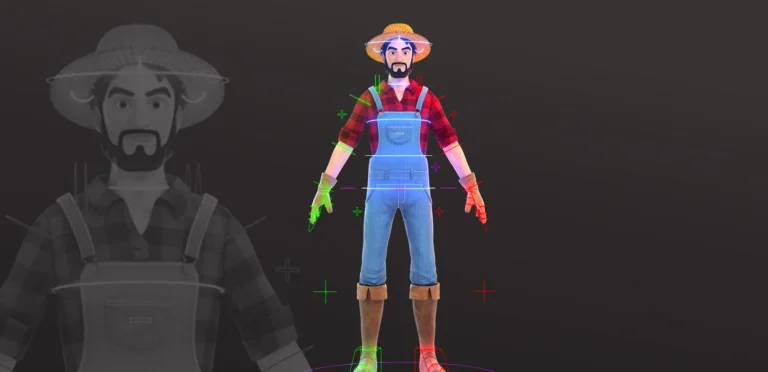
Asset-based tasks include departments such as modeling, texturing, look development, and rigging. These departments create the reusable building blocks of the production such as characters, creatures, vehicles, props, buildings, environments, and animation rigs. Their output is not designed for one specific camera angle or one specific frame range. A single character model, for example, may be referenced across dozens or even hundreds of shots.
This is why asset creation often behaves like a preproduction stage within the VFX pipeline. It establishes the digital inventory that shot departments will later rely on. The more stable these assets are before shot production begins, the less technical debt the pipeline carries downstream.
Shot-based tasks, on the other hand, include layout, animation, FX, lighting, rendering, and compositing. These departments work inside the context of a specific shot. They are tied to a camera, a frame range, a plate or CG scene, a performance, timing, composition, and editorial intent.
Layout is where these two systems start to connect in a serious way. At this stage, upstream assets are brought into the shot environment and placed in relation to the camera, plate, and scene scale. From this point onward, the shot begins to depend on those assets structurally. Their scale, proportions, pivots, hierarchy, topology, and rig behavior all become part of the shot’s technical foundation.
This does not mean every asset must be 100% final before Layout starts. In real production, that is rarely possible. But the assets need to be final enough. In practical terms, “final enough” means that the major structural decisions are already locked, for example, the character’s proportions will not drastically change, the environment scale is reliable, the rig hierarchy is usable, and the topology is not expected to be rebuilt from scratch. Details can still improve, but the foundation should not keep moving.
This is also important before Roto-mation. Although Roto-mation is often discussed alongside Match-move, it still depends on usable asset data. If an actor is being matched with a digital character, the team needs an appropriate character model or proxy rig to animate against. In some cases, later changes can be transferred or adapted by projecting points, raying data onto an updated model, or retargeting motion from an older rig to a newer one. But those workarounds are never free. They add cleanup, validation, and risk.
So while production can sometimes continue with temporary or proxy assets, the closer those assets are to their approved production form, the safer the downstream workflow becomes.
Once assets enter Layout, they are no longer isolated preproduction files. They become part of the shot dependency chain. Animation will rely on them. FX will rely on the scale and motion. Lighting will rely on the shaders and scene position. Rendering and compositing will inherit all of those decisions.
That is why the transition from asset-based work to shot-based work is one of the most critical points in the VFX pipeline. Layout is not simply where objects are placed into a scene. It is where reusable assets become shot-specific production data.
IV. Modeling
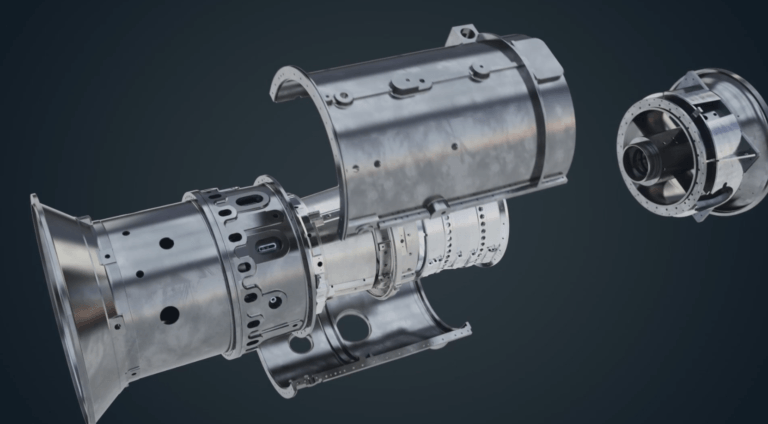
Modeling is one of the core asset creation stages in the VFX pipeline. Modelers create the geometry of everything that needs to exist digitally: characters, creatures, props, vehicles, buildings, landscapes, and set extensions.
But from a pipeline perspective, modeling is not really shot-based work. A model is usually built to be reused across many shots, not just one camera angle using different modeling software. This is why modeling belongs more to the asset side of VFX. The goal of modeling is not only to create something that looks good. It also needs to function properly in the pipeline
A production-ready model needs:
- Clean topology
- Correct scale
- Logical edge flow
- Proper UVs
- Efficient geometry
- Clear naming and organization
- Enough detail for close-up shots
- Enough optimization for heavy scenes
This is where beginners often misunderstand the department. A model can look good in a still render but still be bad for production. If the topology is messy, rigging becomes harder. If the scale is wrong, Layout and FX can break. If the geometry is too heavy, scenes become slow. If the model is not organized, downstream departments lose time fixing technical issues.
In movies, models often go through multiple versions. Early versions may be used for Layout and animation blocking, while final versions are used later for rendering. This allows departments to work in parallel without waiting for every detail to be completed.
But again, the model still needs to become final enough before it enters serious shot production. Modeling creates the physical structure of the digital world. Every department after it relies on that structure.
IV. Texturing and Look Development
Once the model is built, it needs surface detail. This is where Texturing and Look Development come in.
Texturing defines the surface information of an asset. Texture artists create maps for color, roughness, metalness, normal detail, displacement, dirt, wear, scratches, skin detail, fabric patterns, and other material properties.
Look Development, or LookDev, takes this further. It defines how the asset behaves under lighting. This is a very important distinction. Texturing is not only about painting something nice. LookDev is not only about making a cool preview render. Together, they make the asset predictable.
In modern CGI and VFX workflows, VFX artists often use one rendering technique, physically based rendering, or PBR. This means surfaces are built to react to light in a consistent and realistic way. Common texture maps include:
- Albedo or base color
- Roughness
- Metalness
- Normal maps
- Displacement maps
- Specular maps
- Subsurface scattering maps
For example, skin, metal, glass, rubber, and fabric all react to light differently. If these materials are not built correctly, lighting artists later have to fight the asset instead of lighting the shot.
This is why LookDev usually tests assets under different lighting conditions. An asset should not only look good in one perfect setup. It should hold up in different scenes, different angles, and different moods.
From a pipeline perspective, this stage is still asset-based. It prepares the asset so that when it enters Layout, Lighting, and Rendering, it behaves consistently.
If LookDev is weak, the problem does not stay in LookDev. Lighting will become harder, Rendering becomes less predictable, Compositing has to compensate, the final image becomes less believable. So this stage is not just about surface beauty. It is about visual reliability.
VI. Animation
Animation is where assets finally start performing inside the shot. At this stage, the camera from Layout is in place, the rig is usable, and the animator creates movement, timing, acting, and physical behavior. Animation in VFX is not just about making something move. It has to work inside the specific shot. That means the animator must consider:
- The camera angle
- The edit
- The plate
- The character’s scale
- The environment
- The interaction with real actors
- The timing needed for FX
- The emotional purpose of the shot
For full CG shots, animation drives the performance directly. For live-action VFX shots, animation often needs to match or support real footage. A creature may need to react to an actor. A digital object may need to be grabbed. A vehicle may need to crash into a real plate. Everything has to feel connected. This is where upstream decisions become visible, such as:
- If the rig is awkward, animation becomes slow.
- If the layout scale is wrong, the movement feels incorrect.
- If the camera changes, the performance may need adjustment.
- If animation timing changes later, FX may need to be redone.
This is why animation is not isolated. It is one of the central departments in the shot pipeline. A small change here can have a major downstream impact, especially for FX.
VII. FX
FX is the stage where the shot gains complex physical motion that cannot realistically be animated by hand. Fire rolling through a room, smoke reacting to a character, dust lifting from the ground, water splashing, buildings breaking apart, cloth moving in the wind, hair reacting to motion, or debris flying through the frame all belong to this part of the VFX pipeline.
The reason is simple: these elements are not single objects moving from one pose to another. They are made of thousands, millions, or sometimes billions of interacting particles, voxels, curves, fragments, or simulated surfaces. Manually keyframing that level of detail frame by frame would not be a production workflow. It would be practically impossible.
So instead of animating every flame, splash, particle, or broken piece by hand, FX artists build simulation systems. These systems react to forces, collisions, speed, scale, timing, and art direction. This is why FX sits in such a sensitive position in the pipeline: it depends heavily on stable information from the departments before it.
By the time serious FX work begins, the shot should already have a solid layout, approved or near-approved animation, reliable scene scale, and usable collision geometry. For example, if a character runs through smoke, the simulation needs to understand where the character is, how fast they are moving, what volume they are passing through, and how the smoke should react around their body. If the animation changes later, the smoke may no longer react correctly. If the character scale changes, the motion of the smoke may suddenly feel wrong. If the ground or environment geometry changes, dust, debris, or water may start colliding incorrectly.
This is where FX becomes different from many other stages. In animation, a change might mean adjusting poses or timing. In FX, a change often means recalculating the simulation, rebuilding caches, and sending new outputs downstream. Depending on the complexity of the shot, that can be a small update or a major production cost.
Software like Houdini, EmberGen, Maya, Bifrost, and other simulation tools are commonly used in this stage, but the software is only part of the story. The real challenge is controlling the relationship between the effect and the shot. A good explosion is not just a technically correct explosion. It has to fit the camera, support the action, match the scale of the scene, and arrive at the right moment in the edit.
That is why FX usually works best with controlled iteration. Early tests and low-resolution simulations can begin while the shot is still developing, but final-quality FX needs stable inputs. Otherwise, the department can get trapped in a loop of re-simulating the same idea every time something upstream changes.
In that sense, FX is one of the clearest examples of how interconnected the VFX pipeline really is. The final simulation depends not only on the FX artist’s skill, but also on the quality and stability of Layout, Animation, Modeling, and even editorial decisions before it. When those inputs are solid, FX can focus on impact, realism, and art direction. FX becomes one of the first places where pipeline problems become expensive.
IX. Rendering
Rendering is the stage where the 3D scene is calculated into 2D image sequences. Everything that has been built before this point geometry, materials, animation, FX, lighting, camera settings, and render settings now has to be processed into actual frames.
This is one of the heaviest stages of the VFX pipeline. Film-quality rendering can involve complex shaders, volumetrics, hair, water, motion blur, global illumination, high-resolution textures, and large frame sizes. All of that information needs to be calculated accurately, often across hundreds or thousands of frames.
In a professional VFX or CGI pipeline, rendering usually does not produce one simple flat image. Instead, the render is often separated into multiple passes, also called AOVs by the rendering artist. These can include beauty, diffuse, specular, reflection, refraction, shadow, Z-depth, motion vector, Cryptomatte, and volume passes.
The reason for this is control. If everything is baked into one image, the compositor has very limited flexibility. But when the render is split into passes, compositing can adjust reflections, shadows, atmosphere, depth, motion blur, or specific objects without requiring a full re-render for every small change.
This is why rendering connects directly to compositing. It does not just create the final image; it prepares structured image data that the compositor can rebuild, balance, and refine in the final stage.
Rendering also sits near the end of the 3D pipeline using different rendering software, which makes late fixes expensive. If an issue is discovered here, the team may need to go back to the asset, shot, lighting, or FX setup, make the correction, render the frames again, and then update the composite. That chain can cost a lot of time, especially when render times are long or the shot is complex.
So rendering is not just pressing a button. It is the point where all previous decisions become actual image data. If the pipeline has been stable, rendering becomes a controlled output process. If earlier stages were unstable, rendering is where those problems start turning into real production cost.
X. Compositing
Compositing is the final stage of the VFX shot pipeline, where all the separate pieces finally come together as one image.
By this point, the shot may include a live-action plate, rendered CG passes, FX elements, matte paintings, roto shapes, keyed green-screen elements, cleanup work, and color adjustments. None of these pieces are the final shot on their own. The compositor’s job is to combine them in a way that feels like they were all captured by the same camera, in the same place, under the same lighting conditions.
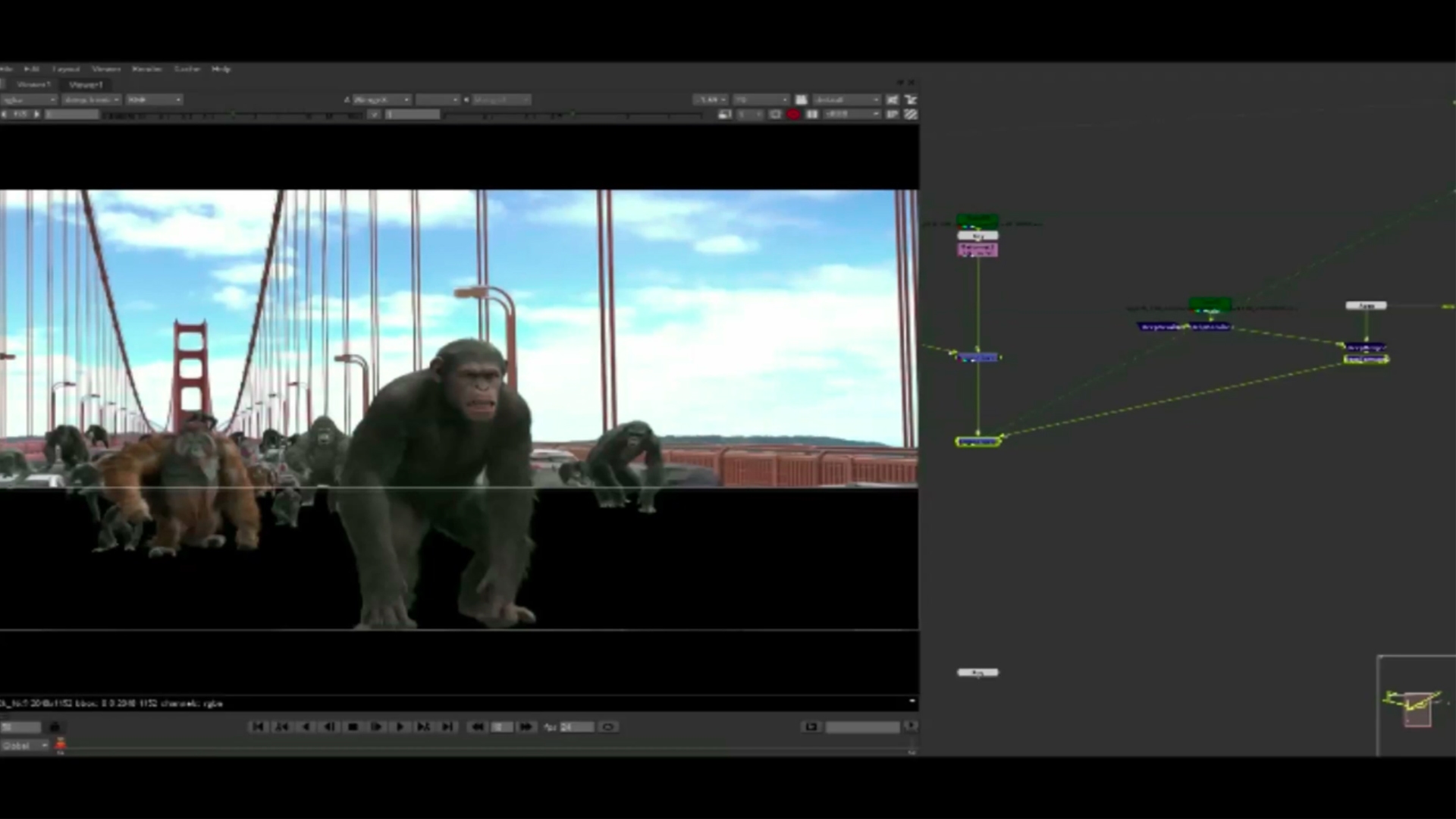
Compositors usually work in node-based software such as Nuke, where each part of the image can be controlled separately. Render passes from lighting, such as diffuse, specular, reflection, shadow, Z-depth, motion vectors, and Cryptomatte, give the compositor flexibility to rebuild and adjust the final image without always sending the shot back to rendering.
This stage is not only about layering images on top of each other. It is about integration. The compositor adjusts color, contrast, black levels, edge quality, depth of field, motion blur, lens effects, atmosphere, grain, and other details that make the shot feel believable.
This is also where small problems become very obvious. If the CG is too sharp, it feels pasted on. If the black levels do not match the plate, the element separates from the footage. If the grain is different, the audience may not know why, but they will feel that something is wrong. If depth of field, motion blur, or lighting does not match, the illusion starts to break.
That is why compositing is often the stage where the entire pipeline is judged. Every decision made earlier, from modeling and texturing to animation, FX, lighting, and rendering, becomes visible in the final frame.
When the upstream work is clean, compositing becomes a process of refinement: balancing, polishing, and making the image feel seamless. When the earlier stages are unstable, compositing can turn into damage control, where artists are forced to hide or compensate for problems that should have been solved earlier.
A strong compositor can improve a shot massively, but compositing is not magic. It works best when the whole VFX pipeline has been coordinated properly. In the best cases, the final image does not feel like a collection of separate elements at all. It simply feels like one believable moment captured on screen.
XI. Final Thoughts
The VFX pipeline in movies is a coordinated system built to manage complexity, not just a technical checklist. A final frame may include work from on-set supervision, asset creation, shot production, rendering, and compositing. Each stage affects the next: assets must be stable for Layout, Layout must be solid for Animation and FX, animation must be approved before heavy simulations, Lighting needs reliable scene data, and Compositing needs all elements to arrive cleanly.
That is what makes the pipeline powerful. It turns thousands of creative and technical decisions into one seamless image. The goal of VFX is not to show the complexity behind the shot, but to make that complexity disappear on screen. For more information regarding the VFX cost of such production you can read our evaluation on 3D VFX cost. You can also have a lot of data watching VFX breakdowns.