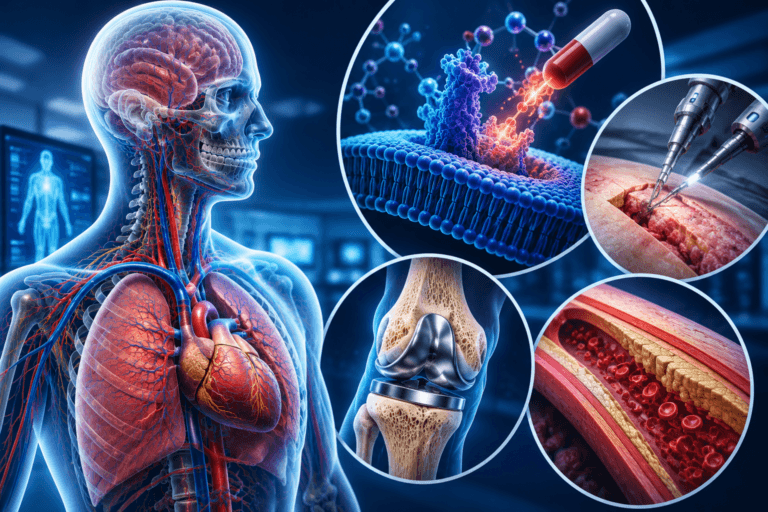
The camera is one of the most powerful tools in animation. While it may not exist physically like in live action filmmaking, the virtual camera plays a critical role in how a scene is presented to the audience. It controls what viewers see, how they see it, and how they emotionally connect with the story.
From framing and composition to movement and perspective, camera techniques can dramatically influence the final result of an animated project. Whether you are working on a short film, a game, or an explainer video, understanding how to use the camera effectively is essential.
In this article, we explore how cameras work in animation, the most common camera techniques, and how to use them to improve your visual storytelling.
- Types of Camera Shots in Animation
- Types of Camera Angles in Animation
- Types of Camera Movements in Animation
What Is a Camera in Animation?
In animation services, a camera is a virtual viewpoint used to capture a scene. It functions similarly to a real world camera but offers much more flexibility.
A virtual camera allows animators to:
- Control framing and composition
- Adjust angles and perspective
- Move freely within a scene
- Simulate lenses and depth of field
In 3D animation, cameras exist as objects inside the scene. In 2D animation, the concept is more abstract but still applies through framing and scene layout.
Read More: A Complete Guide to Game Camera Setups
Why Camera Work Matters in Animation
Camera work is not just technical. It is a storytelling tool in animation that shapes how the audience experiences a scene.
1. Guides the Viewer’s Attention
The camera determines what the audience focuses on. A well framed shot ensures that important elements are clearly visible.
2. Creates Emotion and Mood
Different camera angles and movements can create tension, excitement, or intimacy.
3. Enhances Storytelling
Camera choices can reveal information, hide details, or emphasize key moments in a story.
Types of Camera Shots in Animation
Camera shots define how much of a subject is visible within the frame. These are fundamental in both 2D and 3D animation.
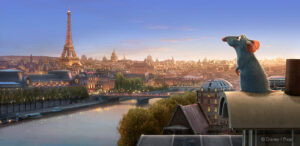
Wide Shot
A wide shot shows the subject within its environment.
Uses:
- Establishing scenes
- Showing scale and location
- Introducing characters
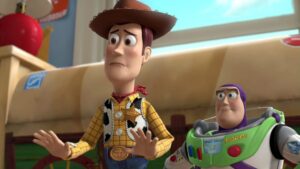
Medium Shot
A medium shot frames the subject from the waist up.
Uses:
- Dialogue scenes
- Character interaction
- Balanced composition
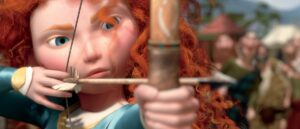
Close Up
A close up focuses on a character’s face or a specific detail.
Uses:
- Emotional moments
- Facial expressions
- Important objects
Extreme Close Up
This shot zooms in on a very small detail, such as eyes or hands.
Uses:
- Dramatic emphasis
- Building tension
- Highlighting key elements
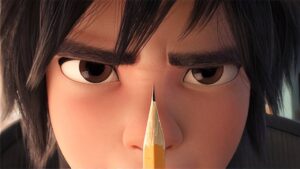
Camera Angles in Animation
Camera angles affect how the audience perceives a subject.
High Angle
The camera looks down on the subject.
Effect:
- Makes characters appear smaller or weaker
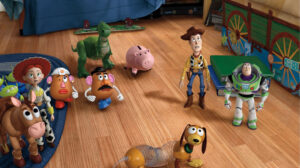
Low Angle
The camera looks up at the subject.
Effect:
- Makes characters appear powerful or dominant
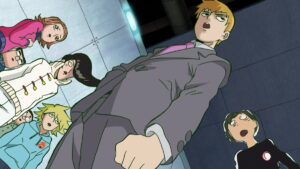
Eye Level
The camera is positioned at the subject’s eye level.
Effect:
- Creates a neutral and natural perspective
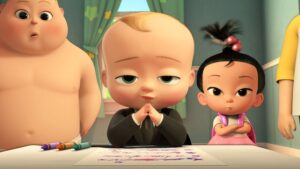
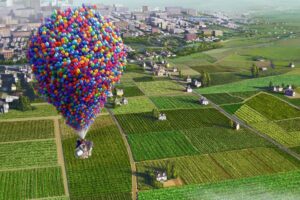
Bird’s Eye View
A top down view of the scene.
Effect:
- Shows layout and scale
- Creates a sense of distance
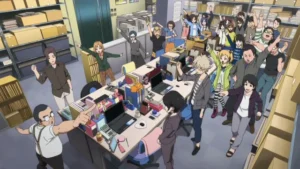
Dutch Angle
The camera is tilted.
Effect:
- Creates tension or unease
Camera Movements in Animation
Camera movement adds energy and flow to a scene.
Pan
The camera moves horizontally from left to right or vice versa.
Uses:
- Following a character
- Revealing a scene
Tilt
The camera moves vertically up or down.
Uses:
- Showing height
- Revealing vertical elements
Zoom
The camera moves closer to or further from the subject.
Uses:
- Emphasizing details
- Creating dramatic focus
Dolly
The camera physically moves through the scene.
Uses:
- Smooth tracking shots
- Immersive movement
Tracking Shot
The camera follows a moving subject.
Uses:
- Action scenes
- Character movement
Camera in 2D vs 3D Animation
Camera usage differs slightly between 2D and 3D animation.
2D Animation
- Camera movement is often simulated through panning backgrounds
- Limited depth compared to 3D
- Focus on composition and framing
3D Animation
- Cameras exist as objects in a 3D space
- Full control over movement and depth
- Realistic perspective and lighting
Key Camera Settings in Animation
Modern animation software allows you to control camera settings similar to real cameras.
Field of View
Controls how wide or narrow the camera view is.
Depth of Field
Determines which parts of the image are in focus.
Focal Length
Affects perspective and distortion.
Aspect Ratio
Defines the shape of the frame, such as widescreen or square format.
How to Use Camera Effectively in Animation
Choosing the right camera setup depends on your project goals.
Match Camera to Story
Use camera angles and movements that support the narrative.
Avoid Unnecessary Movement
Too much camera movement can distract the viewer.
Focus on Composition
Ensure that each frame is visually balanced and clear.
Plan Shots in Advance
Storyboarding helps define camera placement before animation begins.
Camera in Modern Animation Production
In modern workflows, camera planning is often done during pre production.
Storyboards and animatics help teams visualize:
- Camera angles
- Shot transitions
- Scene composition
Many studios also use virtual cinematography techniques to create film like camera movements in animation.
Conclusion
The camera in animation is much more than a technical tool. It is a key part of visual storytelling that shapes how audiences experience a scene. From shot types and angles to movement and composition, every camera decision affects the final result.
By understanding and applying camera techniques effectively, animators can create more engaging, emotional, and visually compelling projects.

![1405,02,10 SnpLE[Cover HD] 1](https://pixune.com/wp-content/uploads/2026/08/14050210-SnpLECover-HD-1-768x431.jpg)