
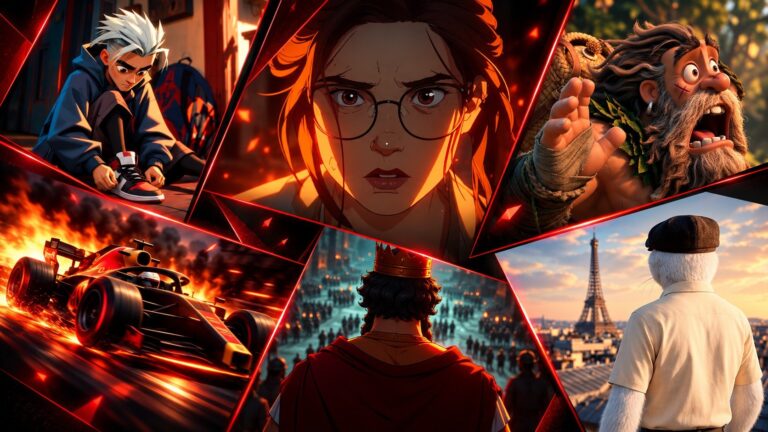
Artificial intelligence is changing the way animation is produced. In 2D animation, AI can already help with concept development, visual exploration, asset creation, inbetweening, cleanup, coloring, and post-production. Tasks that once took hours of repetitive work can sometimes be completed much faster with the right tools.
That does not mean AI has replaced the traditional 2D animation pipeline. A professional animation still needs artists who understand drawing, movement, timing, acting, composition, storytelling, and visual consistency. The real opportunity is to use AI where it can remove repetitive work while keeping important creative decisions in the hands of artists.
This approach is often called AI-assisted animation. Instead of asking AI to create an entire production from a single prompt, artists use it at specific stages of the workflow. This can make production more flexible while still allowing the team to maintain control over the final result.
What Is AI-Assisted 2D Animation?
AI-assisted 2D animation is the use of artificial intelligence alongside traditional 2D animation software and production techniques. AI can support individual tasks without taking over the entire process.
For example, an artist might use AI during pre-production to explore character designs or create visual references. Later in the pipeline, the same production might use AI-assisted tools for inbetweening, cleanup, rotoscoping, or image processing. The final work can still be completed and refined using conventional animation software.
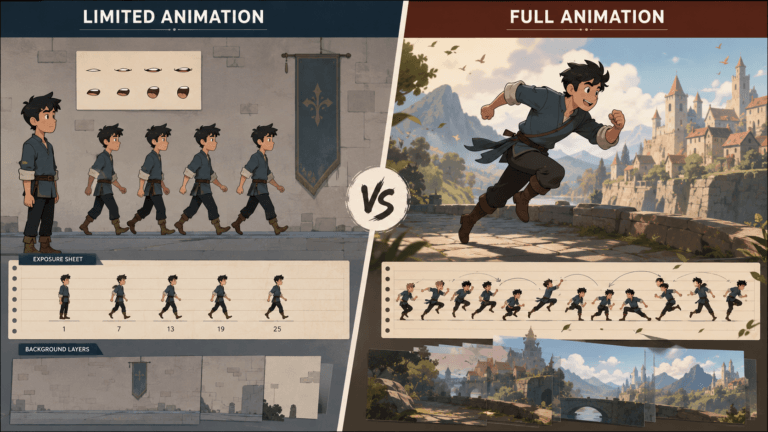
This is different from fully AI-generated animation services. A generative AI system may be able to produce a short animated sequence from a text prompt, but that does not automatically make the result suitable for professional production. Characters can change between frames, details can disappear, and the movement may not follow the director’s intentions.
A production pipeline needs consistency and control. Artists need to be able to edit a character, change a pose, adjust timing, or revise a scene without rebuilding everything from scratch. AI is most useful when it supports that process rather than making it harder.
Where AI Fits Into the 2D Animation Pipeline
AI can be introduced at several points in a 2D production. Some applications are already practical, while others are still developing quickly.
1. Concept Development and Visual Exploration
Pre-production is one of the easiest places to introduce AI because the team is still exploring ideas.
A director or artist may need to consider several character designs, environments, color palettes, compositions, or visual styles before choosing a direction. Creating every possibility manually can take a considerable amount of time.
AI can help generate references and rough visual ideas much faster. An artist can explore different approaches and use the results to decide what works before investing more time in the final artwork.
The generated images do not necessarily need to become part of the final animation. They can simply act as visual references that help the team make decisions earlier.
This is where AI can have a particularly useful role. It does not have to create the finished artwork to save time. Sometimes helping an artist reach the right idea faster is enough.
2. Script and Story Development
AI can also assist during the early writing stages. Writers and directors can use it to brainstorm scenarios, explore dialogue, develop variations of a scene, or organize rough ideas.
However, storytelling still requires human judgment. A script needs to match the project’s audience, tone, characters, and purpose. An AI-generated idea may be technically interesting but completely wrong for the story.
For that reason, AI works best as a brainstorming partner rather than an autonomous writer. The creative team should decide what belongs in the final script and how the story should be told.
3. Character and Environment Concepts
Character design and environment development often involve many iterations. An artist may need to test different costumes, silhouettes, facial features, locations, or visual treatments before production begins.
AI can make this exploration much faster. Artists can generate references and then use them as a starting point for their own designs.
Consistency is the main challenge. A character that looks correct in one image may not look the same from another angle. Clothing, proportions, facial features, and accessories can change between generations.
For animation, that is a serious problem. Characters need to remain recognizable throughout an entire sequence. AI can help with exploration, but the final character design usually needs to be brought under much stronger artistic control.
4. Storyboarding and Animatics
Storyboarding determines how a story will be presented visually. It establishes camera angles, staging, character positions, and the relationship between shots.
AI can help artists explore different compositions and environments during this stage. It can also provide quick references when the team wants to test an idea before drawing a final storyboard.
But a storyboard is more than a collection of attractive images. It needs to communicate movement, timing, staging, and storytelling.
An AI-generated image can help visualize a shot, but a storyboard artist still needs to determine how that shot works as part of the sequence.
5. 2D Asset Creation
AI can also support the creation of supporting assets. Background ideas, props, textures, reference material, and visual variations can sometimes be generated or developed more quickly with AI.
This can be especially useful when the project requires many secondary elements. Instead of creating every variation manually during the exploration stage, an artist can use AI to generate options and then refine the ones that fit the project.
The important distinction is between reference material and production-ready assets. A generated image may look good but still need significant work before it can be used in an actual animation.
6. Character Design and Turnarounds
Character consistency is one of the biggest challenges when using generative AI for animation.
A character might look correct from the front but change significantly when viewed from the side. Facial proportions may shift, clothing details may disappear, and accessories may change.
Traditional character design solves this with model sheets and turnarounds. Artists establish the character from different angles and define the details that need to remain consistent.
AI can help artists explore the initial design, but maintaining that design across a production still requires careful control.
7. Inbetweening and Frame Generation
Inbetweening is a natural area for AI assistance because it involves creating frames between established key poses.
An animator might create the key poses while an AI-assisted system helps generate some of the intermediate movement. This can reduce repetitive work in situations where the motion is relatively straightforward.
However, generating a technically valid intermediate frame does not guarantee good animation. Animation principles like iming, spacing, anticipation, follow-through, weight, and character performance still need to be evaluated.
A 2D animator may therefore use AI-generated frames as a starting point and then adjust or replace them where necessary.
8. Cleanup and Line Work
Cleanup can be another time-consuming part of a 2D animation production.
Depending on the style, artists may need to clean rough drawings, correct lines, remove unwanted marks, or process large numbers of frames.
AI-assisted tools can help with some of these repetitive tasks. This can be valuable in productions where hundreds or thousands of frames need to be processed.
The output still needs to be checked. A small mistake in one frame may not matter, but repeated mistakes across an entire sequence can become very noticeable.
9. Coloring and Shading
AI can also assist with coloring and shading. Some tools can suggest colors, propagate color information, or help process multiple frames.
This can reduce repetitive work, particularly when the visual style uses relatively consistent colors.
Color decisions themselves remain an artistic responsibility. A color is not chosen only because it technically fills an area. It can establish mood, separate characters from the background, direct attention, and maintain continuity between shots.
AI can help with the process, but the artist should still control the final look.
10. Compositing and Post-Production
AI has become increasingly useful in post-production. Tasks such as rotoscoping, masking, background removal, tracking, image enhancement, upscaling, and noise reduction can benefit from machine-learning-based tools.
These tasks can require significant manual effort when performed frame by frame. Automating part of the process can give compositors more time to focus on the creative side of the shot.
This is a good example of where AI can provide practical value without changing the creative direction of the project.
What Can AI Automate in 2D Animation?
AI is most useful for tasks that are repetitive, predictable, and relatively easy to evaluate.
In a 2D animation pipeline, this can include certain forms of inbetweening, cleanup, rotoscoping, background removal, image processing, color assistance, lip-sync support, and asset variation.
The amount of automation depends heavily on the project. A simple motion graphic may be easier to automate than a hand-drawn character performance. A repetitive movement may be easier to process than a scene built around complicated acting.
This is why it is more useful to think about AI-assisted tasks rather than assuming that AI can completely automate an entire production stage.
What AI Cannot Replace in 2D Animation
Animation is more than producing images and moving them across a screen. The most important parts of the process involve decisions about storytelling, performance, design, and communication.
1. Artistic Direction
Every animation project needs a visual identity and art direction. Someone has to decide how the characters should look, how the environments should feel, what colors belong in the project, and how the animation should communicate its tone.
AI can generate possibilities, but the creative team needs to decide which possibilities actually belong to the project.
2. Character Acting
Character animation depends heavily on performance.
A character’s movement communicates intention, emotion, personality, and weight. A small change in timing can completely change how a scene feels.
AI can generate movement, but animators understand the reasons behind the movement. They know when a character should hesitate, exaggerate a pose, shift their weight, or hold a reaction for an extra moment.
That understanding remains essential.
3. Storytelling
A visually impressive shot is not automatically a good shot.
Every scene needs to contribute to the story. Directors and animators decide what the audience should notice, when information should be revealed, and how one moment leads into the next.
AI can provide ideas, but it does not remove the need for those creative decisions.
4. Style Consistency
Long-form animation requires consistency across many shots. Character art styles need to maintain their proportions and appearance. Environments need to follow the same visual language. Props and backgrounds need to belong to the same world.
Generative AI can struggle with this level of consistency. Human artists remain important for maintaining the visual identity of a production.
5. Final Quality Control
AI-assisted content still needs to be reviewed. Artists need to catch visual artifacts, incorrect details, inconsistent characters, unwanted changes, and animation that does not feel natural.
Quality control becomes even more important as AI produces more material because producing more content does not automatically mean producing better content.
AI vs. Traditional 2D Animation
AI-assisted animation and traditional animation do not have to be competing workflows. In many cases, the most practical approach is to combine them.
| Production Area | Traditional Workflow | AI-Assisted Workflow |
|---|---|---|
| Concepting | Manual exploration | Faster visual exploration |
| Storyboarding | Artist-driven | AI-assisted references and variations |
| Character Design | Manual development | AI references and artist refinement |
| Inbetweening | Often manual | AI assistance for suitable motion |
| Cleanup | Manual processing | AI-assisted processing |
| Coloring | Manual or semi-automated | AI-assisted coloring |
| Compositing | Manual tools and automation | AI-assisted masking and processing |
| Creative Direction | Human-led | Human-led |
| Final Quality Control | Human review | Human review |
The difference is not that one workflow has artists and the other does not. The difference is where automation is introduced.
Read More: How Much Does AI Animation Cost?
Read More: How Much Does 2D Animation Cost?
Benefits of AI in a 2D Animation Pipeline
The most obvious benefit is speed. When artists can explore concepts faster or reduce repetitive production work, they can move through certain stages of a project more efficiently.
AI can also make experimentation less expensive. A team can explore several visual directions before committing to a final one. This is particularly useful during early production when changing an idea is much easier than changing a finished animation.
Another benefit is iteration. Animation projects often go through multiple revisions. A client may request a different color treatment, a new background, or a variation of a character. AI-assisted tools can sometimes make these early changes faster.
But the real benefit of AI in animation is not simply producing more content. It is giving artists more time to focus on the decisions that have the greatest creative impact.
Read More: Benefits of 2D Animation
Challenges of Using AI in 2D Animation
AI also introduces problems that need to be considered before it becomes part of a professional workflow.
Character consistency is one of the biggest challenges. A production may require the same character to appear in hundreds of shots, and even small visual changes can become distracting.
Style consistency can be equally difficult. A generated image may look good but still fail to match the project’s established art direction.
There is also the issue of predictability. Traditional animation gives artists direct control over what happens in every frame. Generative systems can produce unexpected results, which may require additional correction.
Copyright and ownership are another consideration. AI animation tools have different terms regarding generated content and training data, while laws and regulations continue to develop. 2D animation studios should understand the terms of the tools they use and make sure the workflow meets the requirements of the client and project.
Finally, there is the question of editability. A professional animation pipeline needs assets that can be revised. A flat generated image may be useful as a reference but may not be practical as a final production asset.
How to Integrate AI Into a Professional 2D Pipeline
The best approach is not to add AI to every stage simply because it is available.
Start with tasks where the potential benefit is clear. Pre-production is often a good place to begin because AI can help with references, brainstorming, and visual exploration without necessarily affecting the final production assets.
The same principle applies to repetitive production work. If a tool can reduce cleanup or processing time while still producing reliable results, it can become a useful part of the workflow.
A review stage should remain in place. AI-assisted material should be checked before it moves to the next stage, especially when the content involves important characters, branded visuals, or client-facing work.
The goal is simple: use AI where it saves time without giving up control over the final animation.
A Practical AI-Assisted 2D Animation Workflow
A hybrid workflow might look something like this:
Brief → Script → Concept Development → Storyboard → AI-Assisted Visual Exploration → Character and Asset Design → Key Animation → AI-Assisted Inbetweening or Cleanup → Compositing → Human Review → Final Delivery
Not every project needs AI at every stage. For a short explainer, AI may be most useful during concept development and asset exploration. For a hand-drawn character production, inbetweening and cleanup may offer greater opportunities.
The workflow should therefore be designed around the actual needs of the project rather than around the capabilities of a particular AI tool.
Will AI Replace 2D Animators?
AI is likely to change what animators spend their time doing. It may reduce the amount of manual work involved in repetitive tasks while increasing the importance of creative and supervisory skills.
Animators may spend less time creating every intermediate frame manually and more time refining performances. Artists may spend less time exploring every concept from scratch and more time selecting and developing the strongest ideas.
This does not mean the role becomes less important or AI can replace animators.
In fact, understanding traditional animation may become even more valuable. An animator who understands timing, spacing, posing, acting, and composition is better equipped to recognize when an AI-generated result works and when it does not.
AI can generate a result. An experienced artist can judge whether that result belongs in the film.
How 2D Animators Can Adapt to AI
Learn AI-Assisted Tools
Animators do not need to become machine learning engineers. They should understand the AI art generator tools that are relevant to their work and learn where those tools can save time.
Strengthen Animation Fundamentals
Strong animation fundamentals will remain valuable. Understanding movement and performance allows artists to refine generated material instead of simply accepting it.
Focus on High-Value Creative Skills
Storytelling, character acting, visual development, art direction, and creative problem-solving are difficult to automate reliably. These are skills worth developing alongside technical knowledge.
Learn to Direct and Refine AI Outputs
Knowing how to evaluate AI-generated material is becoming an increasingly useful skill. Artists need to recognize problems, make corrections, and bring the result back into the project’s visual language.
The Future of AI in 2D Animation
The future of 2D animation will likely involve a combination of traditional production and AI-assisted tools.
AI systems will continue to improve at image processing, motion generation, asset variation, and other repetitive tasks. At the same time, professional animation will continue to require systems that provide control, consistency, and editability.
This could allow artists to spend more of their time on creative decisions rather than repetitive operations.
For studios, the challenge will be finding the right balance. Using AI does not automatically make a production faster. If a generated asset requires extensive correction, the time saved during generation can disappear during cleanup.
The most effective workflows will be the ones where AI solves a specific problem and fits naturally into the existing production pipeline.
Conclusion
AI is becoming another tool in the 2D animator’s toolbox. It can speed up visual exploration, reduce repetitive work, and make certain parts of production more efficient.
But animation is not simply about creating images. It is about making creative decisions that communicate a story, a character, or an idea.
The most practical future is therefore not AI versus animators. It is a hybrid workflow where AI handles tasks that benefit from automation while artists remain responsible for the creative direction and final result.
For animation studios and individual artists, the goal should not be to use AI everywhere. It should be to understand where it genuinely helps and integrate it without sacrificing the control, consistency, and creative thinking that make 2D animation effective.


![1405,02,10 SnpLE[Cover HD] 1](https://pixune.com/wp-content/uploads/2026/08/14050210-SnpLECover-HD-1-768x431.jpg)