AI is no longer something game studios are only experimenting with on the side. In 2026, it has become part of conversations about how games are designed, produced, tested, and brought to market.
The important change is not that artists can type a prompt and receive a finished game asset. Professional production is much more complicated than that. A character needs to work from multiple angles. A texture needs to behave correctly under different lighting conditions. An environment needs to match the game’s established art direction. Assets need to be optimized, named, exported, integrated into the engine, and reviewed.
What is changing is the amount of work that can happen before and around those final creative decisions. AI can help teams explore ideas faster, create first passes, automate repetitive tasks, and move information between different parts of the pipeline. Unity’s 2026 Game Development Report found that 35% of surveyed developers were using AI for concept art and game assets, while 30% reported using it for character animation. At the same time, research and brainstorming remained the most common use of generative AI among respondents to the 2026 GDC State of the Game Industry survey.
This points to an important shift. AI is becoming less about generating a finished asset in isolation and more about changing how the entire game art pipeline works.
What Is AI Game Art Production?
AI game art production refers to the use of artificial intelligence tools to support different stages of creating visual content for games. This can include concept art, character design, environments, textures, materials, animation, VFX, asset variation, and even quality control.
The technology being used is not always the same. Generative image models can help with visual exploration. AI-assisted 3D tools can create or modify geometry. Machine learning can assist with animation and image processing. Other systems can analyze assets and identify problems before they reach the game engine. The important distinction is between AI-generated content and AI-assisted production.
A generated image might be useful as a concept but completely unsuitable as a final game asset. A professional workflow may instead use that image as reference, rebuild the design manually, create a production-ready model, texture it properly, and then integrate it into the game.
That distinction is becoming increasingly important as studios become more deliberate about how AI fits into their pipelines. Current industry research suggests that many teams are using AI as a productivity tool rather than handing complete production stages over to generative systems.
How AI Is Changing the Game Art Pipeline
The biggest impact of AI is not limited to one particular art discipline. It is changing how artists approach several stages of production. Instead of thinking of AI as another piece of software that sits next to Maya, Blender, Photoshop, Substance 3D Painter, or Unreal Engine, studios are increasingly looking at how it can connect different parts of the workflow.
An artist might use AI to explore a concept, turn the chosen direction into a rough asset, generate texture variations, clean up the result, and then bring the final asset into a conventional production pipeline. The artist is still responsible for the decisions. AI simply changes how quickly some of the intermediate steps can happen.
1. AI for Concept Art and Visual Development
Concept art is one of the most natural applications for generative AI. Before production begins, artists may need to explore dozens of ideas for characters, weapons, environments, vehicles, creatures, or props. Traditionally, each variation takes time to sketch and develop.
AI can dramatically reduce the time required to explore these possibilities. An art director can use generated images to investigate different silhouettes or moods. A concept artist can use them as references when developing a particular environment. A team can compare different visual directions before committing to one. This does not mean the first AI image becomes the final concept.
In a professional workflow, the generated result often acts as a starting point. The artist may redraw important elements, correct proportions, change the composition, combine several references, and bring everything into the game’s established visual language. The value is therefore less about replacing concept artists and more about increasing the number of ideas they can explore before production begins.

2. AI for Character Art
Character creation presents a more complicated challenge. A game character needs to work from many angles and under many conditions. The design needs to remain recognizable whether the character is standing still, fighting, running, or appearing in a close-up. Generative AI can produce character concepts quickly, but maintaining consistency across a complete character production is harder.
A professional character pipeline may still involve concept artists, modelers, sculptors, texture artists, riggers, and animators. AI can assist at different points, but the final character needs to meet technical and artistic requirements that a single generated image cannot guarantee.
This is why AI is particularly useful for character exploration and reference generation while human artists remain important for turning those ideas into production-ready characters.
3. AI for Environment and Prop Design
Environment production can benefit from AI in much the same way as concept art. A game art studio may need to explore different architectural styles, landscapes, interior designs, props, or set dressing before deciding on a final direction.
AI can provide variations quickly. This can help an environment team establish a visual direction before spending significant time building the final assets. It can also be useful for secondary assets. A large game world may require hundreds of objects that do not need to receive the same level of attention as a hero asset. AI can help generate references or starting points for those objects while artists focus more time on the assets that players will notice most.
4. AI for Textures and Materials
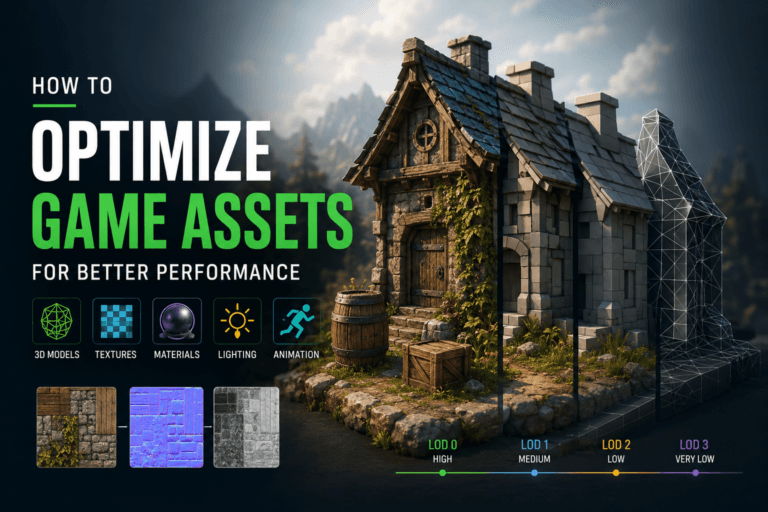
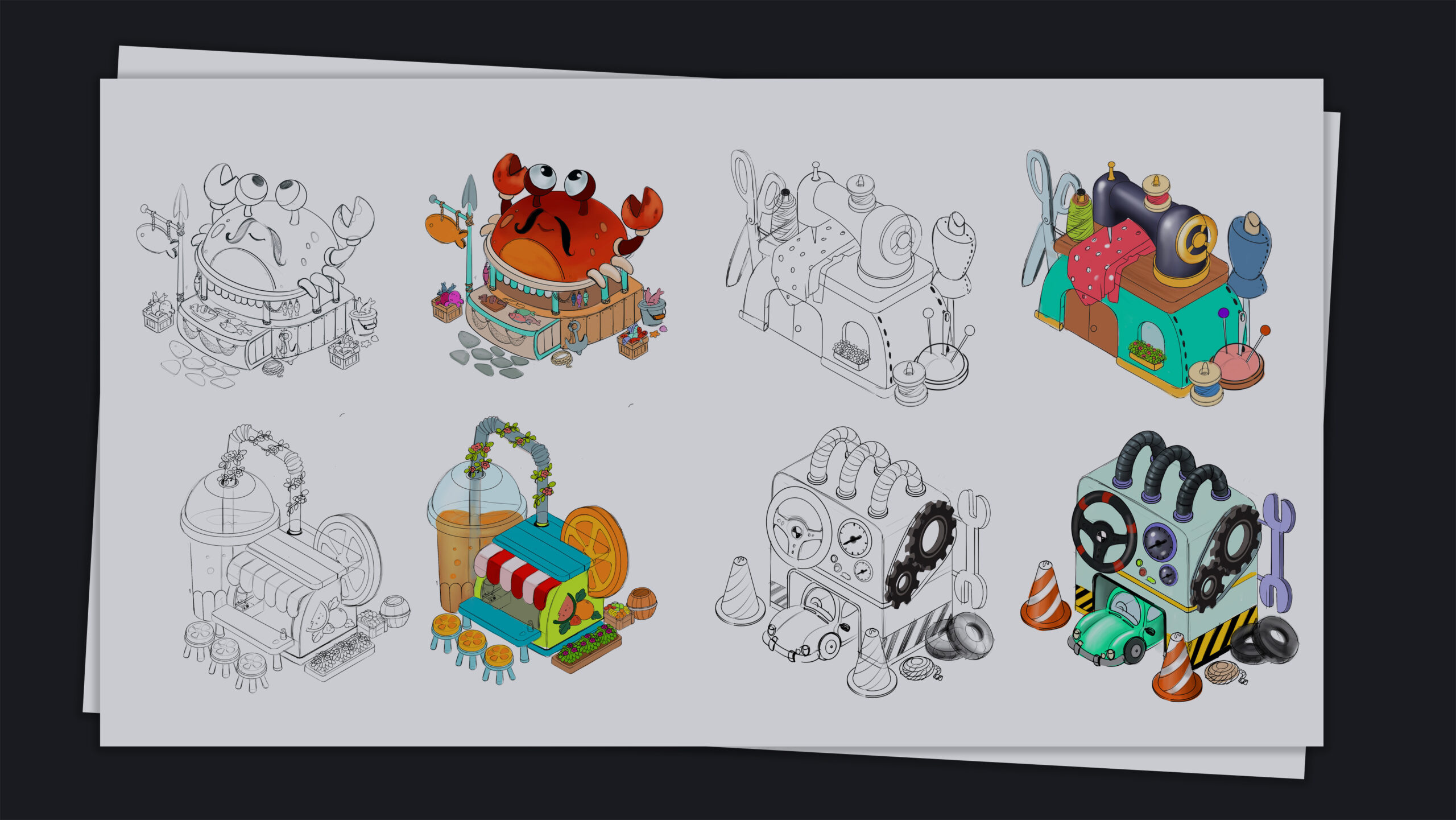
Textures are another area where AI is becoming increasingly practical. AI-assisted tools can help generate or modify textures and create starting points for maps such as color, roughness, normal, and height. These can then be refined inside conventional texturing software.
This approach can be especially useful when a project needs many material variations. NVIDIA has highlighted a game-production example in which generative AI was used to modernize game assets at scale. The studio described combining AI-generated texture outputs with traditional artist work rather than relying on AI alone. The manual refinement stage was used to correct materials and preserve the project’s visual identity.
That hybrid approach is important because a texture that looks convincing in an image generator is not necessarily a physically accurate or technically correct game material. It needs to work under the game’s lighting and rendering system.
5. AI for 3D Asset Creation
AI-generated 3D assets are another rapidly developing area. A designer can potentially generate a rough 3D object from an image or text description and use it as a starting point for further modeling.
For game production, however, generating the mesh is only part of the job. The asset may still require retopology, UVs, materials, texture optimization, collision geometry, LODs, rigging, and engine integration. If the asset is a character, it may also require skinning and animation testing.
This is why AI-generated 3D geometry is currently more useful as an accelerator for the modeling process than as a universal replacement for 3D artists. The value increases when the generated result can be integrated cleanly into an existing production pipeline.
4. AI for Animation and Motion
AI is also changing how game animation is produced. Character animation can involve large amounts of repetitive work. Motion capture data may need to be cleaned, retargeted, adjusted, or combined with keyframe animation.
AI-assisted systems can help process motion and create variations more quickly. Unity’s 2026 industry report found that 30% of surveyed developers using AI reported using it for character animation. This does not mean that AI can automatically create great character performances.
Animation still depends heavily on timing, weight, posing, anticipation, and personality. AI can help with the technical work, but animators still need to decide whether the movement actually communicates the intended character and gameplay experience.
5. AI for VFX and Game Effects
Game VFX is another area where AI can support production. Artists can use AI to explore effects such as smoke, fire, magical energy, environmental particles, or impact effects. It can also assist with generating references and variations during early development.
The bigger opportunity comes when AI is combined with procedural workflows. Instead of creating one effect at a time, artists can build systems that generate controlled variations. This can be useful for large games where dozens or hundreds of effects need to share a visual language. The objective is not simply to create more effects. It is to make them faster while keeping them consistent with the game’s art direction and technical requirements.
6. AI for Asset Variations
One of the strongest applications of AI in game art is variation. A game may require many versions of similar objects. Think of rocks, buildings, weapons, clothing, environmental props, icons, or textures. Creating every variation manually can consume a lot of time.
AI can help generate starting points that artists then refine and standardize. This is particularly useful when the project needs visual diversity without requiring every asset to be designed completely from scratch. The result can be a more efficient pipeline where artists spend their time on the most important assets while automated systems help fill out the broader world.
7. AI for Game Art Quality Control
AI is also moving into the less visible parts of production. A generated asset can be checked automatically for issues such as inconsistent appearance, incorrect formats, missing information, or other predefined requirements. More advanced workflows can compare generated assets against a project’s visual rules before they enter the production library.
AWS has demonstrated an AI-assisted game production workflow in which generated assets pass through automated evaluation before being added to an asset library. The evaluation checks characteristics such as recognizability, genre suitability, visual consistency, and content safety. This type of system is important because producing assets faster is only useful if teams can also review them faster.
AI Is Moving From Individual Tools to Complete Workflows
One of the more important developments in 2026 is that studios are starting to think beyond individual AI tools. The question is no longer simply, “Which AI image generator should our artists use?” The more useful question is, “How can AI improve the complete process from concept to engine?”
This distinction matters because an AI-generated image sitting in a folder does not automatically improve production. The asset needs to move through the pipeline. It needs to be reviewed, edited, formatted, optimized, named, stored, and eventually integrated into the game.
Research from Wharton Generative AI Labs suggests that studios often struggle when they try to automate complex workflows without first understanding the knowledge and processes that make those workflows work. Their 2026 research found that the more significant gains came when teams redesigned workflows around AI rather than simply adding AI to existing processes. That is a much more important change than simply generating images faster.
What AI Does Better Than Traditional Workflows
AI is particularly useful when the production problem involves scale, repetition, or exploration. If an artist needs ten visual ideas, AI can help generate them quickly. If a team needs many variations of a material, AI can accelerate the first pass. If a production involves repetitive image processing, automation can reduce manual work.
AI is also useful for shortening feedback loops. An artist can test an idea, evaluate it, make a change, and test another version much faster than before. This can make experimentation a more normal part of production rather than something teams avoid because it is too expensive.
The result is not necessarily fewer artists. It can mean that the same team has more time for the work that requires judgment.
Read More: Advantages and Disadvantages of AI in Animation
What AI Still Struggles With
AI-generated game art has improved significantly, but there are still important limitations. Consistency remains one of the biggest problems. A game cannot have a character whose face changes every time the camera cuts to another angle. A game’s environment cannot have materials that randomly change style from one asset to another.
Technical requirements are another challenge. Game assets need to work inside an engine. They need appropriate topology, UVs, materials, LODs, collision, performance characteristics, and file formats. There is also the issue of creative direction.
A generator can produce something visually impressive without understanding why it belongs in a particular game. An experienced artist understands the relationship between an asset and the game’s story, mechanics, genre, world, and player experience. That judgment is still difficult to automate.
The Human Role Is Changing, Not Disappearing
The idea that AI will simply eliminate game artists misses how production actually works. If AI makes asset creation faster, the bottleneck can move somewhere else.
Instead of struggling to produce enough concepts, a team may suddenly have too many concepts. Instead of spending most of its time creating textures, the team may spend more time deciding which textures actually belong in the game. This means art direction becomes even more important.
A recent AWS summary of the 2026 Perforce State of Real-Time Workflows Report makes a similar observation: as asset creation becomes more affordable, the bottleneck can shift toward design vision and judgment. The same report also notes that AI-generated art raises more concerns around intellectual property and creative ownership than some other AI applications in game development. The artist’s role therefore moves toward selection, refinement, consistency, and creative control.
Read More: Will AI Replace Animators?
AI and the Rise of Smaller Game Teams
AI could also change the size and structure of game development teams. A small team can potentially handle more work when AI assists with research, prototyping, asset exploration, testing, and repetitive production tasks.
Unity’s 2026 Game Development Report found that 52% of surveyed developers said their teams were focusing on smaller and more manageable projects. The report also found that 73% of surveyed studios using AI said it improved efficiency.
This does not mean that AI automatically makes small teams capable of producing AAA games. Complex games still require enormous amounts of content, testing, design, engineering, and production management. But AI can give smaller teams access to capabilities that previously required more people or more time.
AI and Game Art: The Copyright and Ownership Question
The technical side of AI is only part of the discussion. Studios also need to consider where training data comes from, what rights apply to generated content, whether client contracts allow AI-assisted production, and whether platforms require disclosure. These questions matter particularly for game art because the final assets can become a permanent part of a commercial product.
The industry is already moving toward more explicit policies. For example, Steam’s current rules require developers to disclose certain AI-generated content included in games or marketing materials, while productivity uses that do not generate content generally fall outside that disclosure requirement. The exact requirements can change, so studios should check the current policies of the platforms, tools, and jurisdictions relevant to each project.
How Game Artists Can Adapt to AI
Game artists do not need to become AI researchers to stay relevant. The most useful approach is to understand how AI fits into the discipline they already know.
A concept artist can learn how to use AI for visual exploration and reference generation. A texture artist can learn where AI-generated materials are useful and where manual refinement is still necessary. A technical artist can learn how to connect AI tools with procedural systems and production software.
At the same time, traditional artistic skills remain important. Drawing, composition, anatomy, color, lighting, modeling, texturing, animation, and visual storytelling give artists the ability to judge AI output rather than simply accept it. The artists who benefit most from AI are likely to be those who can direct the technology rather than depend on it.
What Will Game Art Production Look Like in the Future?
The game art pipeline is unlikely to become completely automated. Instead, it is likely to become more connected. AI will increasingly appear inside the tools artists already use. It may assist with concept generation, texture creation, animation, procedural workflows, asset organization, and quality control without requiring artists to leave their primary applications.
The distinction between “AI tools” and “traditional tools” may therefore become less important over time. What matters more will be how well the tools work together. A strong pipeline could allow an idea to move from concept to prototype to production asset with much less manual friction. Artists would still guide the process, but fewer repetitive steps would stand between an idea and a usable result.
Should Game Studios Use AI for Art Production?
There is no universal answer. Some projects may benefit greatly from AI-assisted production. Others may deliberately avoid generative AI because of their visual goals, client requirements, intellectual property policies, or audience expectations. The important thing is to make the decision deliberately.
Studios should identify the parts of production where AI can provide a measurable benefit. They should test the output against real production requirements and make sure that the workflow preserves creative control and meets legal and contractual requirements.
Using AI simply because other studios are using it is not a strategy. Using it to solve a specific production problem can be.
Conclusion
AI is changing game art production in 2026, but the biggest change is not that machines can generate pictures faster. The bigger change is that the production process itself is becoming more flexible.
Artists can explore more ideas before committing to a direction. Teams can create variations faster. Repetitive tasks can be automated. Assets can be evaluated and processed more efficiently. Smaller teams can potentially take on more ambitious projects.
At the same time, the value of human judgment has not disappeared. If anything, it has become more important. Someone still needs to decide what the game should look like, which ideas belong in the world, whether a character feels right, whether an asset is technically usable, and whether the final result actually serves the player’s experience.
The future of game art is therefore unlikely to be AI versus artists. It is more likely to be artists working with increasingly capable AI systems as part of a broader production pipeline.
The studios that get the most from that change will not necessarily be the ones generating the most content. They will be the ones that understand where AI genuinely improves the workflow and where human creativity still matters most.