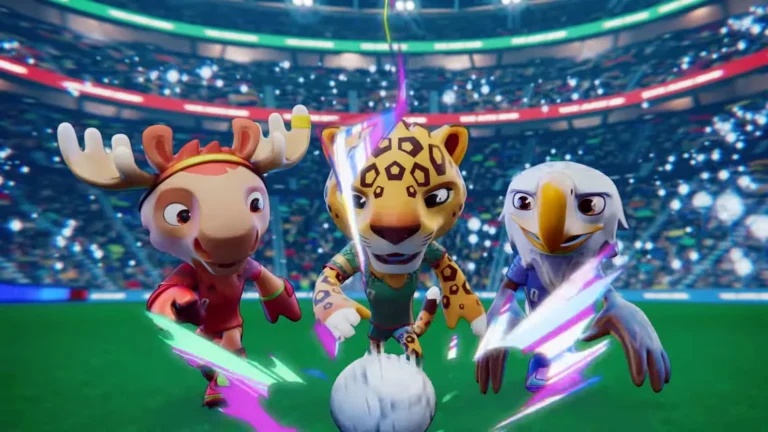
Storyboards are essential visual planning tools used in animation, films, games, commercials, and cinematic production. They help artists and directors organize scenes, camera angles, composition, timing, and storytelling before production begins.
There are many different storyboard styles and formats depending on the needs of a project. Traditional hand-drawn storyboards allow fast visual ideation, while digital storyboards offer cleaner layouts and easier revisions. More advanced formats, such as animatics and pre-visualization storyboards, add motion, timing, and camera movement to improve production planning.
Different types of storyboards are used for different goals, from rough thumbnail sketches and animation storyboards to cinematic and commercial storyboards. In this guide, we’ll explore the most common storyboard types, styles, and formats used in modern production workflows.

Need Animation Services?
Visit our Animation Service page to see how we can help bring your ideas to life!
What Is a Storyboard?
A storyboard is a visual representation of how a story will unfold, shown through a sequence of panels or frames. These panels usually include sketches, camera angles, character movement, composition, dialogue, and notes that help plan scenes before production begins.
Storyboard services are widely used in animation, filmmaking, games, advertising, and marketing to organize ideas and visualize storytelling. They help directors, artists, and production teams align on pacing, shot composition, transitions, and scene continuity before moving into production.
Whether hand-drawn or created digitally, storyboards act as a blueprint for visual storytelling and help make the creative process more efficient and organized.
Different Types of Storyboards
Storyboards are an essential part of visual storytelling and production planning. They help filmmakers, animators, game developers, and creative teams organize scenes, camera angles, composition, and pacing before production begins.
Different types of storyboards are used depending on the project, project style, and level of detail required. Some storyboard formats focus on quick visual ideation, while others are designed for detailed cinematic planning, animation timing, or commercial production workflows.
Below are some of the most common storyboard types and styles used in animation, films, games, advertising, and modern visual production.
1. Traditional Storyboards
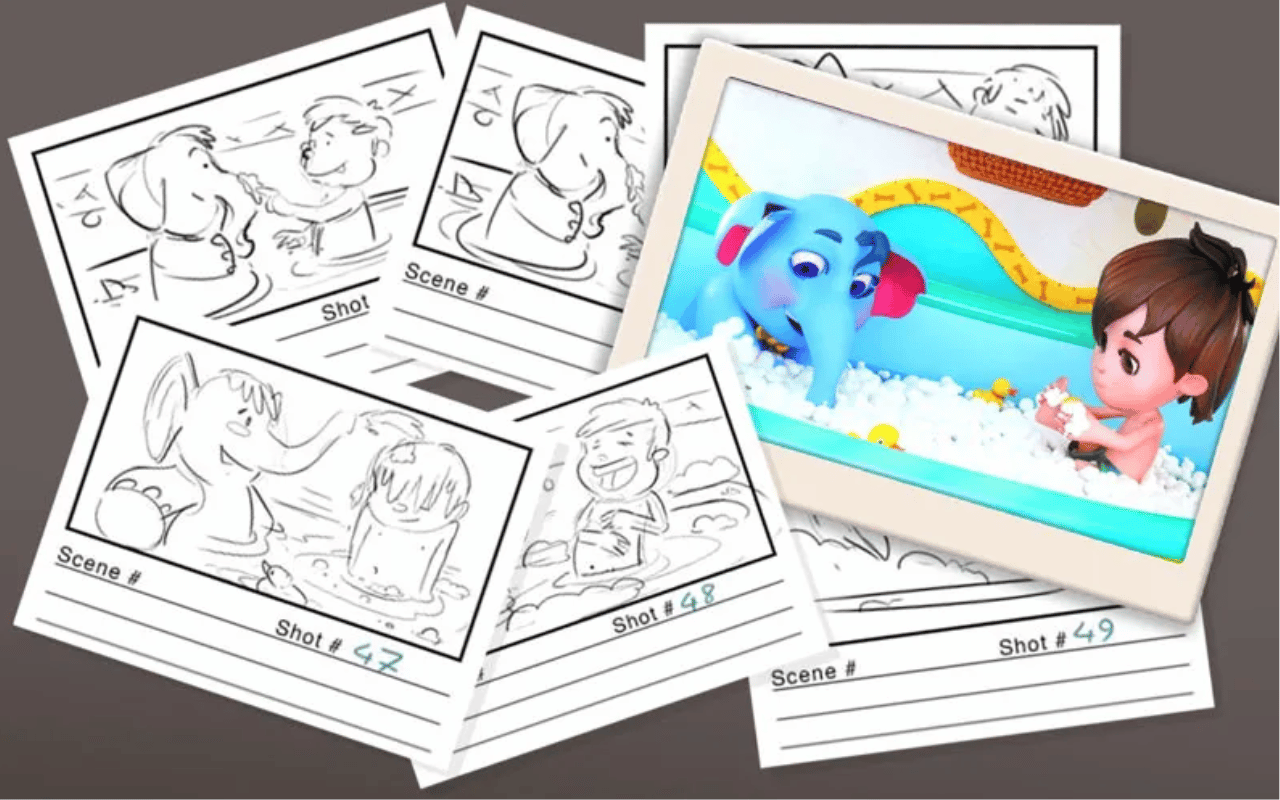
Traditional storyboards are hand-drawn using pen or pencil on paper. They consist of a sequence of rough sketches or panels used to visualize scenes, camera angles, character movement, and shot composition before production begins.
These storyboards are commonly used during the early planning stages of animation, films, commercials, and game cinematics because they allow artists and art directors to quickly explore ideas and scene flow without needing complex software.
Traditional storyboards do not need highly detailed artwork. Simple sketches, stick figures, and rough compositions are often enough to communicate the intended shot and visual direction clearly.
Common Use Cases
- Early concept development
- Animation pre-production
- Film shot planning
- Camera angle exploration
- Fast visual brainstorming
- Collaborative creative discussions
2. Digital Storyboards
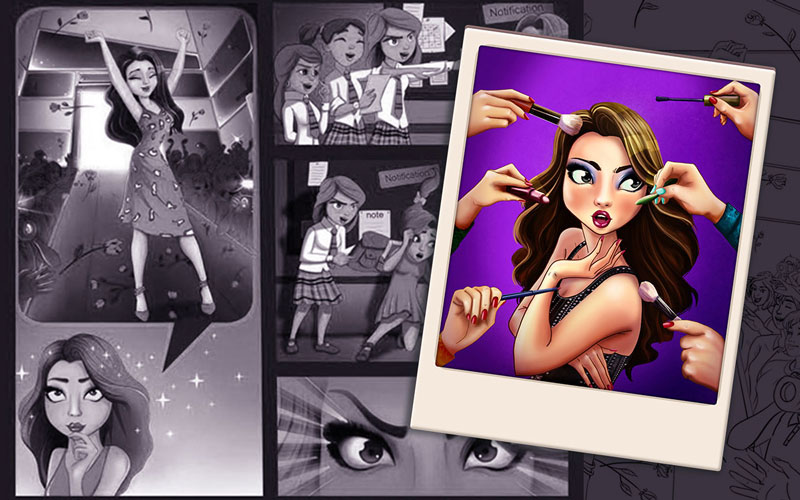
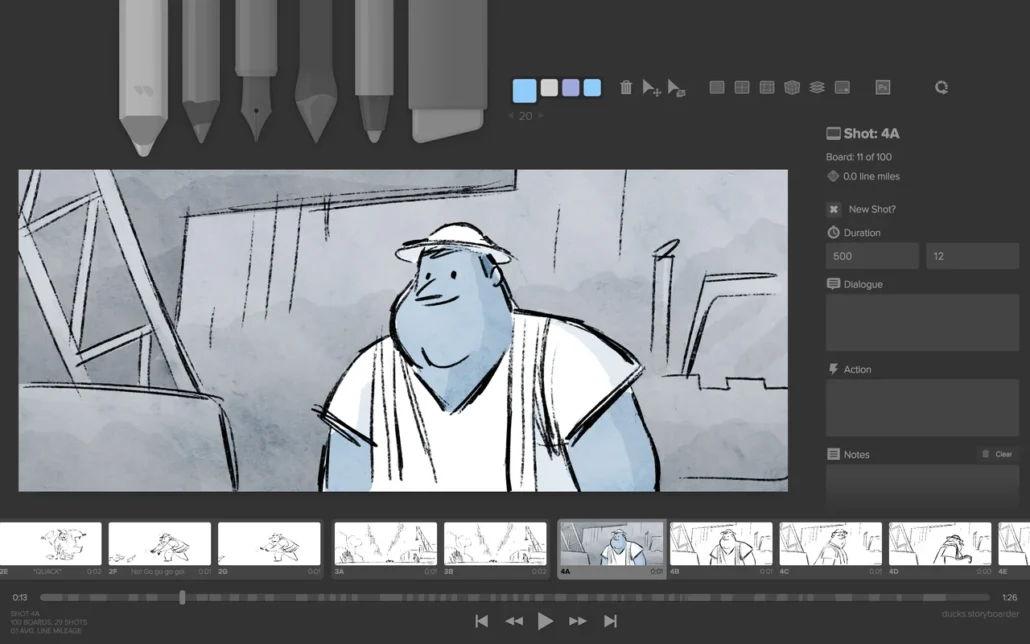
Digital storyboards are created using computer software instead of pen and paper. Popular tools include Adobe Photoshop, Adobe Illustrator, Adobe After Effects, and specialized storyboard software like Storyboard Pro or FrameForge.
Digital storyboards allow storyboard artists to create cleaner visuals, faster revisions, and more detailed scene layouts. Panels can be edited, resized, duplicated, and rearranged easily, making digital workflows much more flexible for modern production pipelines.
More advanced digital storyboards can also include 3D assets, virtual cameras, lighting previews, and cinematic composition tools, making them especially useful for VFX-heavy animation and film production.
Common Use Cases
- Animation production
- Film pre-production
- VFX producrion
- Commercial storyboarding
- Cinematic shot planning
- Fast revisions and collaboration
3. Animated Storyboards
Animated storyboards, often called animatics, take storyboarding a step further by adding motion, timing, transitions, and temporary audio to storyboard panels. Instead of static images, scenes are presented as rough moving sequences to preview pacing and cinematic flow.
These storyboards may include camera movement, zooms, character motion, editing cuts, and temporary sound effects to help teams better understand scene timing before full production begins.
Animated storyboards are especially valuable for complex action scenes, cinematic storytelling, and animation projects where timing and pacing are critical.
Common Use Cases
- Animation timing previews
- Cinematic pre-visualization
- Action sequence planning
- Editing and pacing tests
- Camera movement planning
- Trailer and commercial production
Read More: Animatic vs. Animation
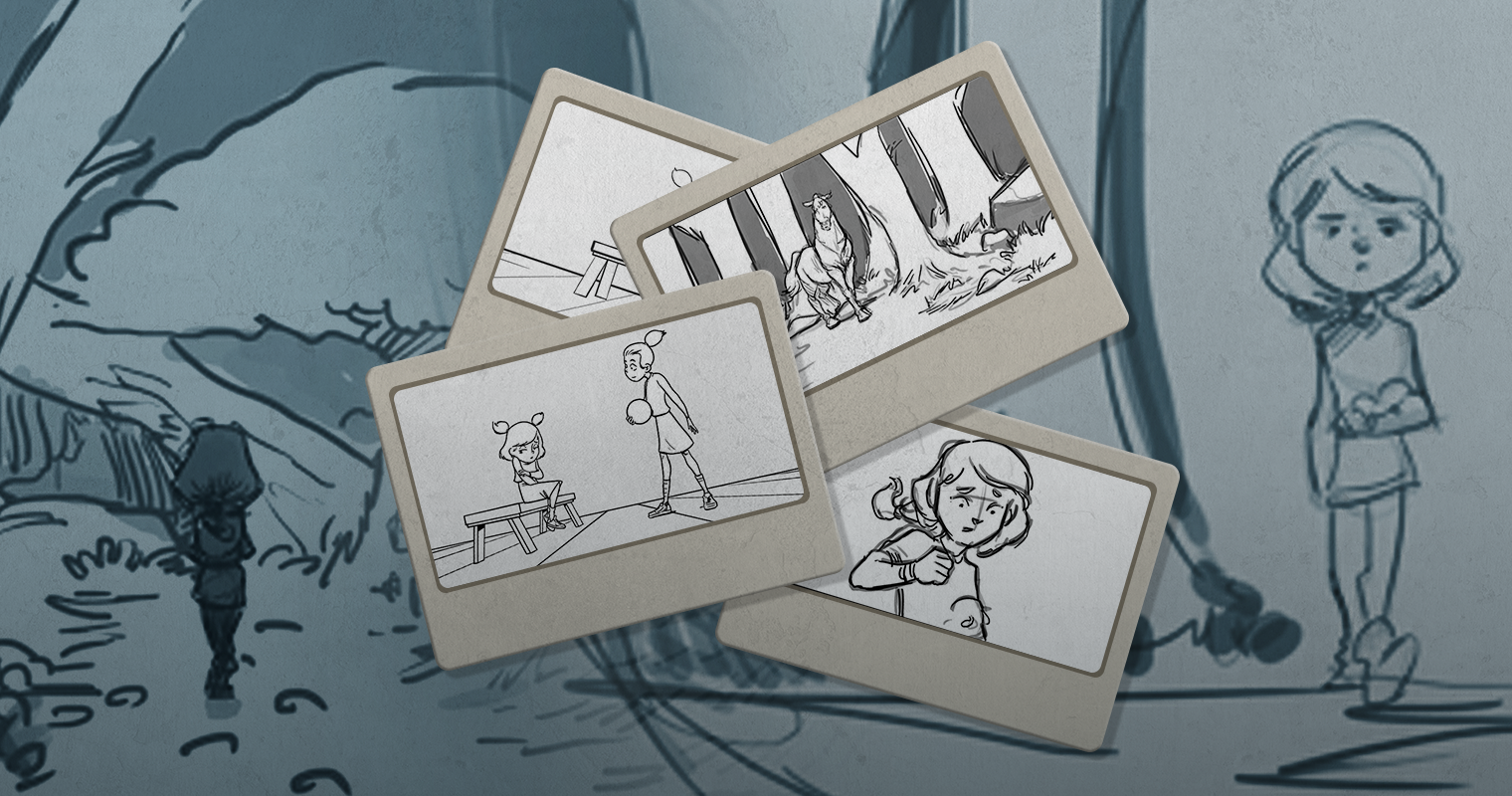
4. Thumbnail Storyboards
Thumbnail storyboards use very small rough sketches to quickly explore scene composition and visual storytelling of animation ideas. Artists create many tiny panels on a single page to test pacing, shot flow, and camera composition before developing more detailed storyboard artwork.
Because they are quick and loose, thumbnail storyboards are ideal for brainstorming and experimentation during the earliest stages of production.
Common Use Cases
- Early ideation
- Scene composition exploration
- Camera angle testing
- Fast creative brainstorming
- Shot sequence planning
- Visual storytelling experiments
5. Written Storyboards
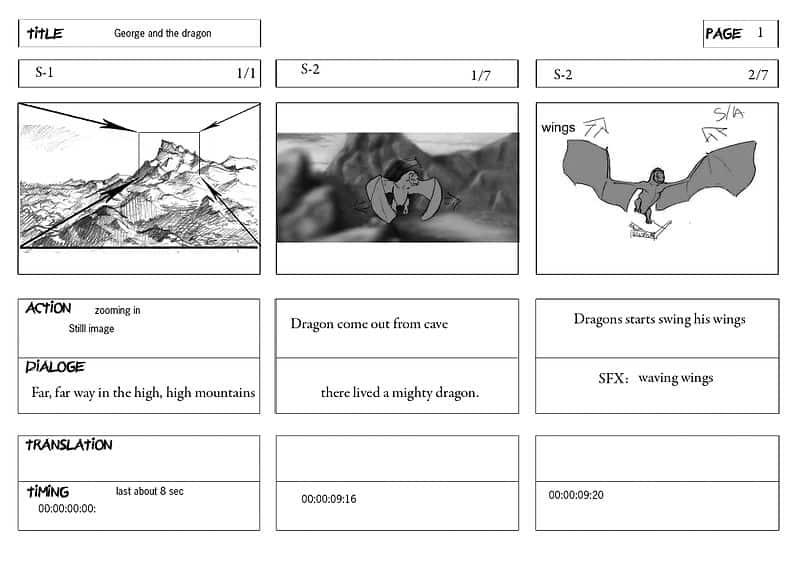
Written storyboards rely mostly on text descriptions rather than visual panels. They describe scene actions, dialogue, camera direction, transitions, and important storytelling details in written form.
Although they lack visual clarity compared to illustrated storyboards, written boards can be created quickly and are often used alongside scripts, shot lists, or visual references during pre-production.
Common Use Cases
- Early production planning
- Script breakdowns
- Shot list preparation
- Commercial planning
- Dialogue-heavy scenes
- Fast concept organization
6. Sketched Storyboards
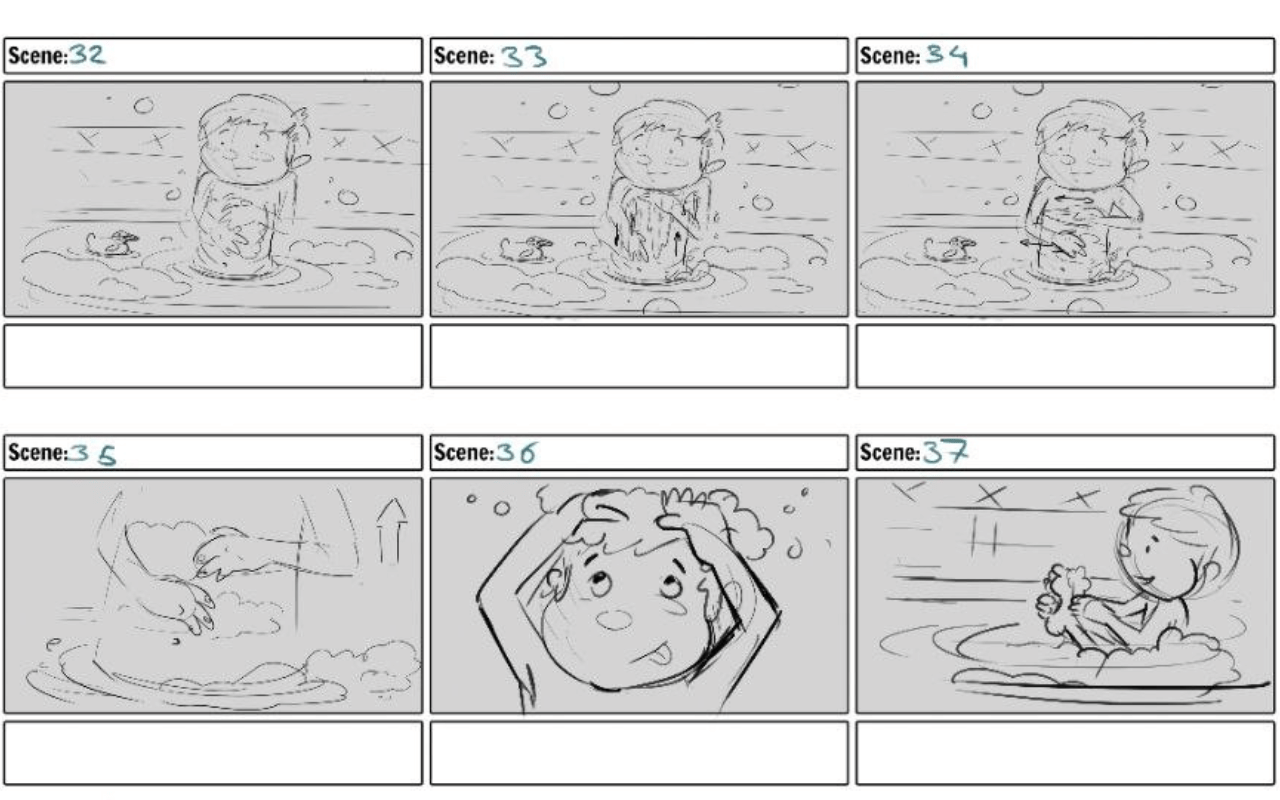
Sketched storyboards use rough drawings, simple figures, and loose compositions to communicate scene flow quickly. These boards focus more on storytelling and composition than polished artwork.
Because they are fast to create, sketched storyboards are commonly used during brainstorming sessions and collaborative creative discussions.
Common Use Cases
- Fast visual ideation
- Creative brainstorming
- Rough cinematic planning
- Animation blocking
- Early scene development
- Team collaboration
7. Explainer Video Storyboards
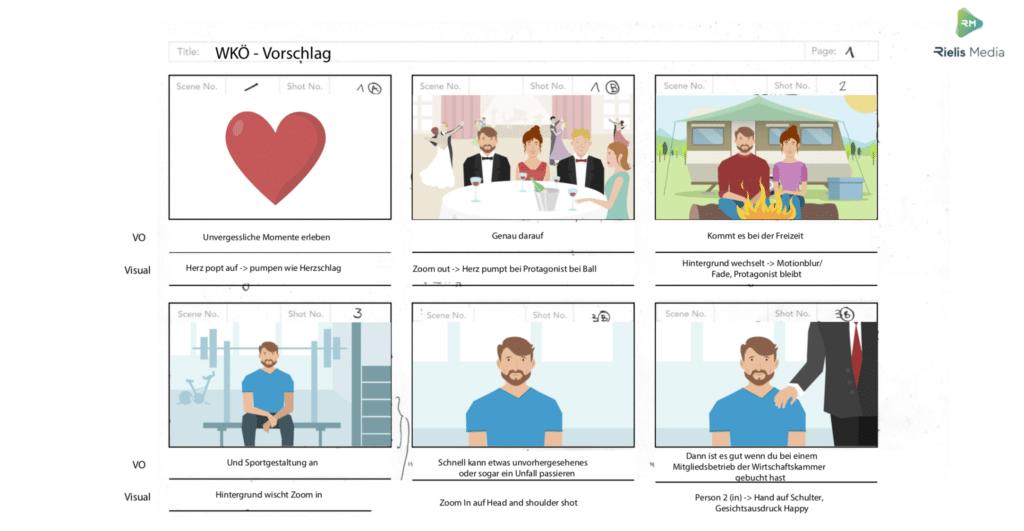
Explainer video storyboards are designed specifically for short animated videos, commercials, and motion graphics projects. These storyboards focus on delivering clear messaging, pacing, and visual communication rather than complex cinematic storytelling.
They often combine illustrations, text blocks, voice-over notes, and motion descriptions to organize scenes efficiently.
Common Use Cases
- Explainer videos
- Motion graphics projects
- Animated marketing videos
- Commercial animation
- Product animations
- Educational content
8. Framed Storyboard
Framed storyboards present each panel inside a cinematic frame similar to a camera or film shot. This layout helps artists focus on composition, framing, perspective, and screen space more accurately.
Framed storyboards are commonly used in films, cinematics, and commercial productions where shot composition plays a major role in animation storytelling.
Common Use Cases
- Cinematic shot planning
- Film production
- Camera framing visualization
- Commercial storyboards
- Composition planning
- Game trailer production
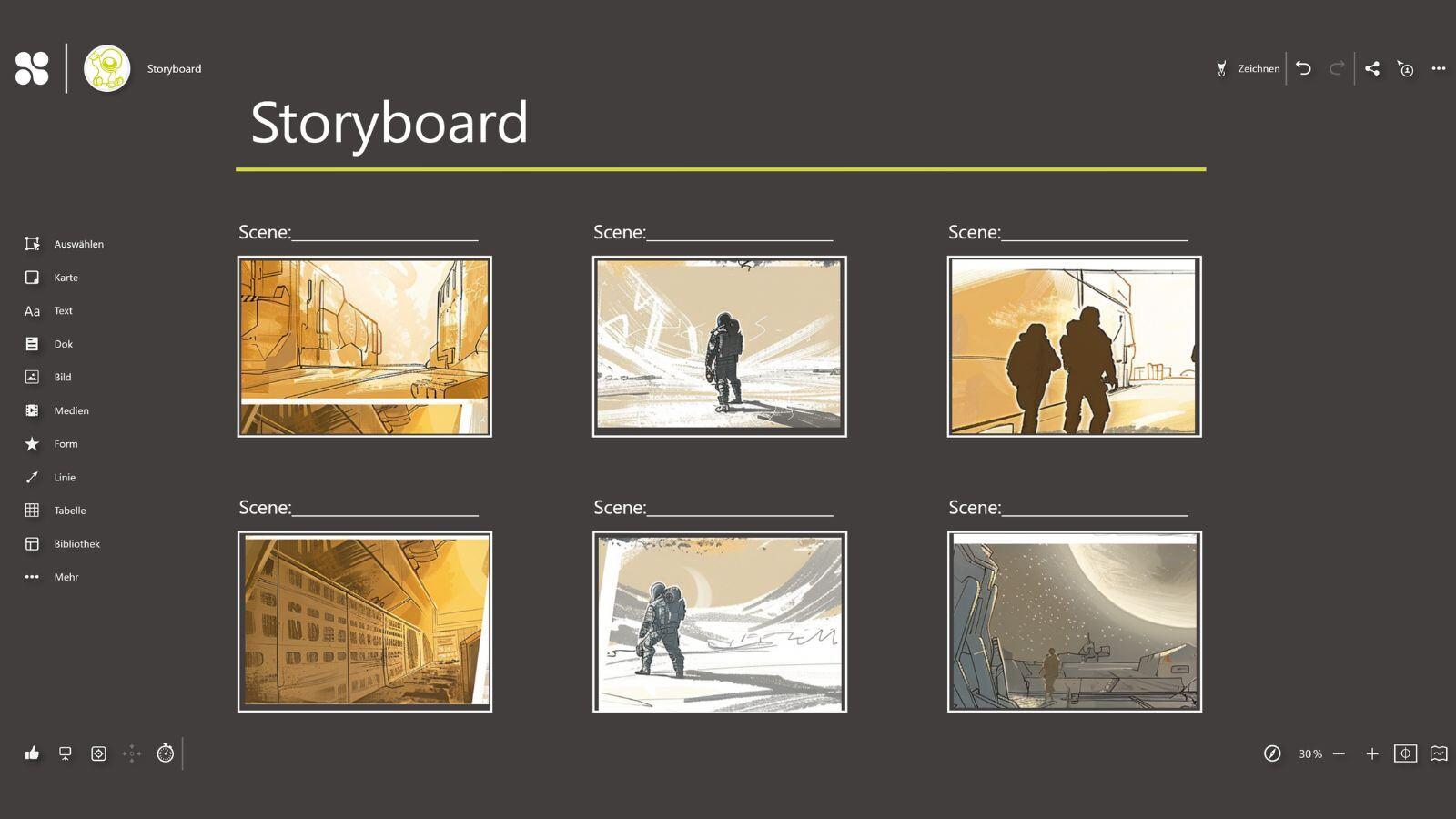
9. Shot Descriptions
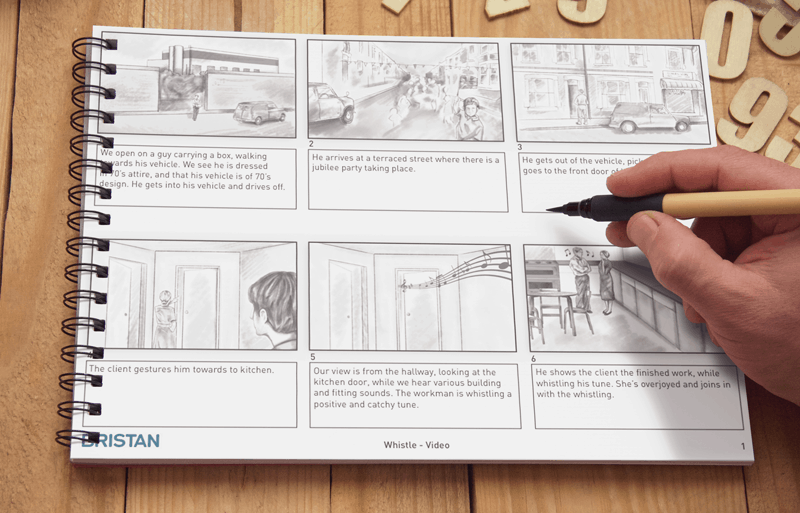
Shot descriptions are written notes added beneath storyboard panels to explain scene details that may not be fully visible in the artwork. These notes often include camera movement, dialogue, character actions, mood, transitions, and technical instructions.
Detailed shot descriptions help animation directors, artists, animators, and camera teams maintain consistency throughout production.
Common Use Cases
- Camera direction notes
- Dialogue timing
- Technical production instructions
- Art direction
- Cinematic planning
- Scene continuity
10. 2D & 3D Storyboards
Both traditional and digital storyboards can be created in either 2D or 3D formats.
2D storyboards use flat drawings and are ideal for fast visual planning, animation services, and simple scene composition. 3D storyboards, however, are built inside virtual 3D environments, allowing artists to test dynamic camera movement, lighting, staging, and cinematic shots more accurately.
3D storyboarding is especially useful for complex action scenes, VFX-heavy productions, game cinematics, and advanced camera work.
2D Storyboards Common Use Cases
- Animation planning
- Commercial storyboards
- Fast visual ideation
- Traditional film planning
3D Storyboards Common Use Cases
- Pre-visualization (Previs)
- VFX-heavy productions
- Complex camera movement
- Game cinematics
- Virtual production workflows
Great Examples of Effective Storyboarding
Some of the best films and animated projects use strong storyboarding to plan pacing, camera movement, composition, and storytelling before production begins.
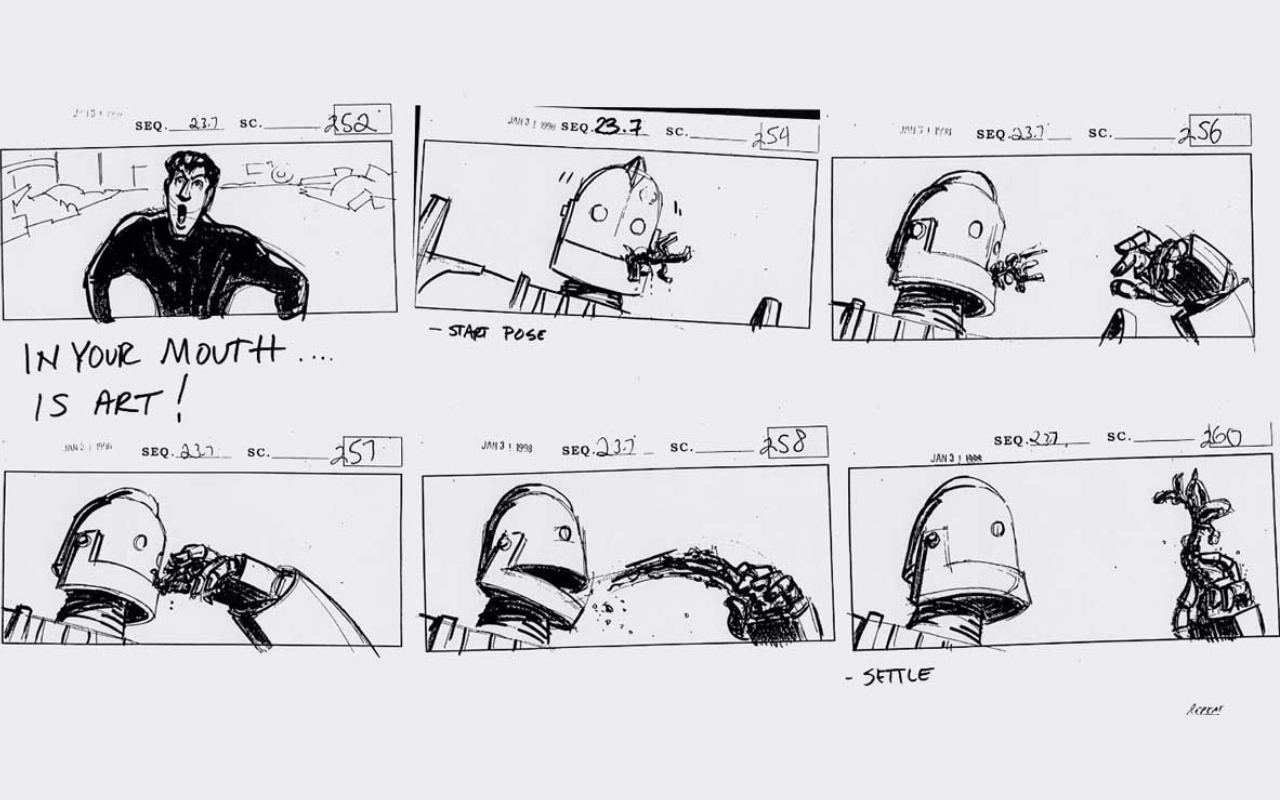
The Iron Giant
The hand-drawn storyboards for The Iron Giant use simple sketches, motion lines, and composition to communicate action and emotion clearly. Despite their simplicity, the boards effectively establish scene flow and cinematic framing.
Wall-E
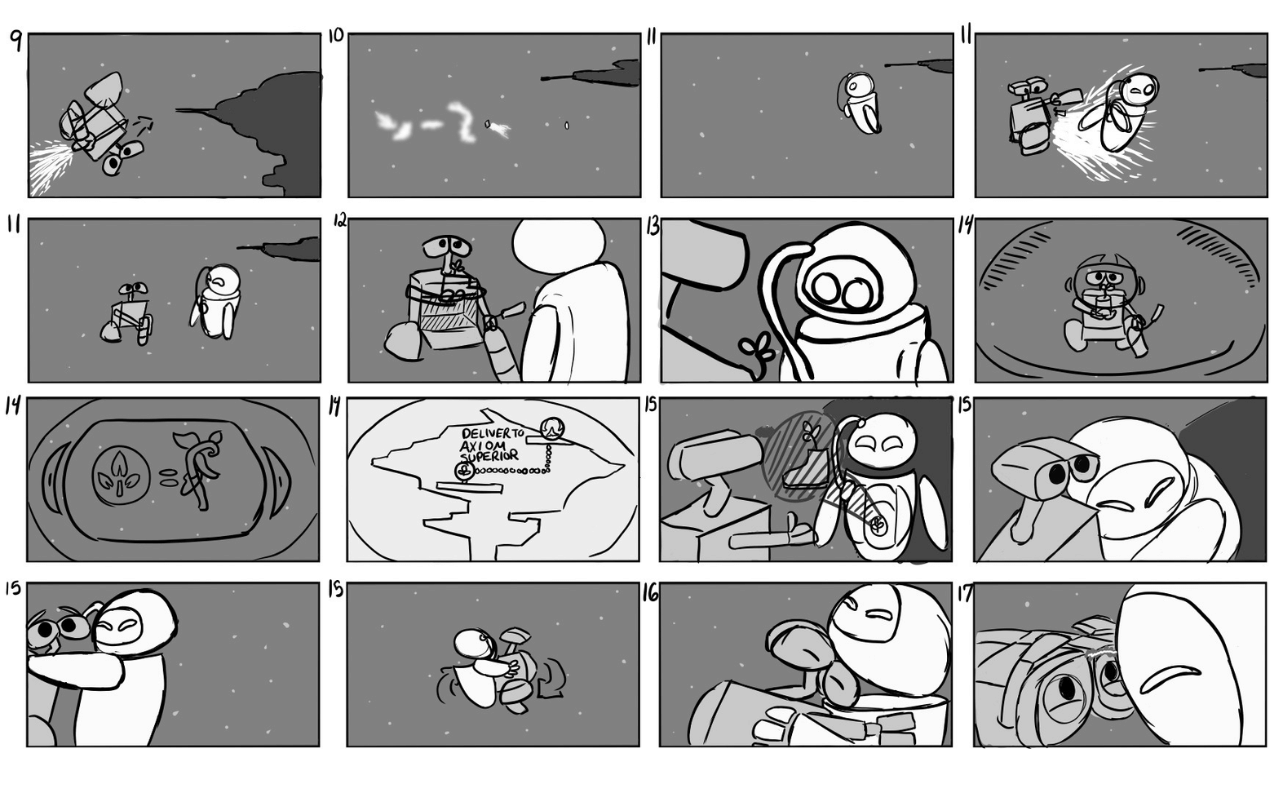
Pixar’s Wall-E storyboards are a great example of how rough storyboard sketches can still communicate character acting, pacing, and visual storytelling with clarity.
Mad Max: Fury Road
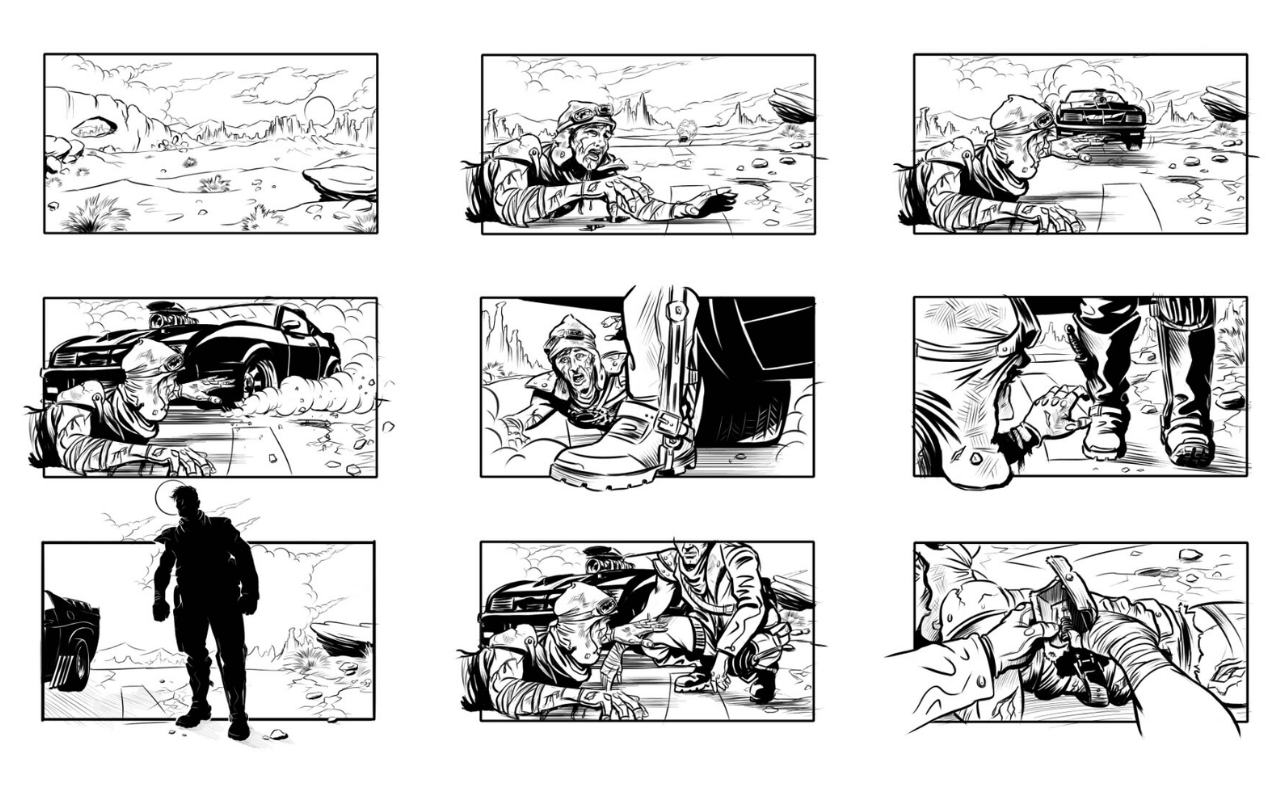
Mad Max: Fury Road relied heavily on detailed digital storyboards to pre-visualize its intense action scenes and complex cinematic sequences before filming.
Disney used animated storyboards and animatics during Moana’s production to test camera movement, scene timing, and storytelling rhythm before animation production began.
Common Storyboard Layout Variations
Storyboards can use different layouts depending on the project, cartoon production style, and level of detail required. Here are some common storyboard layout types:
- Single Panels – Each shot takes up a full page or screen. Allows maximum space for detailed illustrations.
- Multiple Panels – Several small panels fit on each page, condensing the sequence. Good for condensed overviews.
- Thumbnail Panels – Dozens of tiny panels on each page give a high-level overview.
- Manga Panels – Panels are arranged vertically to be read top to bottom, typical in comics.
- 16:9 Panels – Widescreen rectangular panels at a 16:9 aspect ratio match the modern film.
- 2.35:1 Panels – Ultra wide panels at cinema scope aspect ratios.
The layout used depends on the detail required, the number of shots, and how much of the sequence needs to be seen at once. Thumbnails work for initial brainstorming, while larger individual panels are better for refined artwork.
Tips for Making an Effective Storyboard
Strong storyboards focus on clear visual communication rather than polished artwork.
- Keep panels clean and readable
- Focus on important actions and compositions
- Use arrows and motion lines to show movement
- Maintain visual consistency between shots
- Add notes for transitions, dialogue, and camera direction
- Consider the needs of your production team or client
- Refine boards based on feedback and revisions
Which Storyboard Format Fits Your Project Best?
Different projects require different storyboard styles and levels of detail.
- Thumbnail and sketched storyboards are ideal for early brainstorming and fast visual ideation
- Traditional storyboards work well for animation, films, and cinematic planning
- Digital and 3D storyboards are better suited for VFX-heavy productions and complex camera movement
- Explainer video storyboards focus on concise messaging and pacing for commercials and marketing content
- Animated storyboards and animatics help preview timing, editing, and scene rhythm before production begins
The best storyboard format depends on your project goals, production complexity, timeline, and collaboration needs.
Top Storyboarding Tools & Software
Modern storyboard artists use a variety of tools depending on the production style and workflow.
- Toon Boom Storyboard Pro: Industry-standard storyboard software
- FrameForge: Great for cinematic shot planning and previs
- Storyboarder: Lightweight and free storyboarding tool
- Canva & Boords: Beginner-friendly online storyboard tools
- Google Slides: Simple solution for quick projects
- Adobe Photoshop & After Effects: Flexible tools for custom storyboard workflows
Advantages of Storyboarding
- Good Visual Communication: Storyboards simplify the visual flow for all concerned, preventing confusion and solidifying the team on style, timing, and order.
- Saves Production Time: Shooting out scenes in advance eliminates the need to experiment on set or in animation, saving production and minimizing delays.
- Cost-Effective Planning: Groups can pre-plan resources (i.e., props, locations, or effects) through a storyboard and avoid charges at the last minute.
- Experimenting ideas: It allows for space to experiment and refine ideas before production, allowing for better narrative development and visual rhythm.
- Easy Collaboration: The idea is made clear to the client, team members, or stakeholders early enough so that effortless feedback and ensuring consistency are allowed.
- Reduces Revision Risk: Storyboards prevent the risk of altering key elements at later stages by addressing issues at the planning stage.
How to Build a Storyboard Step-by-Step
- Know Your Story: Break your script into key scenes and moments.
- Create a Shot List: Voice each shot with action and angle.
- Sketch Thumbnails: Rough, quick panels to have the visual path defined.
- Add Dialogue & Descriptions: Brief notes and key lines below each panel.
- Specify Camera Movements: Arrows or symbols to show pans, zooms, or tilts.
- Refine Your Sketches: Clean drawings and add essential details.
- Get Feedback & Revise: Share the progress with your team and revise accordingly.
- Choose Final Format: Choose between static boards, computer software, or animatics based on your project.
Read More: How to Make a Storyboard?
Common Storyboarding Mistakes
Even strong ideas can become confusing if storyboards are not organized clearly.
- Weak scene flow and continuity
- Overcrowded storyboard panels
- Unclear camera direction
- Missing movement or transition notes
- Treating storyboards like finished artwork instead of planning tools
- Ignoring team feedback during revisions
How Storyboards Save Time and Budget in Production
Storyboards are the GPS of your project, they chart the entire production course and avoid expensive detours. Here’s how they save time and money:
- Catch problems early: Identify potential problems in scenes early on before filming or animating to prevent costly reshoots.
- Streamline choices: Clarity of visual plans prevents directors, animators, and crew from getting confused and communicating more effectively.
- Plan better: Being aware of which shots require special effects, complex camera maneuvers, or quirky locations means budget can be spent exactly where it needs to be spent.
- Minimize guesswork: Everyone knows precisely what’s required.
- Reduce last-minute surprises: Less scrambling saves hours and dollars.
- Streamline shooting schedules: Precise scene setups save production days.
How Storyboards Improve Communication in Creative Teams
Think of storyboards as your creative team’s universal translator.
Visualize the story: Allow everyone, writers, directors, animators, producers, to see the same neat picture.
Prevent miscommunication: Cut down on guesswork and misinterpretation regarding shots, timing, and action.
Encourage teamwork: Set a common standard when brainstorming and providing feedback.
This is how they encourage collaboration:
- Members of a team are able to simply look at what’s working or needs adjusting.
- Early feedback loops prevent expensive errors down the line.
- Everyone stays on course and connected to a common vision.
The Future of Storyboarding: AI and Virtual Reality Innovations
Storyboarding is quickly evolving with technology turning the game upside down. Here’s a hot and new update:
AI-Enhanced Storyboarding:
- Automates rough sketching and scene ideas.
- Aids rapid brainstorming through generating many ideas in a matter of seconds.
- Enables artists to focus on art and not tedium.
Virtual Reality Storyboarding:
- Creates interactive 3D environments to walk around scenes in space.
- Empowers directors to “walk around” sets and experiment with camera angles in real time.
- Ensures collaboration by enabling teams to see the story come to life in real time.
Why are they important?
VR and AI make storyboarding more natural, quicker, and interactive, ideal for breaking the rules creatively in filmmaking, animation, and video games.
Conclusion
Storyboards are a multifaceted tool for visually communicating narrative visions. As we have seen, there are many techniques storytellers utilize to transform ideas into cohesive scenes, from hand sketching to digital animation. Simple thumbnails work for initial brainstorming, while detailed pre-visualization excels at planning complex sequences. The right storyboarding approach depends entirely on the unique needs and budget of each creative project.
In summary, this recap emphasizes the diversity of storyboarding techniques that all serve the common goal of bringing visual narratives to life. It concludes that choosing the right storyboard type is a strategic decision based on project needs.
FAQs
What does a storyboard look like?
A storyboard is a sequence of panels with sketches or images, captions, camera directions, dialogue, and arrows showing movement or transitions.
Which platforms are best for handling storyboard templates in large organizations?
Platforms like Miro, Boords, Canva, and StudioBinder offer scalable, collaborative storyboarding with templates, sharing, and version control.
What are the key features of top storyboarding tools for templates?
Top tools include drag-and-drop editors, customizable templates, real-time team collaboration, version history, export options, and AI assists.
What types of storyboards are most common?
Key types include traditional, digital, animatics, thumbnail, written, and sketched storyboards.
What are thumbnail storyboards?
Quick, rough sketches for planning scenes and shot flow before fleshing out detailed frames.
What's a digital storyboard?
Created using software. The process is flexible, easy to revise, share, and add effects or layers.
What is an animated storyboard (animatic)?
A timing-based version of storyboard frames with rudimentary motion, sound, and pacing.
How are 2D and 3D storyboards different?
2D uses flat sketches; 3D storyboards use models to simulate camera views for technical clarity.
What’s a Leica reel?
A filmed version of storyboard frames edited with voice or sound to preview timing. Also called a story reel.
How do storyboards vary by industry?
Advertising uses client-ready, polished frames; animation relies heavily on visuals; film includes technical motion cues.